Installation and Operation 67
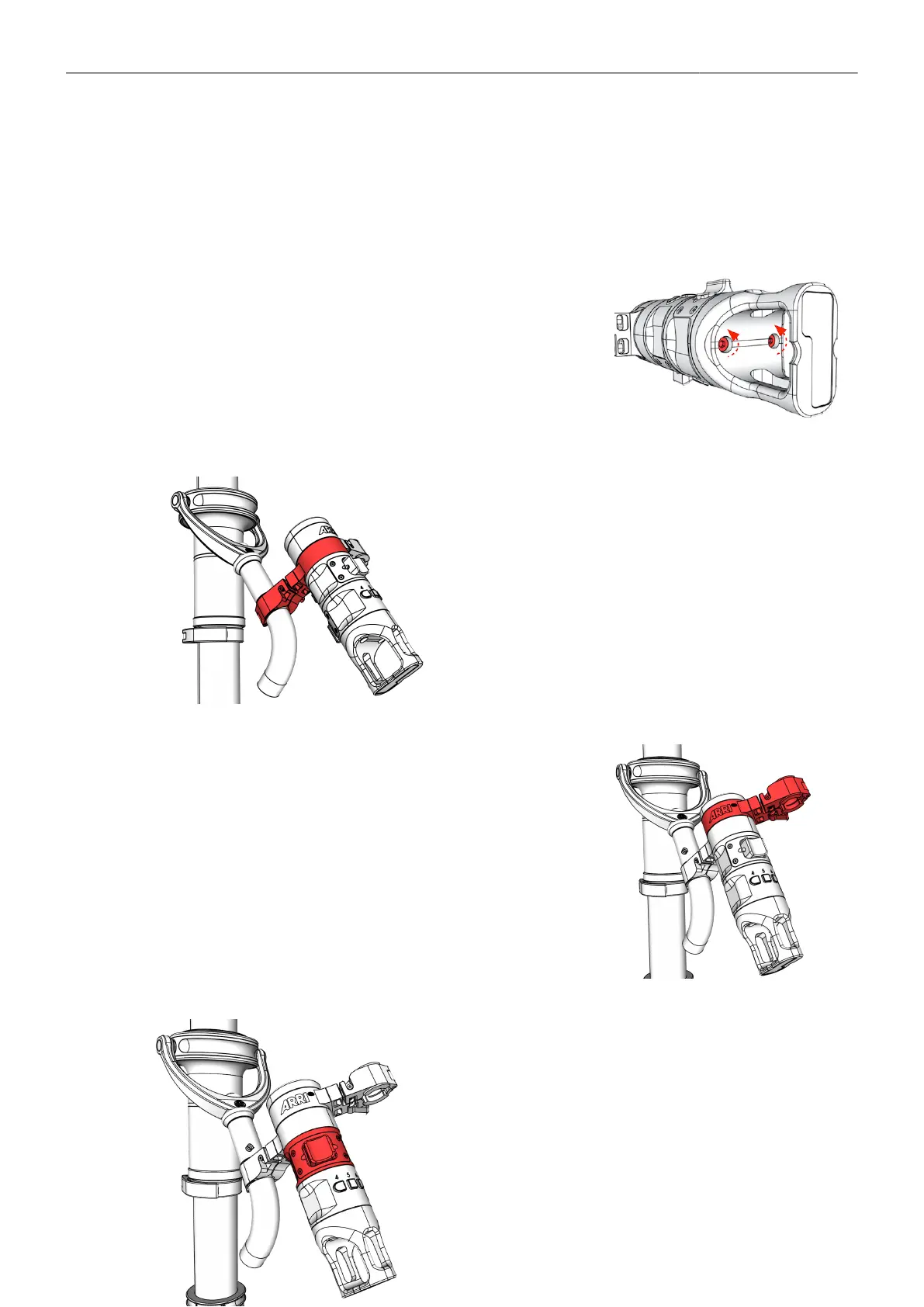
8.4.5 Positioning of the Master Grip TRINITY
The Master Grip TRINITY MGT-1 & MGT-2 enables all segments, such as brackets, joysticks and
handle, to be freely positioned in relation to each other. In this way, every user can position the Master
Grip TRINITY, the joystick, the function keys and the monitor in the perfect position.
Adjustment Screws
1. Loosen both adjustments screws, by max. 2 turns.
Gimbal Mounting Bracket Position
2. If desired, the Master Grip TRINITY can be placed di-
rectly over the gimbal handle.
3. Or raise the monitor mounting bracket in a different po-
sition.
Joystick Position
4. Or move the joystick to a comfortable position.
5. When all segments are in place, tighten the screws.



 To Next Page