EasyManua.ls Logo

Arthrex DualWave - User Manual

Default Icon
60 pages
Print Icon
To Next Page IconTo Next Page
Loading...
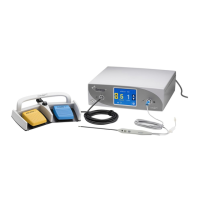
DualWave™ Arthroscopy Pump
User’s Guide
The Arthrex DualWave™ Arthroscopy Pump User’s Guide provides safety operation information
for all components of the Arthrex DualWave Arthroscopy Pump (model AR-6480), including
accessories. All operating personnel must read this User’s Guide for version 1.7 or higher
thoroughly prior to using this system and follow all safety warnings, cautions, and precautions.
U.S. PATENTS No. 5,520,638 and 8,206,342
0086
Arthrex, Inc.
1370 Creekside Blvd.
Naples, FL 34108-1945 USA
Toll Free: 1-(800) 934-4404
www.arthrex.com
Arthrex GmbH
Erwin-Hielscher-Strasse 9
81249 München, Germany
Tel: +49 89 909005-0
www.arthrex.de
DFU-0212
Revision 1
© 2015 Arthrex, Inc. All rights reserved
DFU-0212, Rev. 1 English

Table of Contents

Other manuals for Arthrex DualWave

Questions and Answers

  • A
    Alexander SmallAug 17, 2025
    What to do if my Arthrex DualWave console will not power up?
    • A
      Amber SmithAug 17, 2025
      If the Arthrex Medical Equipment console won't power up, first check the AC mains power cord. If that's not the issue, try using a different power outlet. Also, inspect the AC mains fuses. If problems persist, the device may need to be returned to Arthrex for repair.
  • B
    Brenda ThompsonAug 19, 2025
    What to do if Arthrex DualWave Medical Equipment shows a Pressure Fault?
    • M
      Mark AdamsAug 20, 2025
      If the Arthrex Medical Equipment displays a 'Pressure Fault', ensure there is an adequate fluid supply. Also, try decreasing the outflow. Check the tubing for any damage, pinches, kinks, or blockages, and make sure the tubing connections are properly connected. If necessary, replace the tubing. If the issue continues, return the device to Arthrex for repair.
  • T
    Travis FryeAug 22, 2025
    What to do if my Arthrex DualWave Medical Equipment does not pump when activated?
    • C
      Carol BradyAug 22, 2025
      If the Arthrex Medical Equipment is not pumping when activated, begin by checking for any error messages. Ensure all tubing clamps and shut-off valves are open. Verify that the actual pressure is below the target pressure. Inspect the tubing for any pinches, kinks, or blockages. If the problem persists, the equipment may need to be returned to Arthrex for repair.
  • B
    Brian McneilAug 26, 2025
    How to fix inadequate distention with bloody liquid in Arthrex DualWave?
    • H
      Heather FinleyAug 26, 2025
      If you're experiencing inadequate distention with bloody or cloudy liquid in your Arthrex Medical Equipment, try increasing the pressure. You can also activate Lavage mode, reduce the outflow, and use high-flow cannulas. If the issue persists, return the equipment to Arthrex for repair.
  • R
    randy06Aug 28, 2025
    What to do if Arthrex DualWave displays 'Tubing Out'?
    • K
      kenneth89Aug 28, 2025
      If the Arthrex Medical Equipment displays 'Tubing Out', it means the tubing is not properly connected, as indicated by the red LED on the tubing sensor. Ensure the tubing sensor coupler is open and not seated. Also, verify that the tubing pressure line connector is completely seated. Try changing the tubing. If the problem continues, the device may need to be returned to Arthrex for repair.
  • S
    sydneygalvanAug 31, 2025
    Why is there no flow in my Arthrex Medical Equipment?
    • C
      Cindy PhillipsAug 31, 2025
      If the Arthrex Medical Equipment isn't providing adequate flow, first check for any error messages. Ensure that all tubing clamps are open. Check the settings for flow and pressure and inspect the tubing for pinches, kinks, or blockages. Confirm that the tubing is correctly seated over the rollers and that high-flow cannulas are being used. If the issue continues, return the equipment to Arthrex for repair.
  • C
    Cynthia VincentSep 2, 2025
    What to do if Arthrex Medical Equipment console fails Self Diagnostic Test?
    • K
      kim60Sep 2, 2025
      If the Arthrex Medical Equipment console fails the Self Diagnostic Test, make sure no tubing is connected to the pump during the power-on sequence. If the failure persists, return the device to Arthrex for repair.
  • T
    Timothy CarrollSep 5, 2025
    How to fix 'No Shaver Detect' on Arthrex Medical Equipment?
    • J
      John KellySep 5, 2025
      If the Arthrex Medical Equipment indicates 'No Shaver Detect', and you are using Synergy Shaver Detection, verify that the DualWave software is at least version 1.8 and the Synergy Resection Console is at least version 2.3. Ensure the Synergy cable is connected. Try pressing stop and then run on the DualWave while the Synergy Resection Console is on. You may also try replacing the cable. If you are using Universal Shaver Detection, ensure the universal shaver cable is connected. Turn the DualWave on and off while the shaver system is powered on. Adjust the DELAY and/or THRESHOLD settings and isolate the power source. If the failure persists, return the equipment to Arthrex for repair.
  • M
    Michael ReidSep 8, 2025
    What to do if Arthrex DualWave shows Overpressure?
    • R
      rruizSep 8, 2025
      If the Arthrex Medical Equipment displays 'Overpressure', increase or open the outflow. Also, manipulate the joint to a stress-free position. If the failure continues, return the device to Arthrex for repair.
  • C
    Calvin EnglishSep 12, 2025
    What to do if Arthrex DualWave Medical Equipment displays 'Door Open'?
    • D
      David FarrellSep 12, 2025
      If the Arthrex Medical Equipment displays 'Door Open', ensure the locking lever is properly secured so that the roller housing is secured. If the failure persists, return to Arthrex for repair.

Summary

General Warnings and Safety Notices

Important Safety Conventions

General safety guidelines for users regarding device operation and potential risks.

Symbols Definition

Explains the meaning of various safety and operating symbols used in the manual.

Shipping, Unpacking, and Warranty Information

Instructions for receiving, unpacking, and warranty terms for the device.

Product Description

Product Description and Intended Use

Overview of the AR-6480 DualWave Arthroscopy Pump and its intended medical applications.

Product Features

Details the components and functionalities of the AR-6480 console, accessories, and tubing.

Foot Pedal Unit (AR-6483)

Describes the functionality and operation of the AR-6480 foot pedal control unit.

Remote Control Unit (AR-6482)

Details the functionality and operation of the AR-6480 remote control unit.

Tubing

Explains the various tubing configurations and sets compatible with the AR-6480 pump.

Technical Specifications

Console

Provides detailed technical specifications for the AR-6480 console, including dimensions, power, and protection ratings.

Safety, EMC, and Regulatory Requirements

Outlines the safety standards, EMC compliance, and regulatory classifications for the AR-6480 pump.

Setup

AC Power Safety Considerations

Important safety guidelines regarding AC power connection and precautions for the AR-6480.

Basic Setup Procedure for the AR-6480

A step-by-step guide for the initial setup and connection of the AR-6480 pump system.

Shaver Detect

Explains the Shaver Detect feature, its setup, and operation modes.

How to Set Up Pump Tubing

Detailed instructions for correctly installing the AR-6410, AR-6415, AR-6411, or AR-6420 pump tubing.

Operation and Frequently Used Functions

Initial Pressure Settings

Discusses preprogrammed pressure settings for different joint types and factors influencing optimal pressure.

How to Operate the AR-6480 in INFLOW ONLY Mode

Step-by-step guide for operating the AR-6480 pump in the inflow-only fluid management mode.

How to Operate the AR-6480 in INFLOW;OUTFLOW Mode

Instructions for operating the AR-6480 pump in the inflow/outflow fluid management mode.

How to Operate the AR-6480 in LAVAGE Mode

Details how to use the LAVAGE function for hemostatic purposes.

Cleaning and Disinfecting

Console (AR-6480)

Provides instructions for cleaning and disinfecting the AR-6480 console unit.

Remote Control Unit (AR-6482)

Instructions for cleaning and disinfecting the AR-6482 remote control unit.

Tubing

Information on the sterile tubing, its handling, and replacement requirements.

Maintenance

Periodic Maintenance

Outlines recommended periodic inspections and care for the AR-6480 pump and its accessories.

Technical Support

How to Display the Software Version

Steps to display the software version of the AR-6480 pump for technical support.

Troubleshooting

Troubleshooting Interference with Other Devices

Guidance on resolving interference issues between the AR-6480 and other electronic devices.

Arthrex DualWave Specifications

General IconGeneral
CategoryMedical Equipment
BrandArthrex
ModelDualWave
Pressure SettingsAdjustable
Flow RateAdjustable
ApplicationArthroscopic surgery
PortabilityPortable
ModesContinuous, Pulsed
CompatibilityArthrex Fluid Management Accessories

Related product manuals