Technical Support
DualWave Arthroscopy Pump User’s Guide
DFU-0212 Rev. 1 Page 43 of 54
9
9
.
.
0
0
Technical Support
For assistance in using the products identified in this User’s Guide, contact an Arthrex
representative or contact the Arthrex Technical Support Hotline at 1-(888) 420-9393,
Monday through Friday from 9:00 AM to 5:00 PM EST; or at +49 89 90 90 05 8800 or
techsupport@arthrex.de
from 8:00 AM to 5:00 PM CET.
9.1 How to Display the Software Version
Technical Support may request the pump’s software version. Follow these
instructions to display the software version.
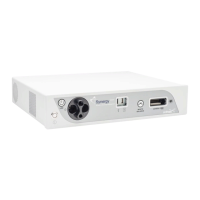
1. Power on the AC mains power switch [3] on the AR-6480.
2. The software version is displayed on the operator display during the
power-up sequence.
9.2 Additional Technical Information
Contact your Arthrex representative if you require more comprehensive technical
information. The pressure verification or other information will be provided upon
request by Arthrex APPROVED SERVICE PERSONNEL.



 To Next Page