3. REGISTRATION AND SOFTWARE SETUP
Now that we know a bit more about the AudioFuse 16Rig, it's time to get it ready to work
with your computer.
3.1. Registration
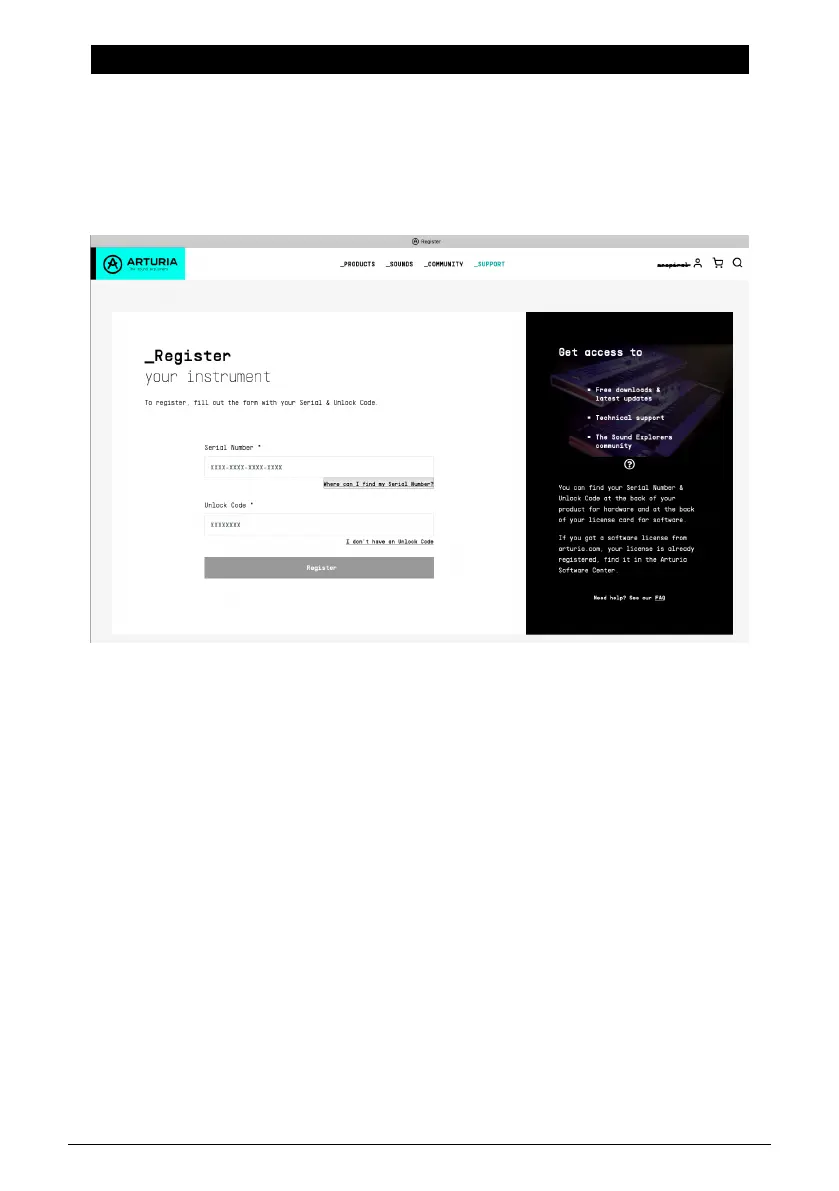
Once you've set up your hardware, the next part of the process is to register it with Arturia.
Have your registration card handy and go to www.arturia.com/register to log into your
Arturia account or create a new one. Then follow the online directions to register your unit.
Registering your AudioFuse 16Rig gives you access to a lot of important materials:
3.1.1. AudioFuse Control Center
You should download and install AudioFuse Control Center (AFCC) immediately. It's free,
and is vital for the smoothest possible operation of your interface. It gives you access
to controls that aren't available via the front panel, lets you lay out mixes, routings, and
monitoring setups in a large and easy-to-use graphical interface. It will also notify you of
firmware updates – and let you install the updates onto the hardware. See below for hints
on a successful installation process.
3.1.2. AudioFuse Creative Suite
Great-sounding computer audio hardware deserves great-sounding computer audio
software! The AudioFuse Creative Suite is a set of audio effects plug-ins, selected from
Arturia's award-winning FX Collection, that are included with your purchase of a Fuse
interface. These plug-ins include faithful emulations of vintage preamplifiers, compressors,
time-based and modulation effects, reverbs, and more. Download and activate the Creative
Suite plug-ins to jumpstart your music creation process.
8 Arturia - User Manual AudioFuse 16Rig - Registration and Software Setup












 To Next Page