If you're sure you don't want to use MIDI to control the mixer, set MIXER CONTROL to NONE to avoid
accidentally changing mixer settings with your connected MIDI devices.
7.5.3. STANDALONE MIDI
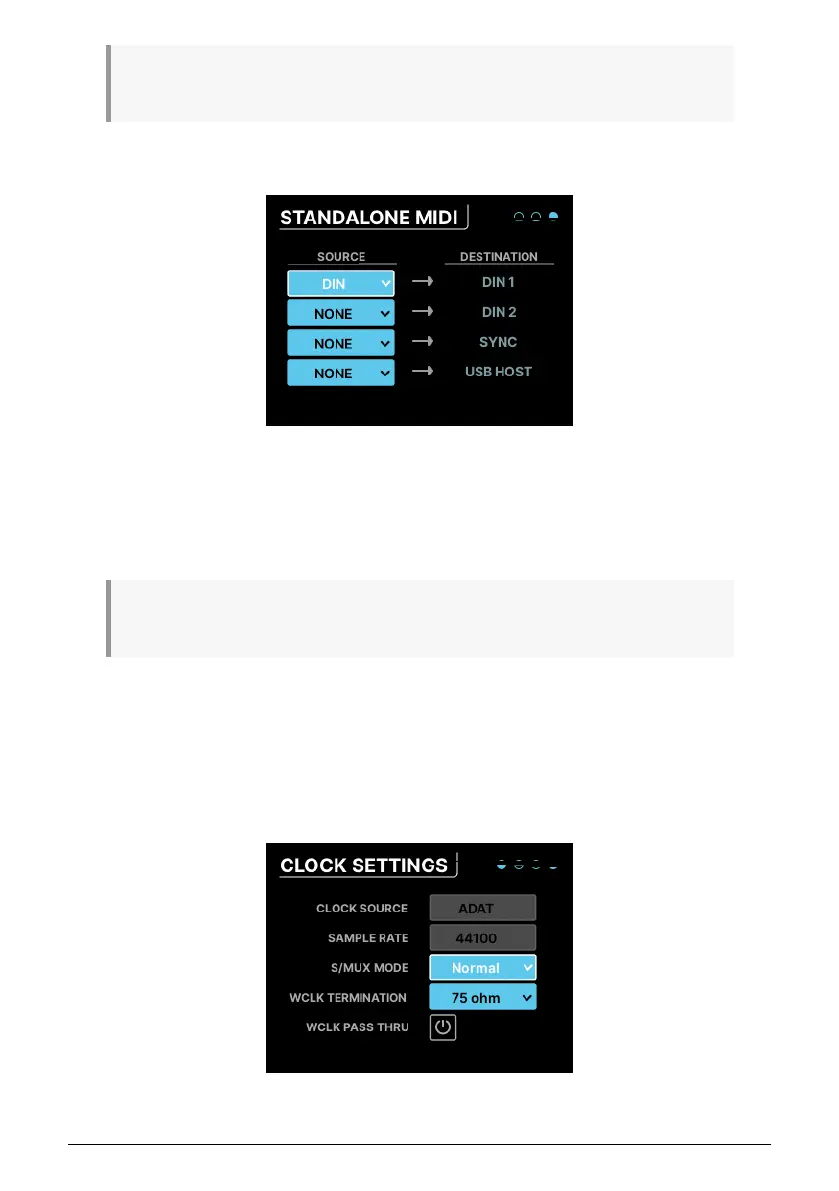
When in standalone mode, the AudioFuse 16Rig needs to know how to route MIDI signals
between its various ports. This menu lets you set that up.
There are four fixed destinations: DIN1, DIN2, SYNC, USB HOST.
Each can be connected to one of the following sources: NONE, DIN, USB HOST, USB+DIN
What happens if you send two or more sources to one destination? The AudioFuse 16Rig will
merge
their MIDI signals, acting like a sort of MIDI mixer.
7.6. SETTINGS
Clicking on the SETTINGS icon accesses four pages of system settings and information
displays.
7.6.1. CLOCK SETTINGS
40 Arturia - User Manual AudioFuse 16Rig - Menus and Functions












 To Next Page