8.7.2. Standalone MIDI
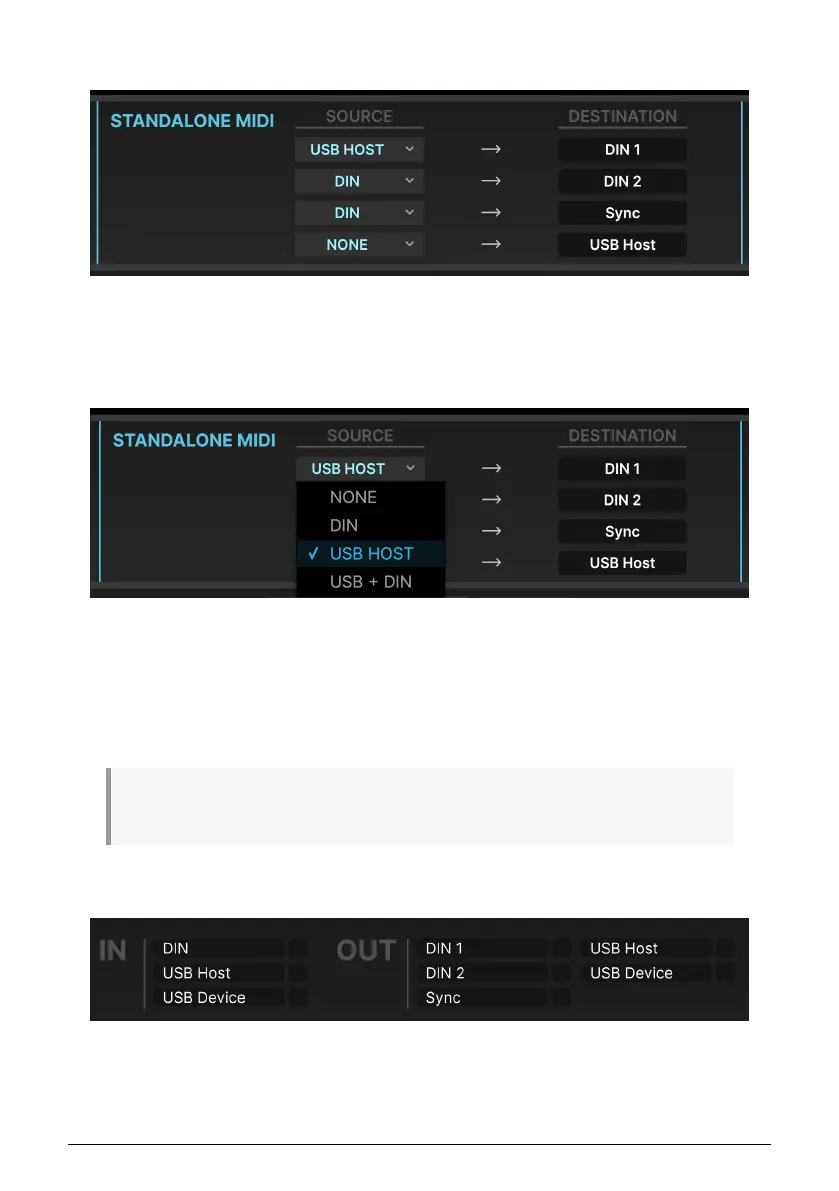
The STANDALONE MIDI controls at the top center of the screen let you specify the routings
of MIDI Inputs to MIDI Outputs among the AudioFuse 16Rig's various ports when it's in
Standalone mode.
There are four fixed destinations: DIN 1, DIN 2, Sync, and USB HOST.
The following options are available for sources to route to these destinations:
• NONE
• DIN
• USB HOST
• USB + DIN (data from both ports is merged)
Note that the USB + DIN option is not available as a source for the Sync destination, to avoid
conflicting MIDI timing messages.
8.7.3. MIDI Activity
The top right corner of the screen has a set of MIDI ACTIVITY monitors, so you can see if
MIDI data is flowing to/from the various inputs and outputs.
62 Arturia - User Manual AudioFuse 16Rig - AudioFuse Control Center












 To Next Page