8.6.2. Destinations
In the two screenshots above, you can also see the available groups of Destinations:
• MONITOR: the rear-panel MONITOR outputs
• PHONES: the front-panel PHONES outputs
• ANALOG: the 8 LINE OUTPUTS, numbered 3 through 10
• ADAT 1: 8 channels at ADAT OUT 1
• ADAT 2: 8 channels at ADAT OUT 2
• USB: 32 channels going to your DAW to be recorded
Unlike the sources, which switch back and forth between two possible horizontal views, any
group of destinations can be collapsed into a single row or left fully expanded. If too many
rows are open for your computer screen to show them all, you can scroll through them
vertically with your mouse or scroll wheel in the usual way.
8.7. MIDI Screen
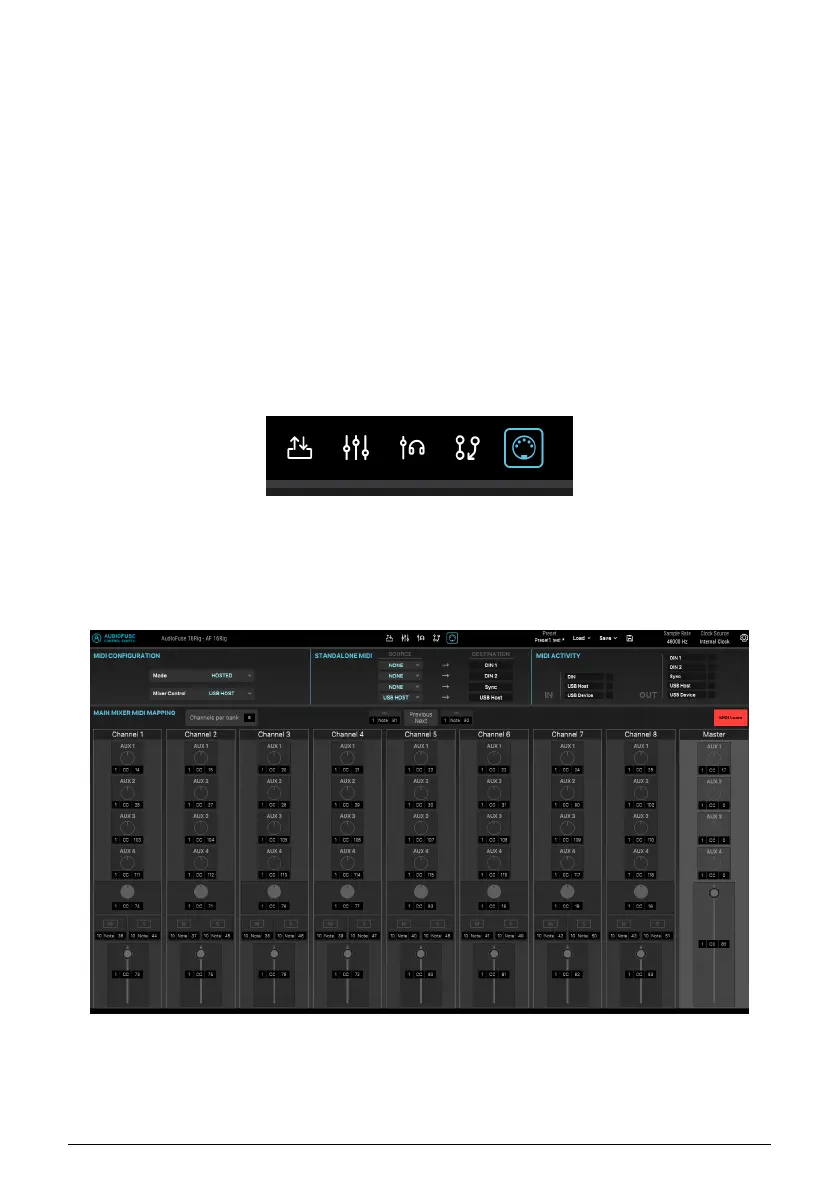
This screen allows you to monitor and configure various MIDI-related parameters. Crucially,
this includes the ability to map the various onscreen controls of the Main mixer to your MIDI
controller's physical controls (knobs, sliders, etc.) so that you can control your mix via MIDI.
You'll probably find it easier to mix with an external control surface than with your computer
mouse!
Across the top of the MIDI Screen are several important MIDI-related control sets:
60 Arturia - User Manual AudioFuse 16Rig - AudioFuse Control Center












 To Next Page