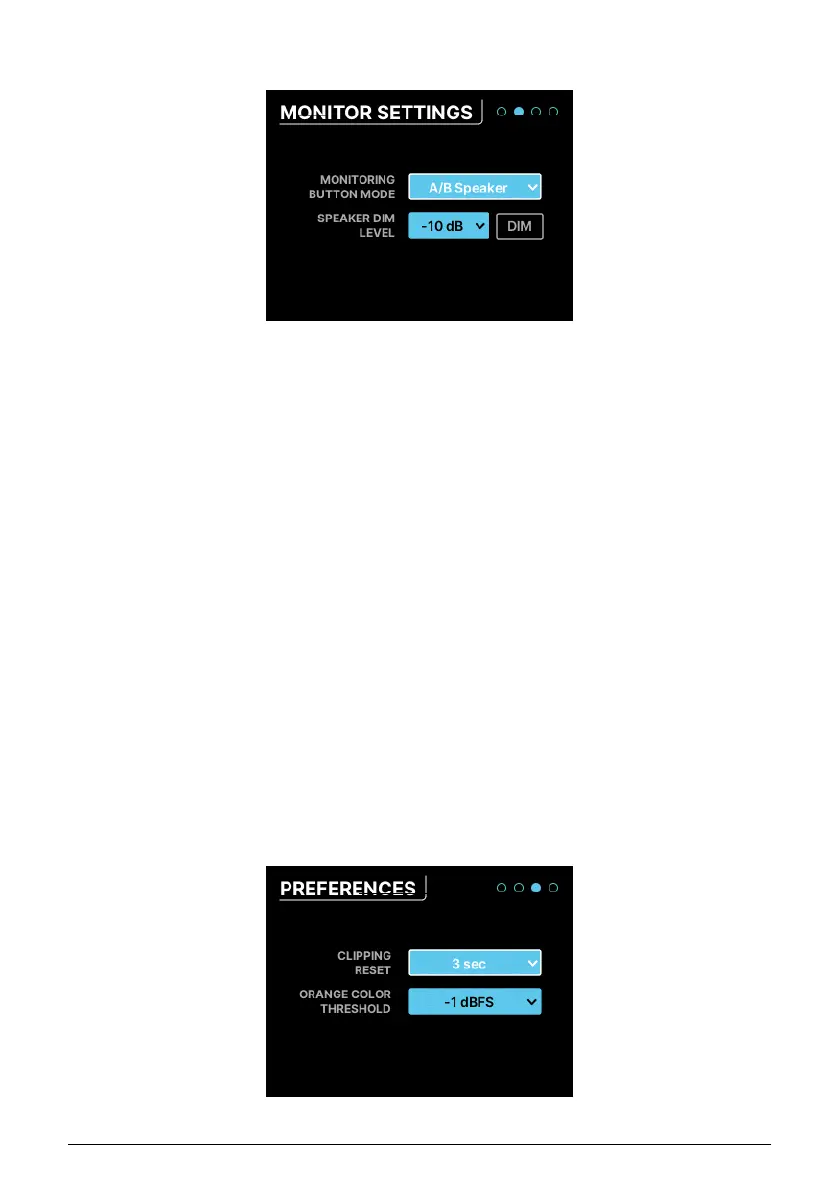
7.6.2. MONITOR SETTINGS
This page contains several speaker-related settings:
• Monitoring Button Mode: This dropdown menu selects what the Monitoring button
on the front panel does. The chosen function causes the button to light up in a
particular color, so you can tell at a glance what it does. The button will blink
when activated. Settings include:
◦ Mono (green): sums the signals of Left and Right outputs and sends
them to both speakers. This is useful when checking mono
compatibility or when checking for phase-related issues.
◦ Dim (orange): turns down the speaker output by a designated amount
(see below). This lets you take a moment to chat with someone else
in the studio with the sound lowered, then return it to its previous level
precisely.
◦ A/B Speaker (blue): mutes the main Speaker outputs and switches on
a pair of outputs designated by the user – any analog output pair on
the rear panel can be designated as the B Speakers, and trim controls
assure that levels match the A Speakers (i.e. the Monitor outputs). Note
that this button does not do anything if the A/B function isn't activated.
• Speaker Dim Level: This drop-down sets the amount by which the Dim button
lowers the speaker level. You can choose either –10dB or –20dB.
• DIM button: Engages and disengages dimming without leaving this page. It's a
handy way to test which amount of dimming you prefer.
7.6.3. PREFERENCES
42 Arturia - User Manual AudioFuse 16Rig - Menus and Functions












 To Next Page