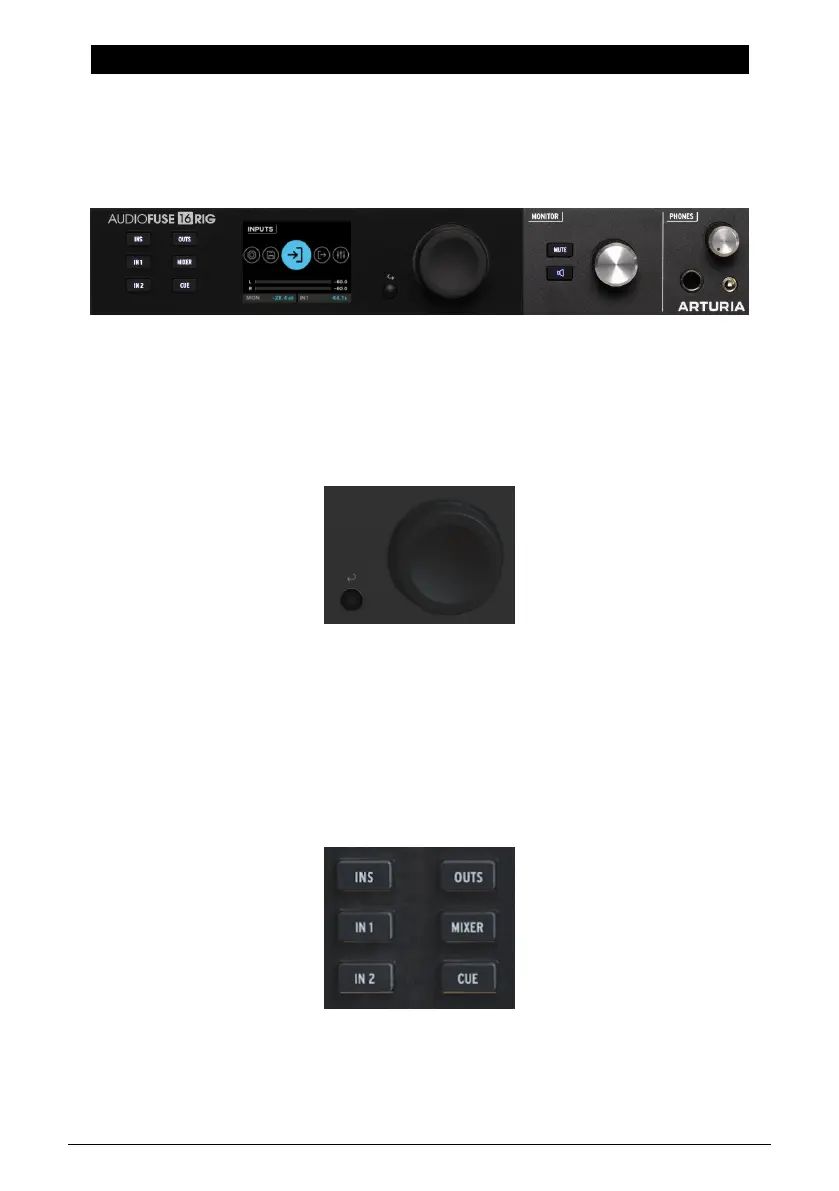
6. GETTING AROUND
Now it's time to dive in and learn how to use the AudioFuse 16Rig. The chapters after this one
will serve as a step-by-step reference to all of the hardware's functions.
But first, it would help to learn a few basics about how to navigate the front-panel interface
controls, and some of the most important parts of the interface's functions and menu
structure.
6.1. Physical Controls: How do I get from here to there?
6.1.1. The Encoder and Back Button
The Encoder controls nearly everything on AudioFuse 16Rig.
Some terminology: You
turn
the encoder to find the page or function you want,
scroll
with it
to move through options on a page, and press (
click
) it to turn a function on or off.
The small Back button is below and to the left of the Encoder. Press it to cancel a current
operation or to step back one level in the menu hierarchy.
6.1.2. Quick Access Buttons
These buttons let you access the most commonly needed functions in your usual workflow.
They include:
• INPUTS (INS): the Analog Inputs metering screen
The physical controls on the front panel
Arturia - User Manual AudioFuse 16Rig - Getting Around 27












 To Next Page