4. GETTING TO KNOW THE AUDIOFUSE 16RIG
As you've seen for yourself when you took the AudioFuse 16Rig out of the box, this interface
has a whole lot going on!
Let's take a tour around the AudioFuse 16Rig, and in the process we'll learn a lot about what
it can do.
4.1. The Front Panel
The AudioFuse 16Rig is designed not only for easy operation, but also for connecting gear in
a big hurry. While large professional studios will often have patchbays near the console so
that all their gear can be quickly connected, that's not practical for a home setup. (For one
thing, you'll need to buy twice as many cables as you have already!)
You're going to want to try out new synths and controllers and effects boxes all the time,
even when the bulk of your studio gear is permanently hooked up. Wouldn't it be nice if
there was an audio interface that makes switching gear in and out easy?
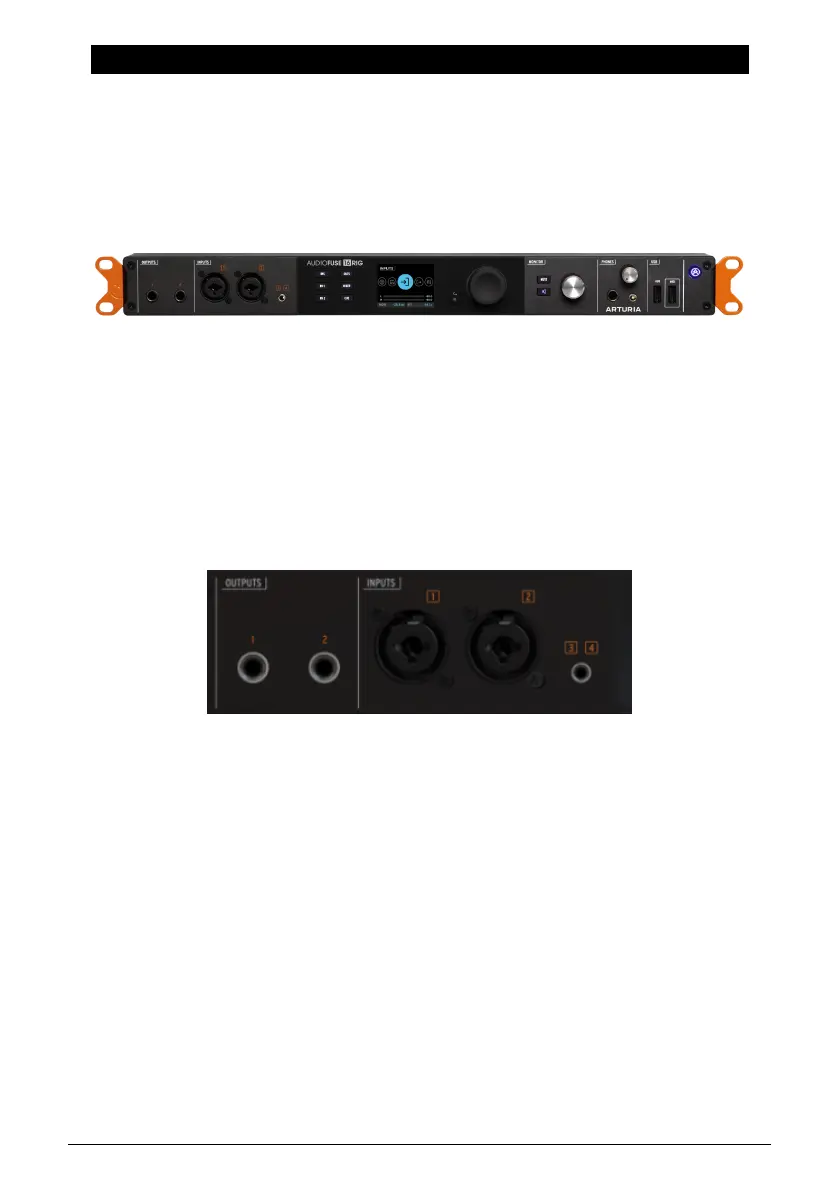
That's the idea behind the front panel connections of the AudioFuse 16Rig.
4.1.1. Outputs 3 & 4
On the far left of the front panel, there are a pair of TRS outputs that duplicate Outputs 3 & 4
on the rear panel. They can be used for extra headphone outputs, running a line-level signal
to external gear that's not normally hooked up, or
reamplification
– the process of sending a
clean guitar signal back out to an amp or effects chain and recording the results back into
the interface.
4.1.2. Inputs 1 & 2
Next we have a pair of inputs on combination TRS/XLR jacks. These can be used for line-
level or instrument-level signals from synths or guitars, or for high-quality mic recording via
built-in digitally-controlled analog preamps.
The AudioFuse 16Rig front panel
The Outputs and Inputs on the front panel
Arturia - User Manual AudioFuse 16Rig - Getting to Know the AudioFuse 16RIG 11












 To Next Page