Each input channel page has the following features:
• Level meter
• Gain knob
• Buttons to activate or deactivate
◦ Pad
◦ Phase Invert (Ø)
◦ Stereo Link (chain link icon)
Depending on the channel you're looking at, there may also be other options offered:
• Front panel XLR channels also have a button for 48V Phantom Power
• Front panel 1/4" channels also have a button for Instrument Level (INST). This
sets the jack's input impedance to 1 million Ohms, which assures that a guitar
or bass plugged into the front jack will not have the tone of its magnetic
pickups adversely affected by the interface. If you're recording a guitar, bass, or
electric piano into one of these jacks, the INST setting will assure you the most
transparent tone.
• Inputs 1–4 have a REAR button, which overrides the front panel input in favor of
the rear-panel one. This lets you keep different inputs plugged in on the front and
back, and easily switch between them as needed.
7.2. OUTPUTS
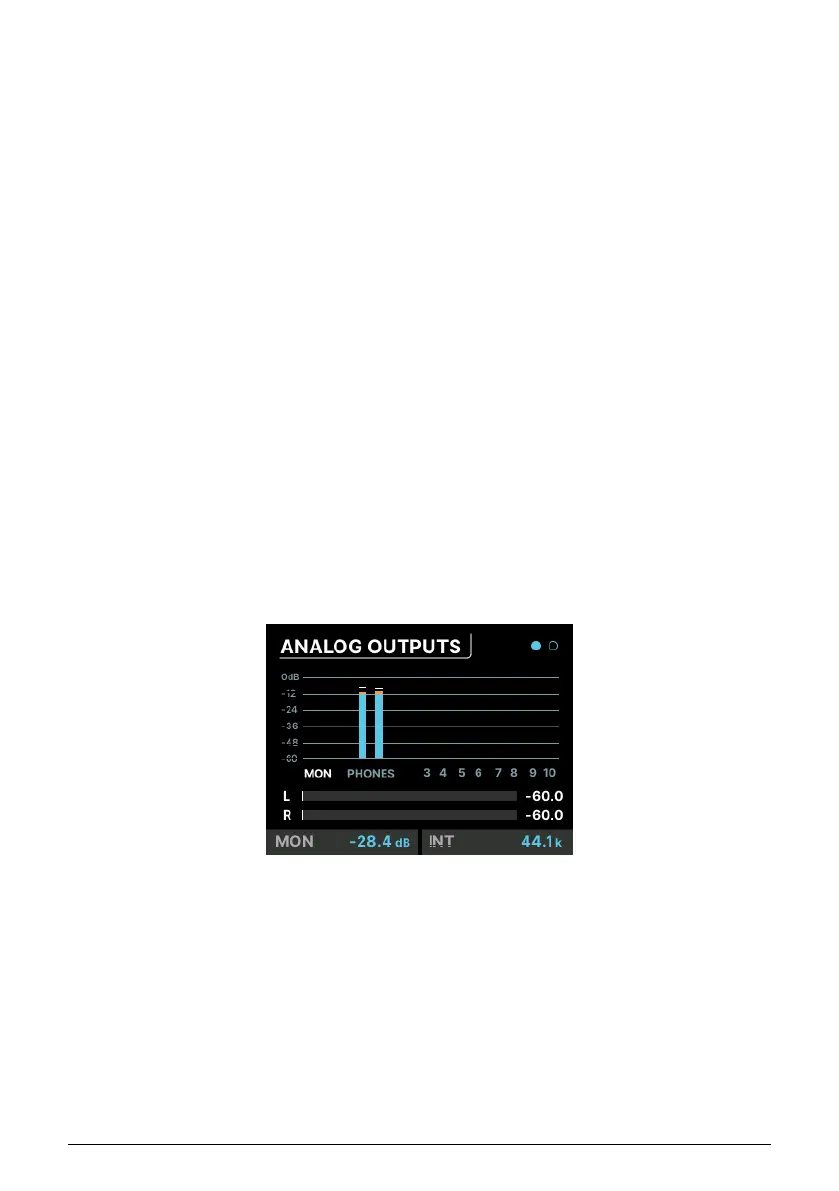
When you click on the OUTPUTS icon or press the front-panel OUTPUTS button, you're taken
to the ANALOG OUTPUTS page:
Scrolling from left to right highlights each output channel:
• MON indicates the Main Monitor output
• PHONES indicates the Phones output
• Numbers 3–10 indicate those rear panel outputs
Click on the name or number of the channel you want to edit (highlighted in white).
Arturia - User Manual AudioFuse 16Rig - Menus and Functions 33












 To Next Page