7. MENUS AND FUNCTIONS
The AudioFuse 16Rig's Carousel screen gives you access to seven different sets of functions.
In this chapter, we'll go through them one by one, and show which functions are available
on each page.
7.1. INPUTS
7.1.1. ANALOG INPUTS / ADAT INPUTS
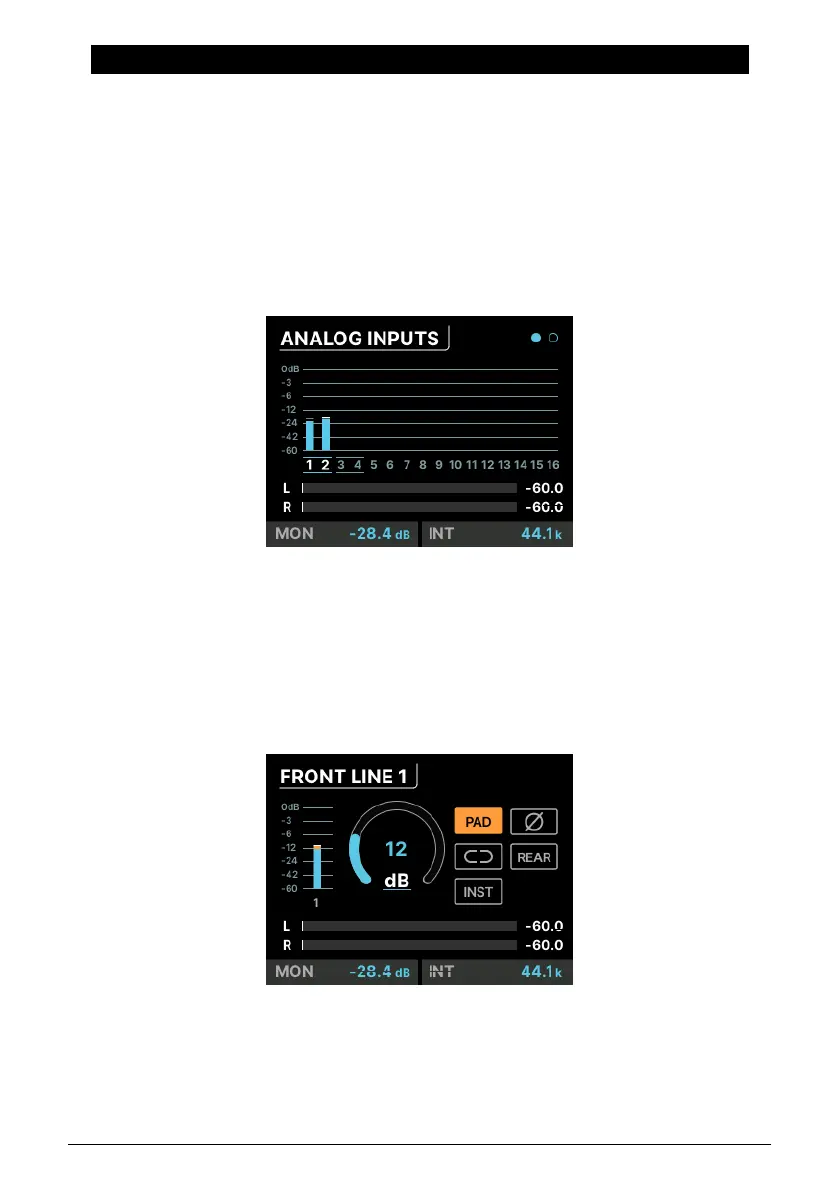
When you click on the INPUTS icon or press the front panel INPUTS button, you're taken to
the ANALOG INPUTS page:
Scrolling from left to right highlights each channel. When you get to the end, the view shifts
to the next page, which is ADAT INPUTS.
For all analog inputs, you can click on the number of the channel you want to edit
(highlighted in white). The second page displays incoming ADAT levels, and is there for
visual feedback only (it does not have any editable parameters).
7.1.2. ANALOG IN / FRONT LINE / FRONT INST / FRONT MIC
The screen can appear in 4 ways
depending on what's plugged in. This one
is for the FRONT LINE.
32 Arturia - User Manual AudioFuse 16Rig - Menus and Functions












 To Next Page