5. PUTTING YOUR AUDIOFUSE 16RIG TO WORK
Here are some common ways in which you'll use your AudioFuse 16Rig.
5.1. Recording line level devices
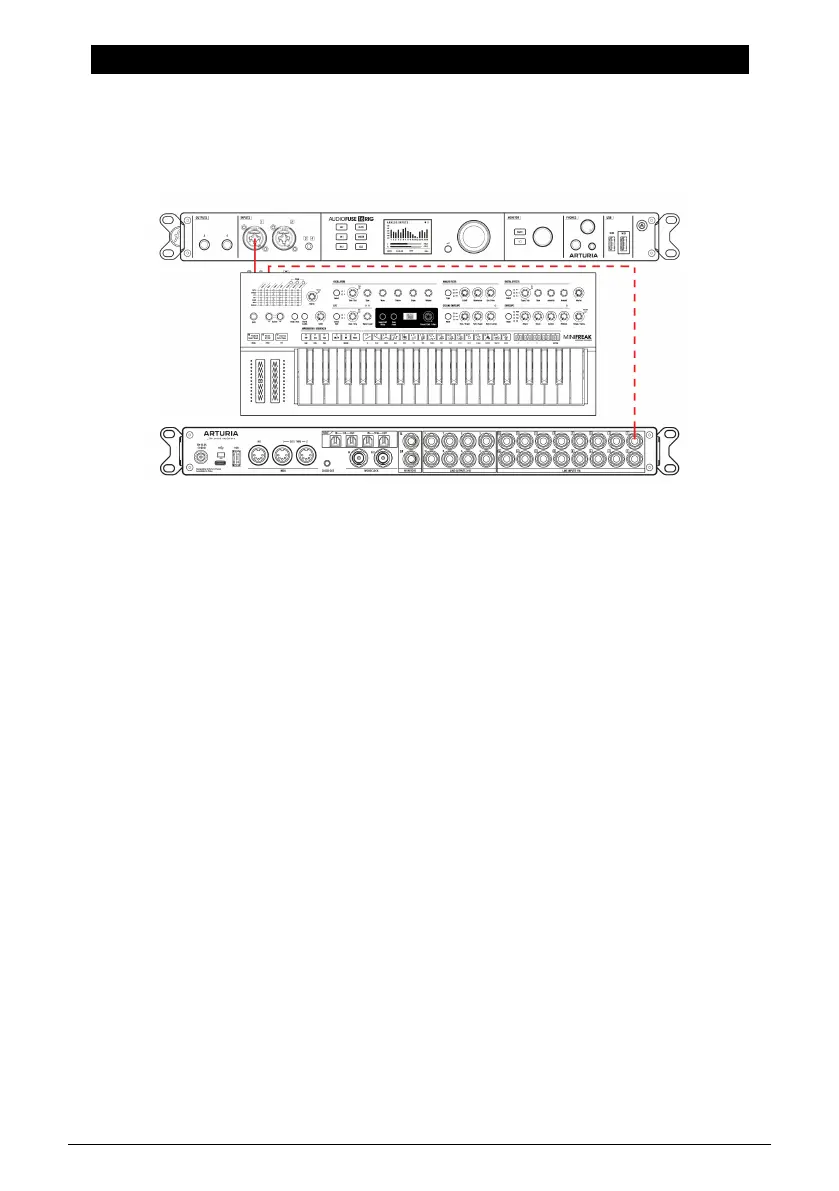
We'll start with the most common use case: hooking up
line level
devices. This includes
synthesizers and other keyboards, drum machines, samplers, beat production workstations,
etc. These are usually the "hottest" input signals you'll be working with, and shouldn't need
much in the way of added gain.
1. Connect your gear to any of the line inputs on the front or rear panel. Remember
that if you connect gear to the front panel inputs, the corresponding rear panel
inputs will be ignored unless you use the REAR function.
2. Press the INPUTS button to bring up the Analog Inputs page. Play each
instrument, one at a time, and watch the meters.
3. Ideally, the loudest parts of your performance should cause a channel's VU
meter to peak between -10 and -6dB.
4. Scroll to select the channel you want to adjust. Watch the numbers under the
meters; the currently selected channel will be white. Click the Encoder to select
that channel.
5. Set the gain on the channel to get the proper meter reading (the channel meter
is on the left of the screen). If your line-level device has a volume control, we
recommend you adjust the output level on the device itself, before increasing the
gain on the interface. This will get you the cleanest sound; use gain control on
the AudioFuse 16Rig only for devices with no level control or very weak output
signals.
6. If your sound source is so loud that it overloads the VU meter even at the lowest
gain setting, press the Pad button to switch on the 20dB input gain reduction.
7. You can also flip the phase of the input, stereo-link odd/even channel pairs (e.g.
5 and 6 or 9 and 10), and/or force the interface to use the rear panel inputs for
Channels 1–4 even if there's something plugged into the front panel inputs.
And there you go! Your instruments are ready to record. Please refer to your software's user
guide if you have any questions about how to record.
Arturia - User Manual AudioFuse 16Rig - Putting Your AudioFuse 16Rig To Work 17












 To Next Page