Your newly created Multi consists of two layered sounds. If you'd rather have a Split Preset,
please read the next section.
3.2.7.1. Turning a Layered Multi Into a Split
Using a Layered Multi as a starting point, you can turn it into a Split Preset by long-pressing
the Split button in the upper left corner and pressing a key.
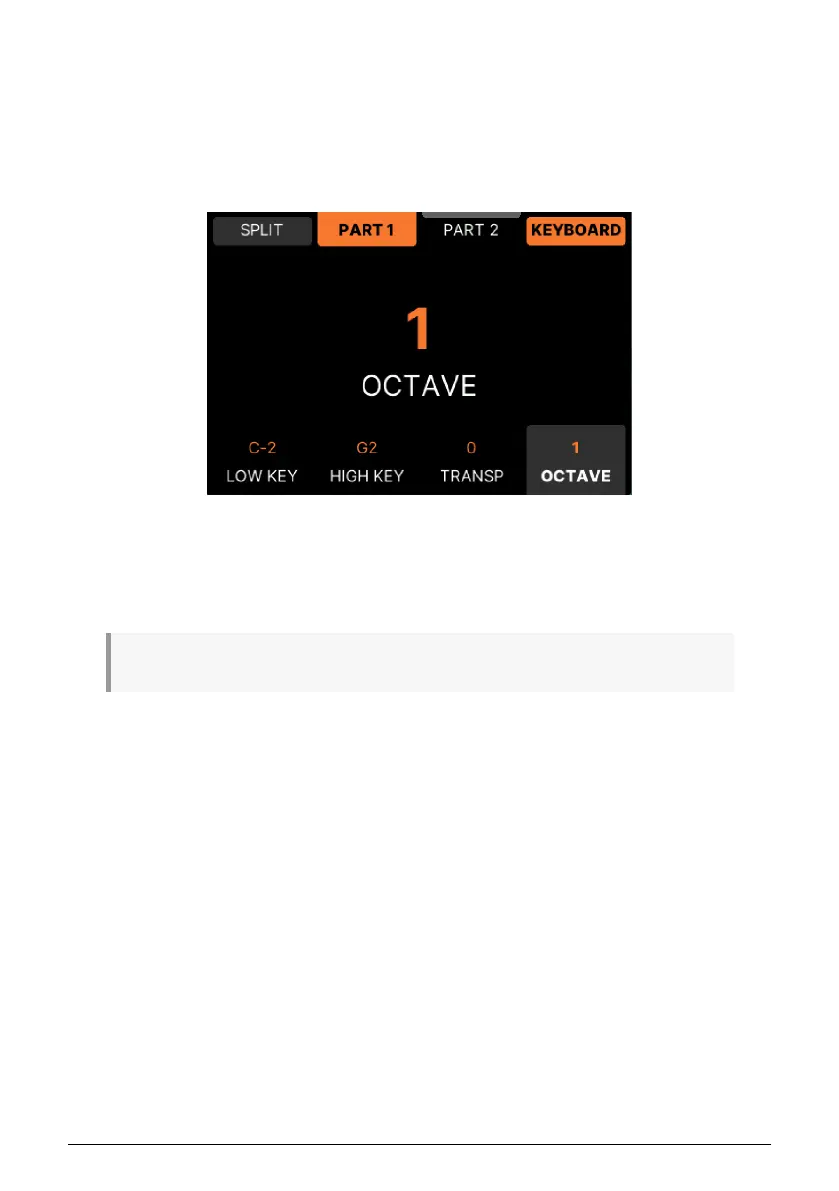
The four lower buttons set the note range, transpose, and octave values for the Part your
currently editing.
♪ Turning a Split Multi into a Layered Multi involves the same key range editing as described above.
3.2.7.2. Setting Split Point the Easy Way
The simplest way to create and set a split point is to hold one of the Part buttons and play a
key on the keyboard.
3.2.7.3. Creative Split Features
The way Splits are organized in KeyLab mk3, allows for some creative thinking. The two
Instruments are not just limited to a common split point;
any Part can have any keyboard
range
.
• Example 1: In a Multi consisting of a bass and a piano, the bass can play up to
C3 while the Piano covers the entire range.
• Example 2: An organ + lead multi can use the entire keyboard for the organ with
the lead sound playing only the top 3 octaves.
• Example 3: A Multi with a Rhodes covering the full range can have a bell sound
on G#5 only.
In this Multi, Part 1 plays up to G2 and is Transposed one
octave up
Arturia - User Manual KeyLab mk3 - Arturia Program 42



 To Next Page