CONFIGURATION MANUAL
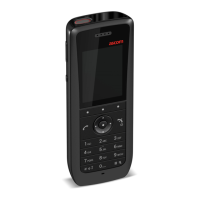
Ascom d83 DECT Handset
Handset Configuration
The parameter Writing language can be set to match the uploaded language. The parameter controls:
• The characters available for text input
• The sort order in the phonebook
This parameter is only used when an uploaded language is set. The Parameter can be found in the Settings
folder.
A language can be uploaded on several handsets of the same device type simultaneously using the
Baseline function in the Device Manager.
5.13 Customize the Menu
The handset menu can be customized by turning certain menus On or Off in the WinPDM/Device Manager.
The path to these settings in the template depends on the version of the parameter definition file (.def). In
the current version the path is: Customization → Visibility → X, where “X” can be Messaging, Favourites, etc.
The parameters are found under “X”.
The settings for the parameters may have three alternatives, such as:
• Show.
• Hide.
• Read only. All settings can be viewed but not modified by the handset user.
5.14 Hide Missed Call Window
A missed call is by default indicated by a Missed call window. It is possible to hide this window and is
recommended if a user has, for example, both a DECT handset and a mobile.
Example:
If configured in the PBX, an incoming call to the DECT handset can either be answered using the DECT
handset or mobile. If the user answer the call using the mobile, the Missed call window is not displayed in
the DECT handset.
To hide the Missed call window, do the following in WinPDM/Device Manager:
1. Select Settings → Answering.
2. In the Show missed calls dialog window drop-down list, select No to hide the Missed call window.
5.15 Configure Handset Restrictions
5.15.1 Enable or Disable Mute Function
The user can be prevented from muting the handset by perform the following steps:
1. Select Customization → Phone Restrictions.
2. In the Turn off sound drop-down list, select one of the following:
− No - The user cannot mute the handset or set the ring volume to silent.
− Yes - The mute restriction is disabled.
When the option No is chosen for the Turn off sound drop-down list, it is possible to set up the Minimum
allowed volume parameter from 1 to 7.
TD 93426EN / 28 January 2022 / Ver. C
23


 To Next Page