CONFIGURATION MANUAL
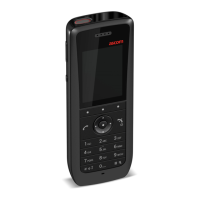
Ascom d83 DECT Handset
Contents
1 Introduction.................................................................................................................................... 1
1.1 Functionality Matrix ............................................................................................................. 1
2 Getting Started ..............................................................................................................................4
2.1 WinPDM .............................................................................................................................4
2.2 Device Manager..................................................................................................................4
2.2.1 Via Chargers .........................................................................................................4
2.2.2 Over-the-Air via IP-DECT ........................................................................................5
2.3 Device Management in Multiple Systems...............................................................................6
3 Handset Installation and Configuration............................................................................................7
3.1 Preparing WinPDM or Device Manager for Handset Handling..................................................7
3.2 Installing a New Handset .....................................................................................................7
3.2.1 Handset Installation in IP-DECT System using Easy Registration.................................7
3.2.2 Manual Handset Installation in DECT System............................................................8
4 Maintenance................................................................................................................................. 9
4.1 Definitions ..........................................................................................................................9
4.2 Upgrade Handset Software..................................................................................................9
4.3 Perform a Factory Reset.......................................................................................................9
4.4 Replacement Procedure Choice Guide................................................................................ 10
4.5 Replacement of Handset with the Device Manager .............................................................. 10
4.5.1 Data Included in a Replacement Transfer ............................................................... 10
4.5.2 Handset Replacement with Device Manager in DECT System ................................... 11
4.6 Handset Replacement with WinPDM .................................................................................... 11
4.6.1 Handset Replacement with WinPDM in DECT System.............................................. 12
4.7 Parameter Migration .......................................................................................................... 12
4.8 DECT Frequency Band Configuration...................................................................................13
4.8.1 Multiple Frequency Support...................................................................................13
5 Handset Configuration ................................................................................................................. 14
5.1 Configure a Handset Using a Template ................................................................................14
5.1.1 Create a Template ................................................................................................14
5.1.2 Apply a Template..................................................................................................14
5.1.3 Save a Handset Configuration as a Template ......................................................... 15
5.1.4 Synchronizing a Handset with WinPDM/Device Manager......................................... 15
5.2 Voicemail ......................................................................................................................... 15
5.2.1 Wildcard Characters in Voicemail Number.............................................................. 15
5.3 Central Phonebook ........................................................................................................... 16
5.4 Company Phonebook ........................................................................................................ 16
5.4.1 Create a Company Phonebook File ....................................................................... 16
5.4.2 Upload a Phonebook File ..................................................................................... 16
5.4.3 Delete Company Phonebook Entries ..................................................................... 16
5.5 Import Contacts ................................................................................................................ 16
5.5.1 Create Local Phonebook File ................................................................................ 16
5.5.2 Upload a Local Phonebook File..............................................................................17
5.6 Call Services......................................................................................................................17
5.6.1 Activate or Deactivate Call Services when Changing Profile......................................17
5.7 Call Diversion ................................................................................................................... 18
5.7.1 Call Diversion in Profiles ....................................................................................... 18
5.8 Absence Handling............................................................................................................. 18
5.9 In Call Menu ..................................................................................................................... 19
TD 93426EN / 28 January 2022 / Ver. C


 To Next Page