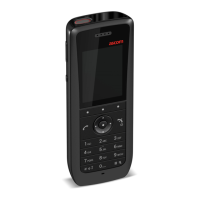
CONFIGURATION MANUAL
Ascom d83 DECT Handset
Handset Configuration
− IR beacon ID 0x0030 belongs to the zone range: 0x0030 & 0xF000 = 0x0000.
− IR beacon ID 0x0F40 belongs to the zone range: 0x0F40 & 0xF000 = 0x0000.
5.23 LF Location
The LF location feature is used to keep track and report the location of DECT handsets. It is implemented
through LF location devices, which transmit location information continuously. The location information
consists of a location ID. The handset stores the four last received location IDs and the time that has
elapsed since the location IDs were received.
All locations are stored in the same list. If different location devices are in range, the priority order
is as follows:
• IR
• DECT
• LF
• BLE
5.23.1 Handset Users
For handset users, LF location is used to indicate the location of the handset in critical situations when the
handset alarm button is pressed. LF location is configured via the WinPDM/Device Manager where the
parameter for activation is found at:
• Location → LF location → LF location.
5.23.2 System Administrators and Installers
The LF magnetic field propagates through the ceiling, floor, and walls. Therefore it needs careful
planning.
For system administrators and location installers, the handset can be configured and used to provide
important RF information when provisioning, commissioning and analyzing a network of location devices:
• LF location data
• LF location indications
LF Location Data
To configure the handset to provide LF location data, perform the following procedure:
1. Press the Menu soft key.
2. Select Calls.
3. Select Admin menu.
The Admin menu is only visible if the Admin menu is activated. To activate the Admin menu,
see 6.1.1 Activating the Admin Menu, page 64.
4. From the Admin menu, select Location info.
5. Select LF Location info. LF information is displayed in the handset display.
A handset configured to display LF location data shows the following:
TD 93426EN / 28 January 2022 / Ver. C
35


 To Next Page