CONFIGURATION MANUAL
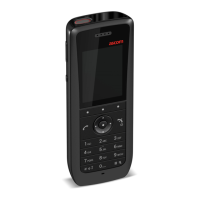
Ascom d83 DECT Handset
5.33.2 Examples of TTR and TTP Settings ........................................................................ 47
5.33.3 Broadcast and Multicast Messaging...................................................................... 50
5.34 Message Templates ......................................................................................................... 50
5.34.1 Configure the Handset for Message Templates ..................................................... 50
5.34.2 Create Message Template Texts .......................................................................... 50
5.35 Name Presentation............................................................................................................ 51
5.35.1 Name Resolution Priorities.................................................................................... 51
5.35.2 Display Management Parameters .......................................................................... 51
5.36 Services ...........................................................................................................................52
5.36.1 Add Service.........................................................................................................52
5.36.2 Delete Service.....................................................................................................52
5.37 Protect Registration from User Deletion...............................................................................52
5.38 Emergency Call Numbers...................................................................................................53
5.39 Audio Adjustment..............................................................................................................53
5.40 Headset Configuration.......................................................................................................53
5.40.1 Selection of Corded Headset Type........................................................................53
5.40.2 Configuration of Headset Button ...........................................................................54
5.41 Display New Messages and Call Information Upside Down ...................................................55
5.42 Display Management Layout ..............................................................................................55
5.43 Owner identification in the Idle Display................................................................................55
5.44 Screen Saver ....................................................................................................................55
5.45 Profiles.............................................................................................................................56
5.45.1 User Profiles........................................................................................................56
5.45.2 System Profiles....................................................................................................56
5.46 Shortcuts..........................................................................................................................59
5.46.1 Restricting Access to Shortcuts .............................................................................59
5.47 Shared Phone .................................................................................................................. 60
5.47.1 Shared Phone Takeover ....................................................................................... 61
5.48 Push-to-Talk (PTT) Group Call.............................................................................................62
5.49 Handset Locks ..................................................................................................................62
6 Administration .............................................................................................................................64
6.1 Admin Menu Tree .............................................................................................................64
6.1.1 Activating the Admin Menu ...................................................................................64
6.2 Quick Access to the Handset Device Information .................................................................64
7 Troubleshooting.......................................................................................................................... 65
7.1 Fault Symptoms ................................................................................................................65
7.2 Display Information ...........................................................................................................66
7.3 Error Messages in WinPDM ................................................................................................67
8 Related Documents......................................................................................................................68
9 Document History ....................................................................................................................... 69
Appendix A Configure Custom Sounds ............................................................................................70
A.1 Customize the Default Handset Beeps ................................................................................72
Appendix B Handset Message Handling Capacity.............................................................................73
TD 93426EN / 28 January 2022 / Ver. C


 To Next Page