USER’S MANUAL / bit Tune /
46
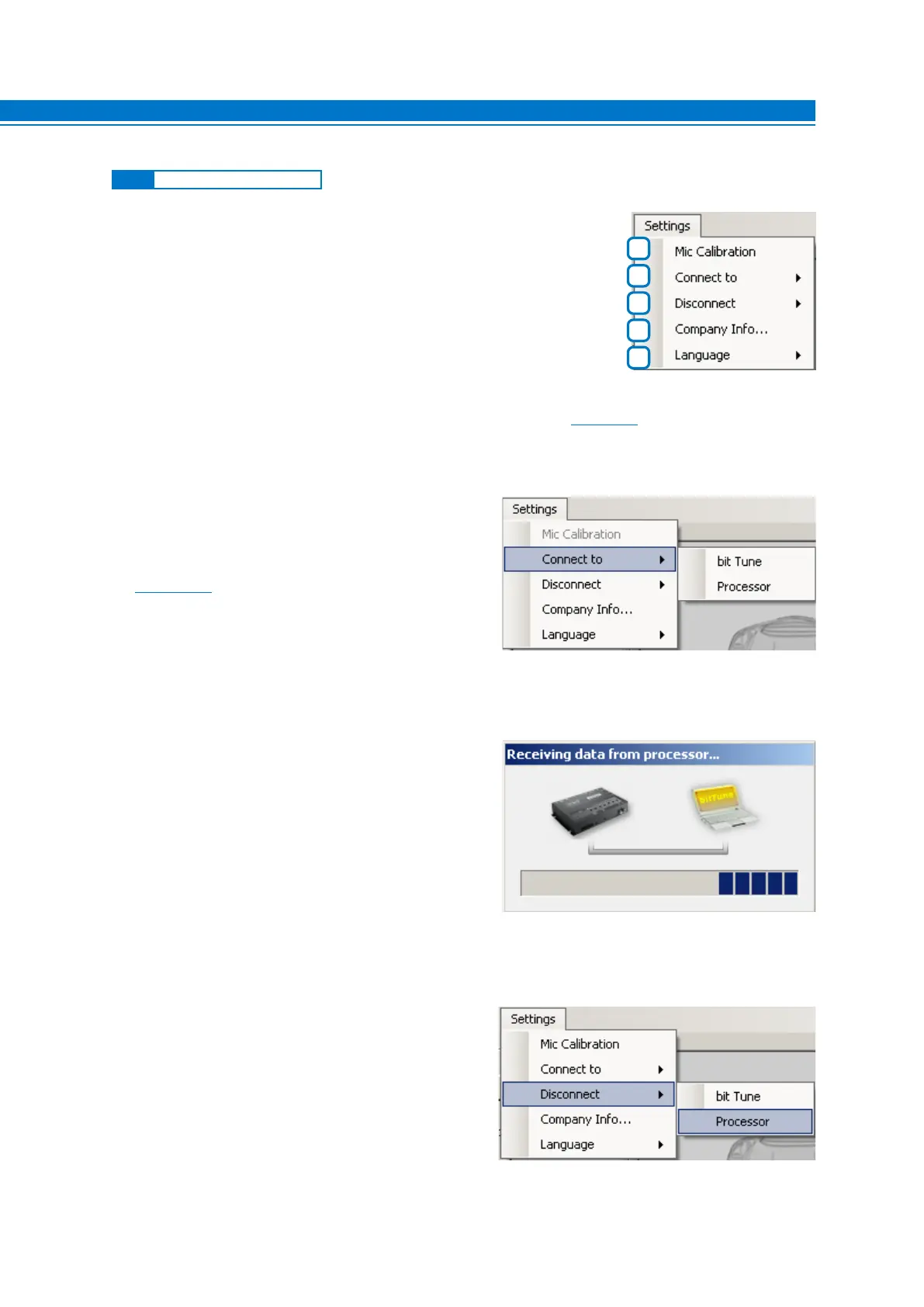
Clicking on the Settings button opens a drop down menu as shown on the right:
1. MIC CALIBRATION
This function starts a wizard for calibrating the HSM microphone. The procedure must be performed when
using the instrument for the first time and periodically according to use
(see sect. 7.1).
2. CONNECT TO
This feature allows to connect and synchronize the PC
Software to the bit Tune or to the Audison bit processor,
connecting it via the USB OUT port of the bit Tune.
When the Audison processor connection is active
(see sect. 6.2.6), it will not be possible to interact with the PC
software of the Audison processor.
Select Connect to -> bit Tune to connect the PC Software to the bit Tune.
Select Connect to -> Processor to connect the PC Software to an Audison bit processor.
3. DISCONNECT TO
This feature allows you to disconnect from the bit
Tune PC Software a previously interfaced Audison
processor or the bit Tune itself. When the processor is
DISCONNECTED from the Tune bit PC Software, but is
still connected via the USB cable, you can use the
processor’s PC software in conjunction with the software
of the bit Tune.
Select Disconnect -> bit Tune to disconnect the bit Tune from the PC Software.
Select Disconnect -> Processor to disconnect the Audison bit processor from the PC Software.
1
2
3
4
5
6.2.5 “SETTINGS” MAIN MENU
6



 To Next Page