USER’S MANUAL / bit Tune /
87
EMS
PC ANALYZER
LINE NOISE
POWER
SEGNAL INPUT
SELECT
RIGHT
VOLUME
MONITOR
47 OHM
SPK SYM
NO LOAD
LEFT
PRE IN BNCSPK INPROBE
MIN •• MAX
LOAD SIMULATOR
SPEAKER IN
RIGHT
VOLUME
MONITOR
47 OHM
SPK SYM
LEFT
SPK IN
MIN •• MAX
LOAD SIMULATOR
SPEAKER IN
VOLUME
MONITOR
MIN •• MAX
RIGHTLEFT
NO LOAD
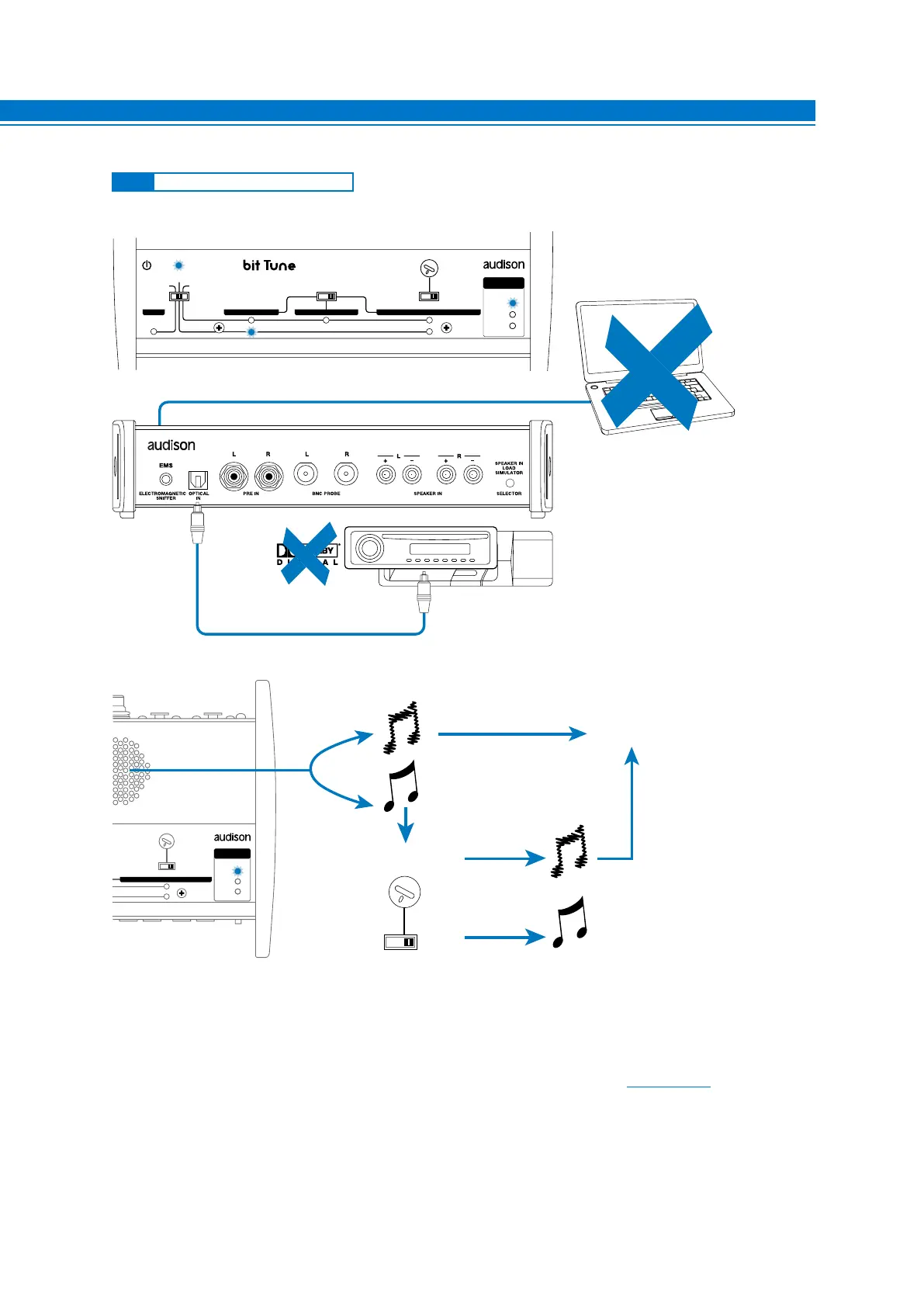
CHECK THE RIGHT CHANNEL
CHECK TOSLINK CABLES
CHECK SOURCE
OK
TOSLINK
CONNECTOR
OPTICAL FIBER
PC (see NOTE)
NOTES: you do not need a connection with the PC in order to verify the correct operation of the optical
digital output of a source.
By connecting a PC, you can analyze the type of digital signal that you are looking at (see sect. 6.2.4.1).
The measurement of the digital signal on the output of a source allows you to verify the actual resolution according
to the type of track being played. For example:
Track resolution 96/192 kHz - 24-bit -> 48 kHz - 24 bit output.
In this case, the source has applied a resolution downgrade to the signal, reducing quality. The same measuring
operation can be performed on a device equipped with a digital input and output. You just need to drive the device
with the bit Tune’s PLAYER (OPTICAL OUT), play a high-resolution track stored on your PC and connect the output
of the device to the OPTICAL IN input of the bit Tune.
8
8.3.3 OPTICAL S/PDIF DIGITAL LINE



 To Next Page