USER’S MANUAL / bit Tune /
75
In order to proceed with this operation, you must have performed the calibration of the sensitivity level of the
amplifiers (see sect. 7.5.1). Once the measurement RTA has been performed, in order to act on the audio system you
need to distinguish the speaker systems with a passive crossover from those driven by multi-amplification.
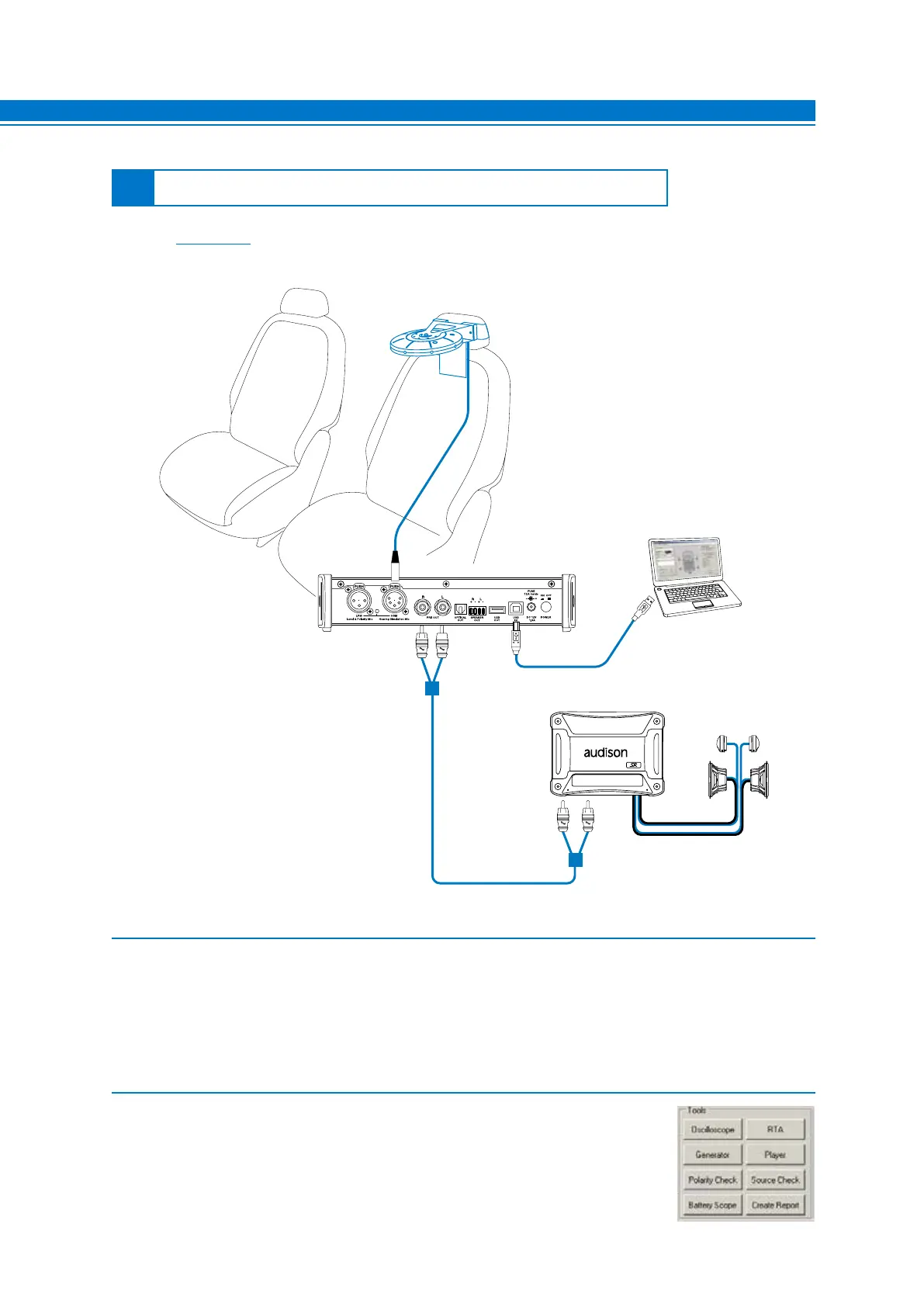
1. Connect the PRE OUT L-R outputs of the bit Tune to the input of the amplifier/s of the audio system.
- Disconnect all speaker wires from the system’s amplifier/s.
- Turn the bit Tune on and connect the USB cable to the PC.
- Set the function switch of the bit Tune on PC ANALYZER.
- Set the SIGNAL INPUT SELECT switch on SPK IN.
- Turn on the Audison bit processor and connect the USB cable to the bit Tune.
- Start the bit Tune software by clicking the icon on the PC desktop created by the installation and launch the
software in bit Tune mode.
2. Select the RTA function from the ‘”Tools” menu of the PC software or click
on RTA from the main menu.
7
7.8.2 RTA: CALIBRATION OF AN AUDIO SYSTEM WITHOUT AUDISON BIT PROCESSOR
AUTOMATIC OF THE HSM MICROPHONE
PRE INPUTS



 To Next Page