USER’S MANUAL / bit Tune /
76
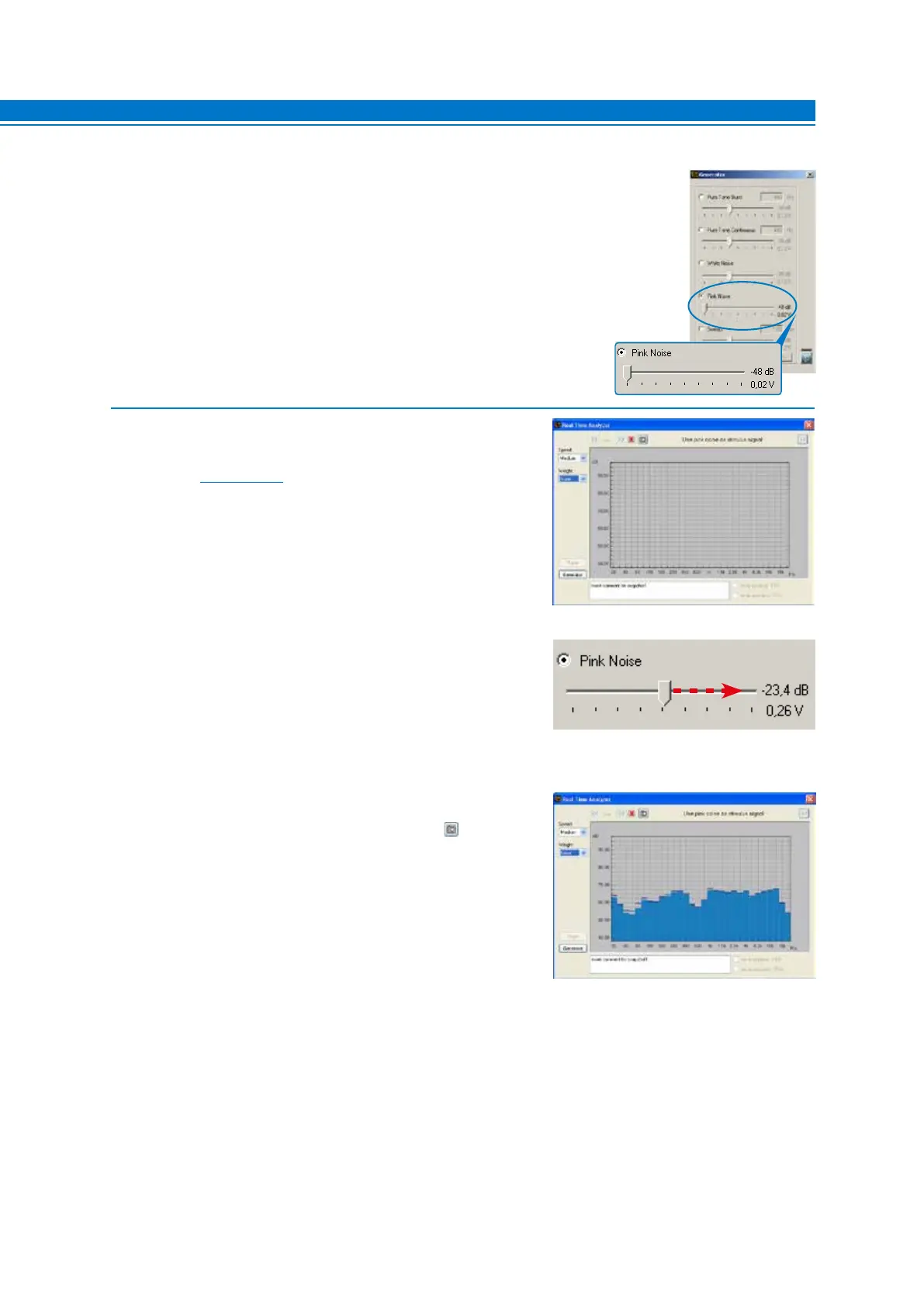
3. Select the Generator tool and set it as shown on the right.
4. - Set the visualization speed with the Speed menu choosing
Medium.
- Set the acquisition weighing with the Weight menu choosing
A-weigh
(see sect. 6.2.3.2).
- Activate the signal on the outputs of the bit Tune and increase
the level of the Pink Noise until the response curve is centered
around 60 dB.
- The snapshot of the measurement can be saved to store
the measurement graph that will also appear in the final report.
- In order to intervene on the audio system we must distinguish between these two cases:
A. Multi-amplification system. Intervene on the sensitivity levels of the amplifiers or on the level of cutoff
frequencies of the electronic crossovers, to compensate for the excessive level differences appearing in
the RTA.
B. System with a passive crossover. Intervene on the passive crossovers attenuators or replace the speaker,
to compensate for the excessive level differences appearing in the RTA.
For the noise testing system, use a reference sound track, using the bit Tune Player or the audio system source
(CD).
7



 To Next Page