USER’S MANUAL / bit Tune /
19
5. SOFTWARE AND DRIVERS INSTALLATION
5.1 PC SOFTWARE AND DRIVER INSTALLATION WIZARD
1. Insert the “bit Tune Setup CD 2.0” in the CD-ROM player of the PC that you intend to use.
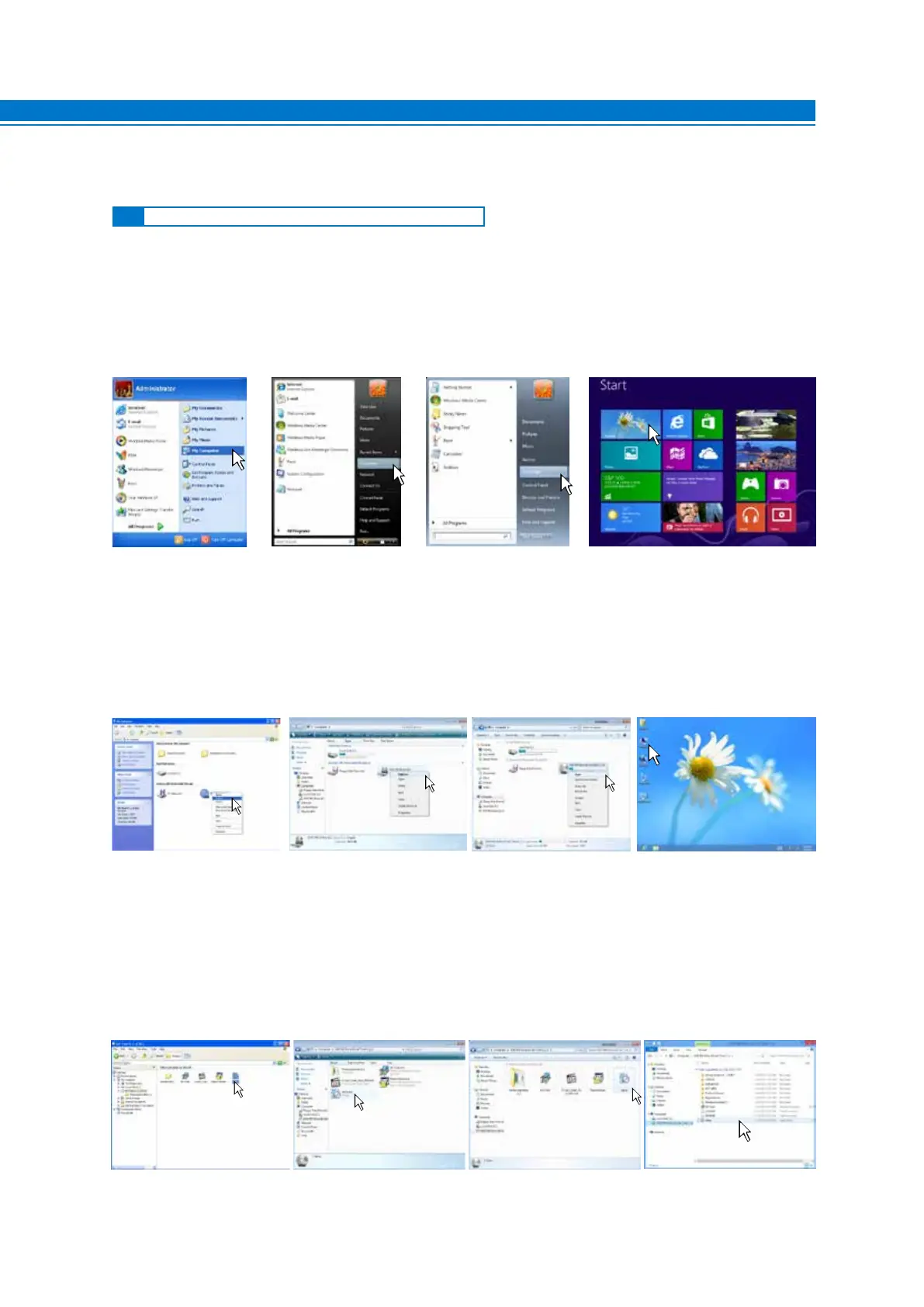
2. Windows XP: go to My Computer in the START menu;
Windows Vista: go to Computer in the START menu;
Windows 7: go to Computer in the START menu;
Windows 8 / 10: click on the DESKTOP icon;
Windows XP Windows Vista Windows 7 Windows 8 / 10
4. Windows XP: double click on setup icon;
Windows Vista: double click on setup icon;
Windows 7: double click on setup icon;
Windows 8 / 10: select the CD ROM drive an double click on setup icon
Windows XP Windows Vista Windows 7 Windows 8 / 10
3. Windows XP: with the right mouse button select the “bit Tune Setup CD 2.0” icon and click Browse;
Windows Vista: with the right mouse button select the “bit Tune Setup CD 2.0” icon and click Browse;
Windows 7: with the right mouse button select the “bit Tune Setup CD 2.0” icon and click Open;
Windows 8 / 10: double click on the Computer icon
Windows XP Windows Vista Windows 7 Windows 8 / 10
5



 To Next Page