USER’S MANUAL / bit Tune /
90
3. - Under USB CONTROLLER click with the right mouse
button on UNKNOWN USB DEVICE, choose uninstall
and then confirm.
Exit the DEVICE MANAGER and the CONTROL PANEL
and perform step 1.
9
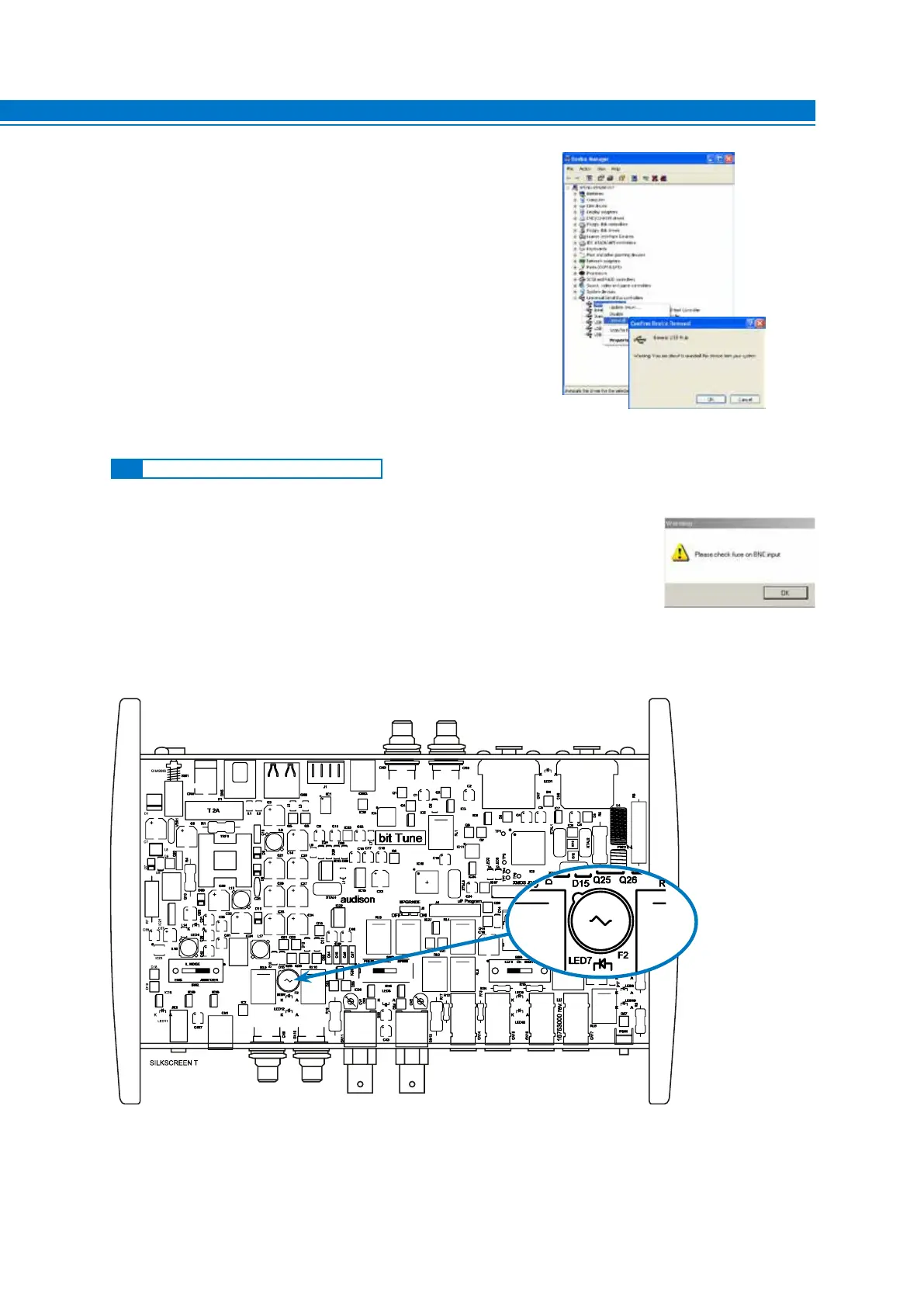
If the PC, while it is connected to the bit Tune, shows a Warning message
suggesting that the BNC input fuse should be replaced, or if the green LED
for the BNC plug selection is blinking, proceed as follows:
1. Exit the bit Tune PC software.
2. Turn off the bit Tune, unplug the power connector and the USB plug.
3. Remove the bit Tune side ends as well as the top cover.
4. Remove the fuse indicated in the image below and replace it with a T500mA 250V microfuse with same value
(supplied in the product packaging).
5. Riassemblare il bit Tune
9.3 REPLACEMENT OF BNC INPUT FUSE



 To Next Page