USER’S MANUAL / bit Tune /
84
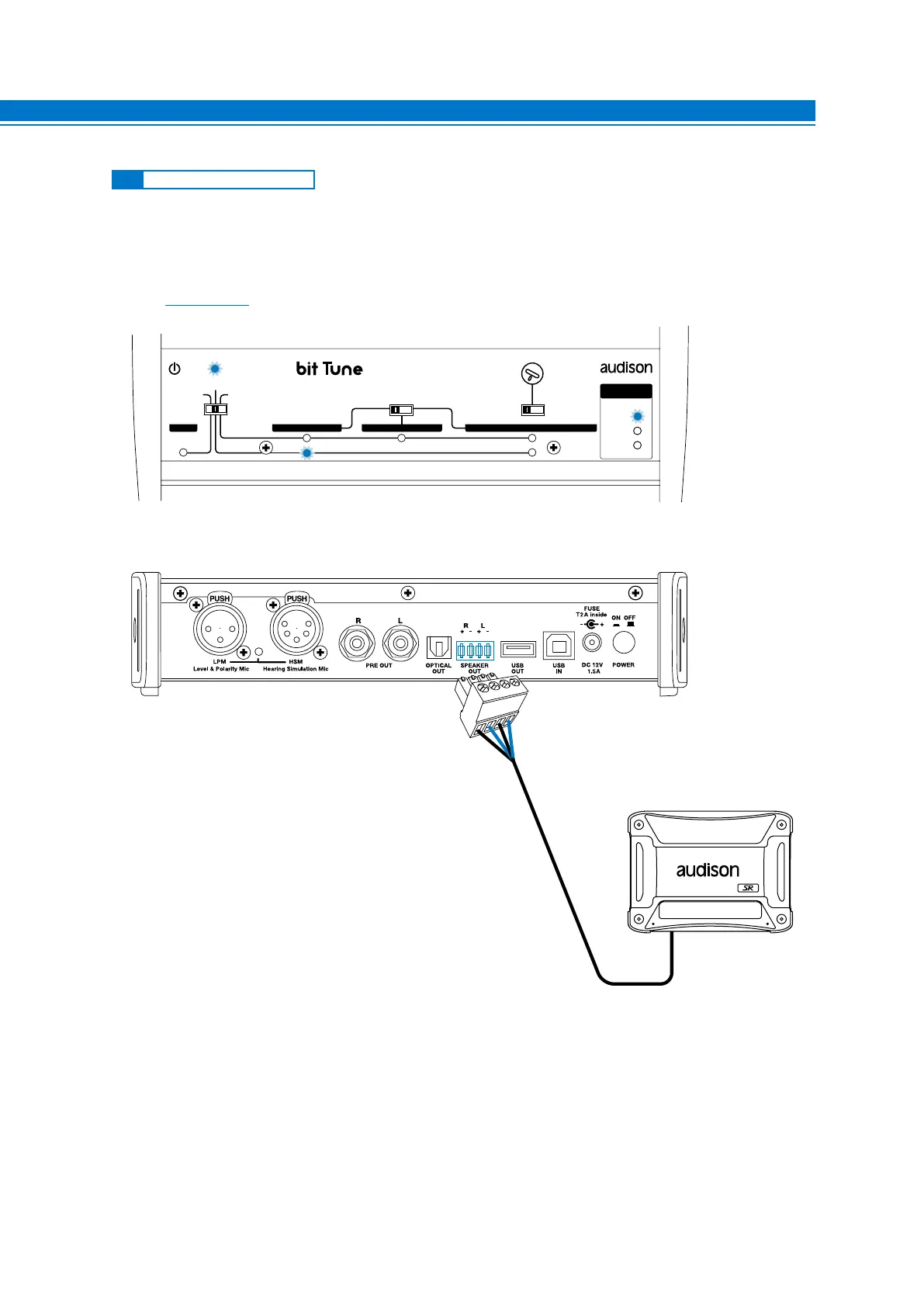
Check the activation of devices with Hi-Level (Speaker In) inputs, equipped with automatic ignition
(ART: Automatic Remote Turn On).
Connect the SPEAKER OUT output of the bit Tune to the HI-Level input of the device under test and verify its
activation. No need to send a signal to the bit Tune, you can still generate a signal from the PC via the Player
function (see sect. 6.2.4.4).
EMS
PC ANALYZER
LINE NOISE
POWER
SEGNAL INPUT
SELECT
RIGHT
VOLUME
MONITOR
47 OHM
SPK SYM
NO LOAD
LEFT
PRE IN BNCSPK INPROBE
MIN •• MAX
LOAD SIMULATOR
SPEAKER IN
8
8.2 SPEAKER IN SIMULATOR
HI-LEVEL
INPUTS



 To Next Page