USER’S MANUAL / bit Tune /
33
WARNING: For power measurements you must use a resistive load in proportion to the power of the product.
The use of the speakers for this type of measurement would damage them permanently.
Use the SPK IN inputs for power measurements.
Clicking the button opens a drop down menu with the items shown in
the figure on the right:
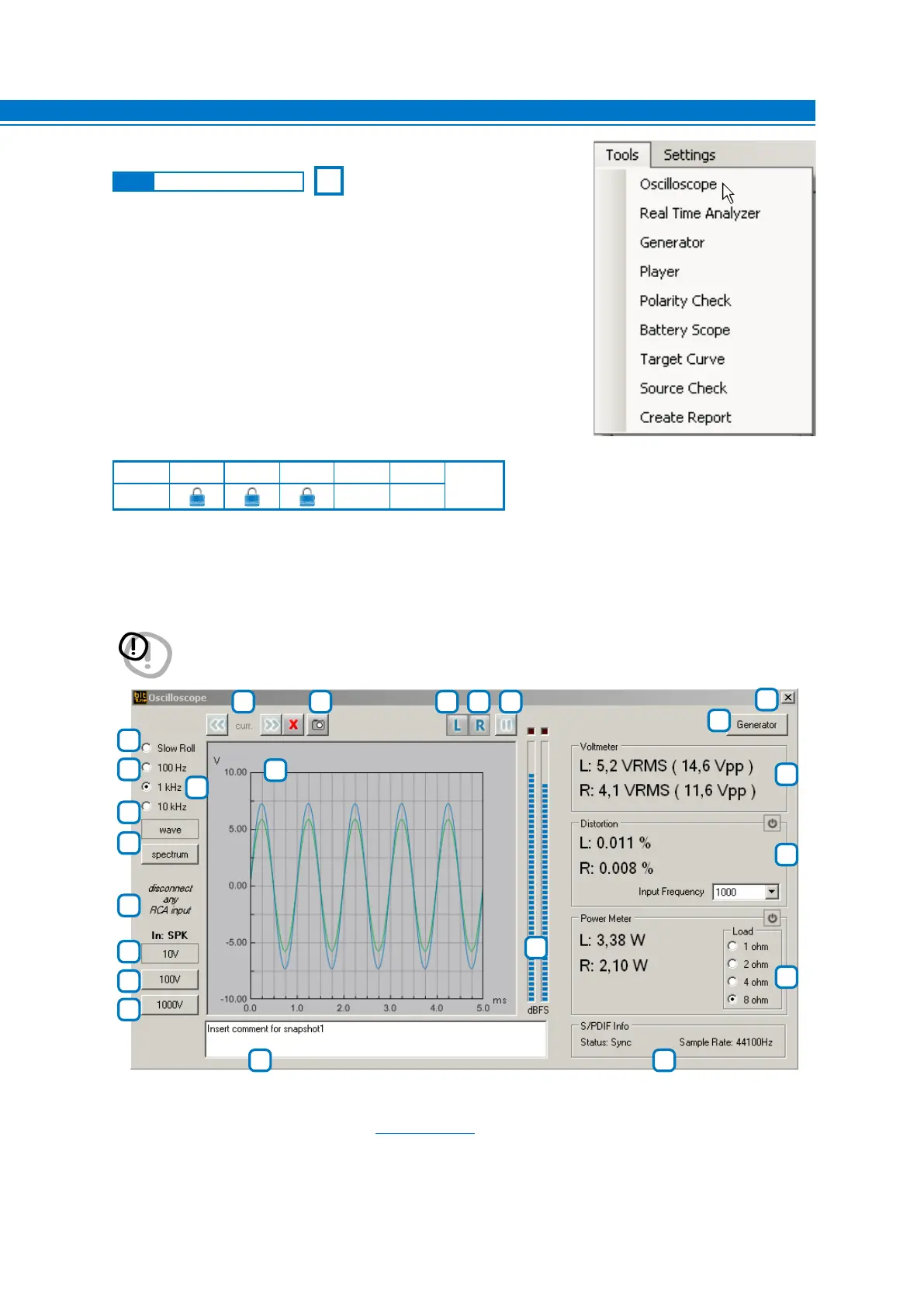
1. OSCILLOSCOPE:
The bit Tune features an oscilloscope for the audio frequency band (20 KHz).
This tool can be used to view the signals coming from preamp power outputs or to perform measurements and
checks of circuit parts.
This window also includes a series of tools such as: AC/DC Voltmeter, Distortion meter, Wattmeter,
Spectrum analyzer, optical S/PDIF Audio signal analyzer.
1
2
3
4
5
6
7
8
9
4
9
10
12
23
15
14
6 7 8
11
13
5
1
2
3
16 22
18
17
24
19
20
21
Description of functions:
1-2-3: Buttons for changing the full-scale sensitivity of the oscilloscope.
Depending on the selected inputs
(see sect. 3.3 point 6) the sensitivity values are pre-set:
RCA inputs: 1 V - 10 V - 100 V.
BNC inputs: 1 V - 10 V - 100 V.
SPK IN inputs: 10 V - 100 V - 1000 V.
Use 1 - 2 - 3 buttons to best display the amplitude of the signal being examined without it exceeding
the full-scale amplitude.
T S SP P PP F
see
sect. 1.1
✓ ✓ ✓
6.2.4 “TOOLS” MAIN MENU
6



 To Next Page