USER’S MANUAL / bit Tune /
53
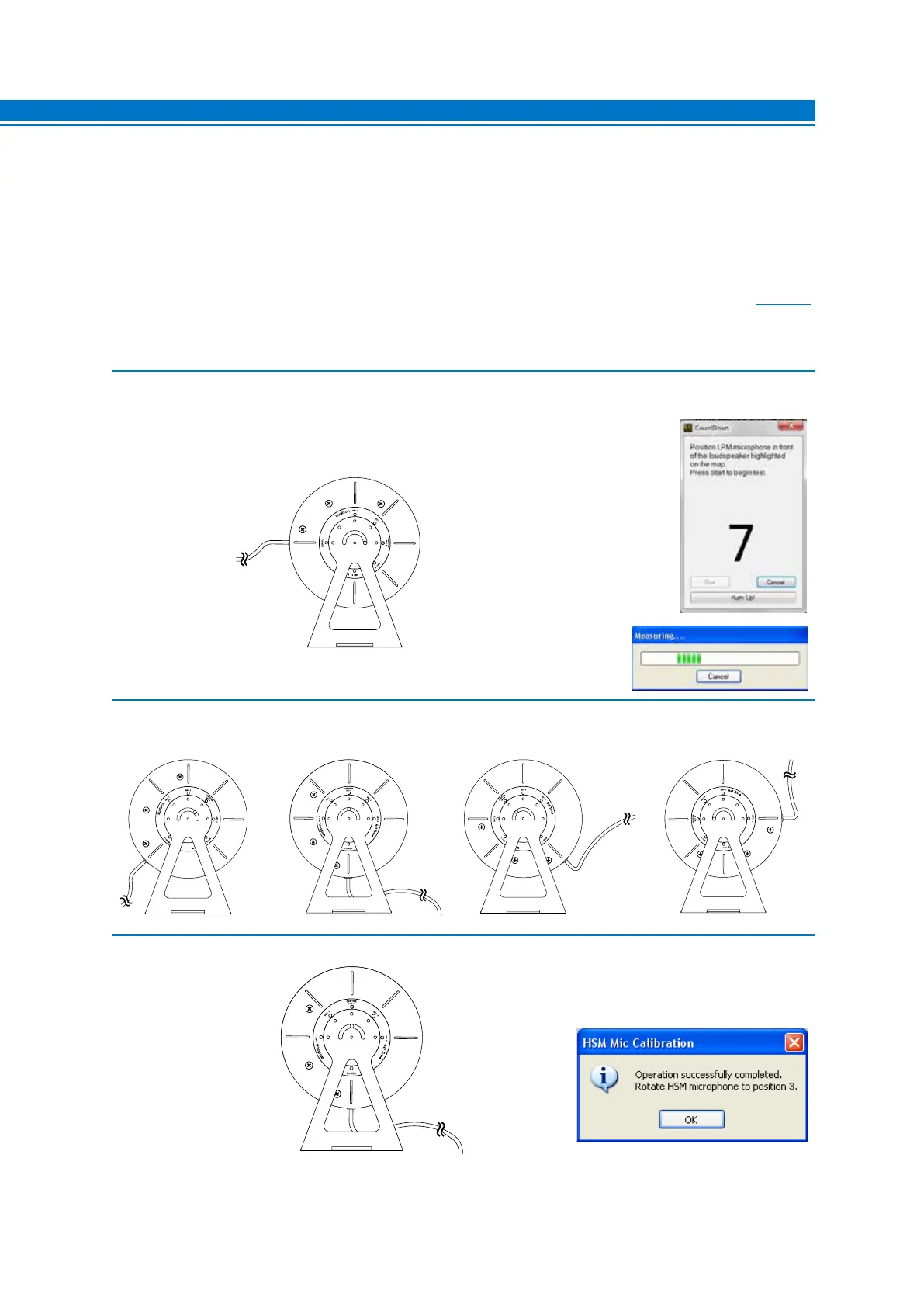
2. Click on the Settings menu and select Mic. Calibration.
A window will appear that will prompt you to place the HSM microphone in the MIC 1 position.
Rotate the HSM microphone to the MIC 1 position as shown in the figure below.
Press Start to continue the calibration procedure.
If you wish to stop, press Cancel to exit the procedure.
The software displays the status of the calibration
procedure though a progress bar.
3. Rotate the HSM microphone to the MIC 2 position as shown in the figure below and repeat the same procedure.
Perform the same procedure for MIC 3, MIC 4 and MIC 5.
4. Microphone calibration successfully completed. Place the microphone back to the CENTER MIC 3 position and
press OK.
The HSM microphone is ready to be used for the measurements. Long periods of inactivity can change the
characteristics of the HSM microphone. The calibration must performed at the time of first use, and then repeated
at least every 3 months of activity or after long periods of non-use.
1. Connect the bit Tune to the Audison bit product, as shown in fig. 1 or 2.
The calibration procedure must be performed in an environment that is as little noisy as possible, with the car’s
engine off, air conditioning off, doors and windows tightly closed and radio frequency devices away from the car’s
passenger compartment.
- Turn the bit Tune on and connect the USB cable to the PC.
- Set the bit Tune function switch on PC ANALYZER.
- Turn on the Audison bit processor and connect the USB cable to the bit Tune.
- Attach the HSM microphone inside the passenger compartment of the vehicle as shown in the figure in
section. 3.4,
and connect it to the HSM input of the bit Tune.
- Start the bit Tune software by clicking the icon on the PC desktop and launch the software in bit Tune +
Processor mode.
7



 To Next Page