- INSTALLER HIGHTEMPERATURE ENERGY EFFICIENT HEAT PUMP MANUAL -
30
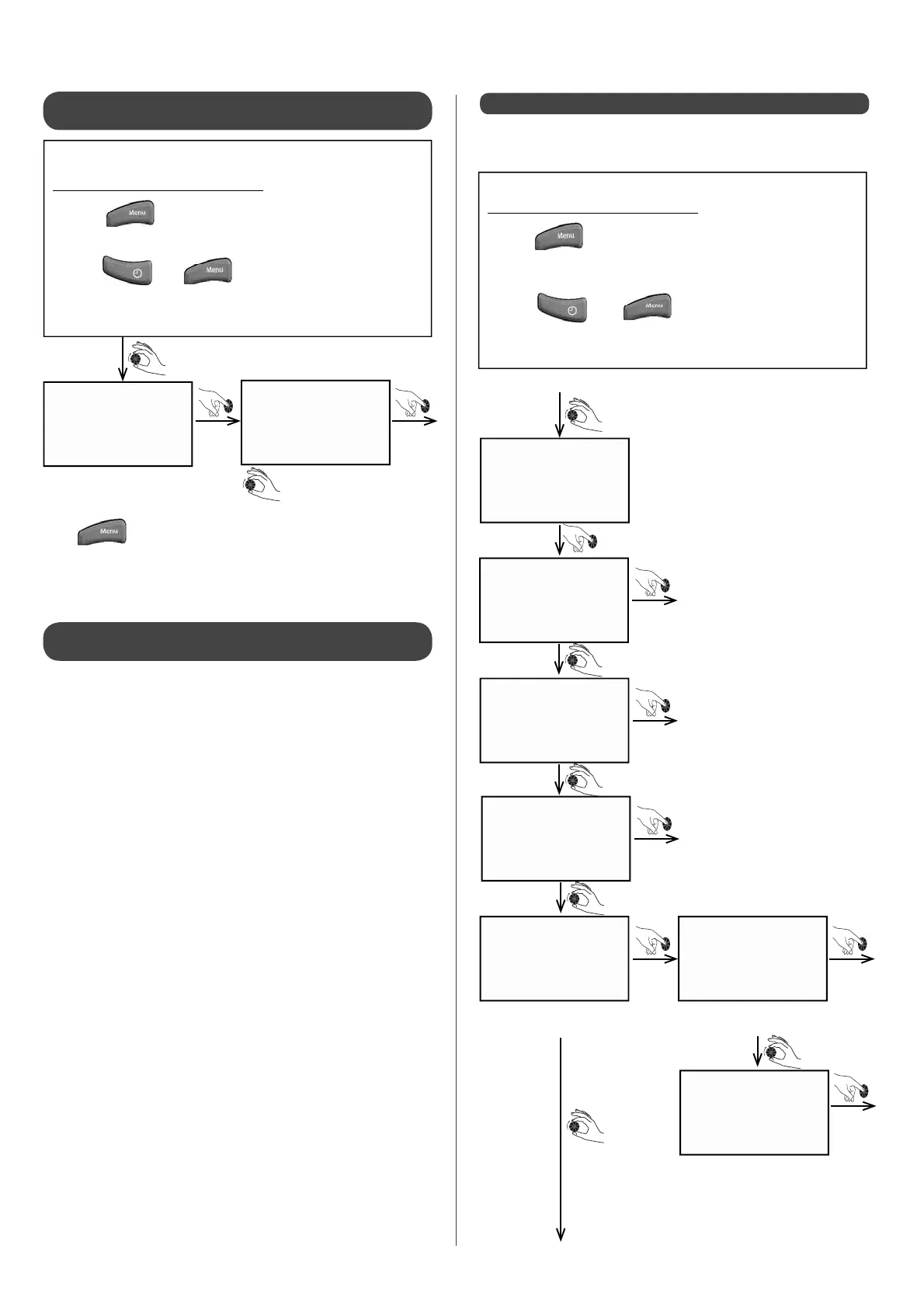
Enter Enter
• Press "yes" to stop the installation.
Turn the dial towards
(+) and the screen will
display "yes"
Press to return to "iNSt. MENU" screen.
4.2.3.5 - Resetting installer parametres 205 to
230
4.2.3.6 - Selecting the HRC
70
Heat Pump heating
capacity
reset par.
reset par.
no
Accessing the Installer Menu:
• Press
• Turn the dial until the screen displays "INST. Menu"
• Press and at the same time
•
Keep them held down simultaneously for 3 sec.
The Heat Pump can run using only 1 compressor: the smaIl one
(compressor 1) or the large one (compressor 2). This function is
only useful in case of repair work being done and must be used
only on a temporary basis.
-
PAR.230 = 0 : default setting - normal operation
-
PAR.230 = 1 : compressor 1 only operating
-
PAR.230 = 2 : compressor 2 only operating
Enter
Enter
Enter
Enter Enter
Enter
manual
back up1
back up2
back up3
circ.HP circ.c1
circ.c2
Accessing the Installer Menu:
• Press
• Turn the dial until the screen displays
"INST. MENU"
• Press and at the same time
• Keep them held down simutaneously for 3 sec.
In order to diagnose errors occurring on Heat Pump components,
certain elements can be manually engaged on a temporary basis.
4.2.4 - Forced command of the system
Electrical back-up n°1
Electrical back-up n°2
Electrical back-up n°3
Heat Pump
circulator pump
Heating circuit 1
circulator pump
Heating circuit 2
circulator pump


 To Next Page