The Branch Gateway can function as a DHCP server or as a DHCP client, or both
simultaneously. For information about configuring DHCP client on the Branch Gateway, see
DHCP client configuration on page 204.
Related topics:
Typical DHCP server application on page 448
Configuring the DHCP server on page 449
Deleting an IP address binding on page 451
DHCP pool configuration examples on page 452
Commands for displaying DHCP server information on page 453
Summary of DHCP Server commands on page 454
Typical DHCP server application
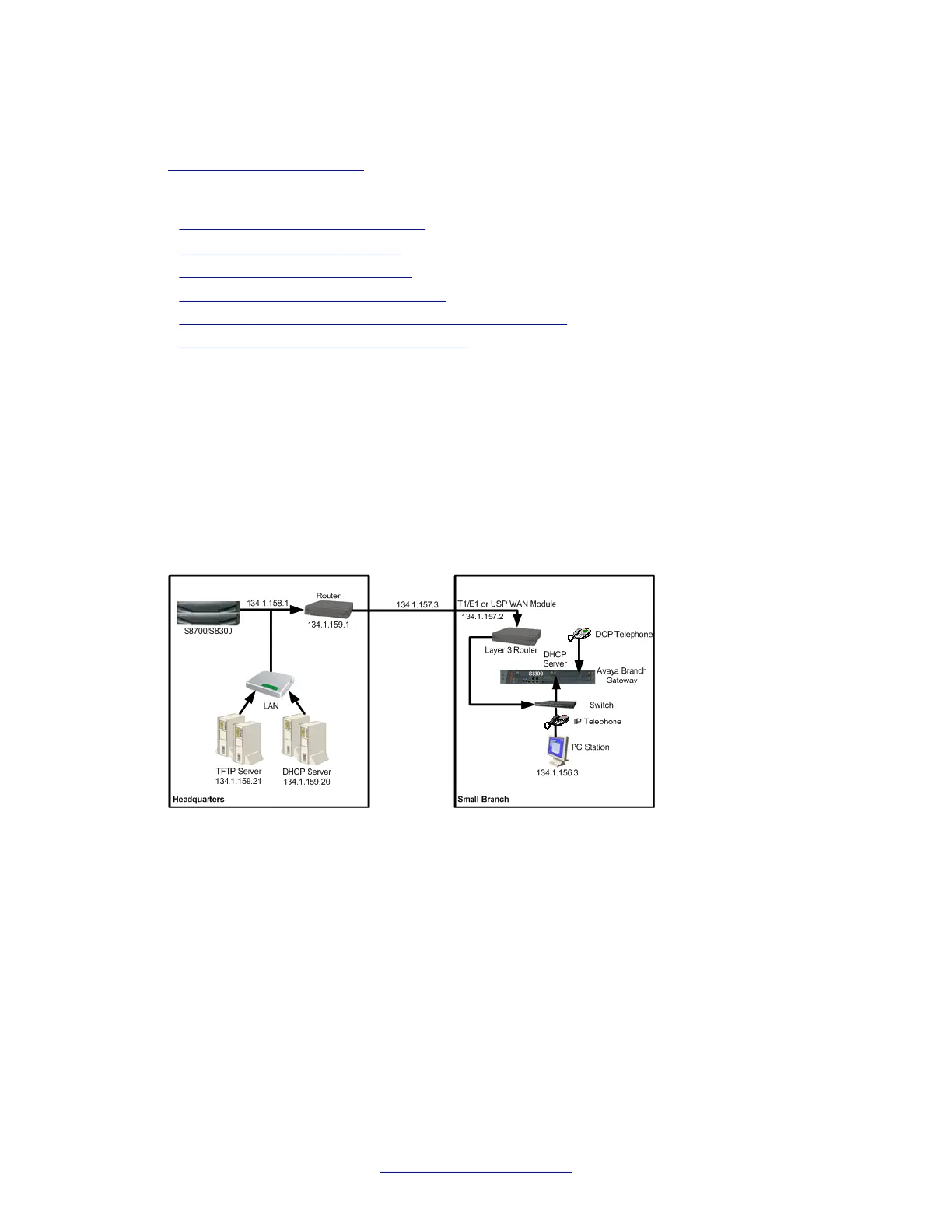
In the typical application shown in the following table, the Branch Gateway is configured as a
local DHCP server and router for IP phones and PCs in the branch office. The remote DHCP
server allocates IP addresses for headquarters users. The local DHCP server allocates IP
addresses in the branch offices. If there is a local ICC or LSP, calls can still be made. If there
is no ICC or LSP to control calls, the DHCP server can allocate IP addresses to all devices,
but, since no calls can be made, the IP address allocation effectively applies to PCs only.
The branch DHCP server does not depend on the headquarters’ DHCP server. There is no
backup mechanism between the servers. The branch DHCP server operates continually
regardless of the status of the centralized DHCP server or the WAN link.
By default, the DHCP server is inactive. Before activating DHCP server, you configure DHCP
pools to define ranges of IP addresses and other network configuration information to be
assigned to clients. Create a minimum of two dynamic pools: at least one pool for data devices
(PCs) and at least one pool for voice devices (IP phones). The Branch Gateway also supports
reservation pools, which map hardware addresses/client identifiers to specific IP addresses.
Reservation pools may be required for security issues or servers.
Overlap between pools is not allowed. You cannot configure a reservation pool on an IP
address that falls within the range of another pool.
The router
448 Administering Avaya G430 Branch Gateway October 2013
Comments? infodev@avaya.com



 To Next Page