EN 28
D - BEGINNING OPERATION
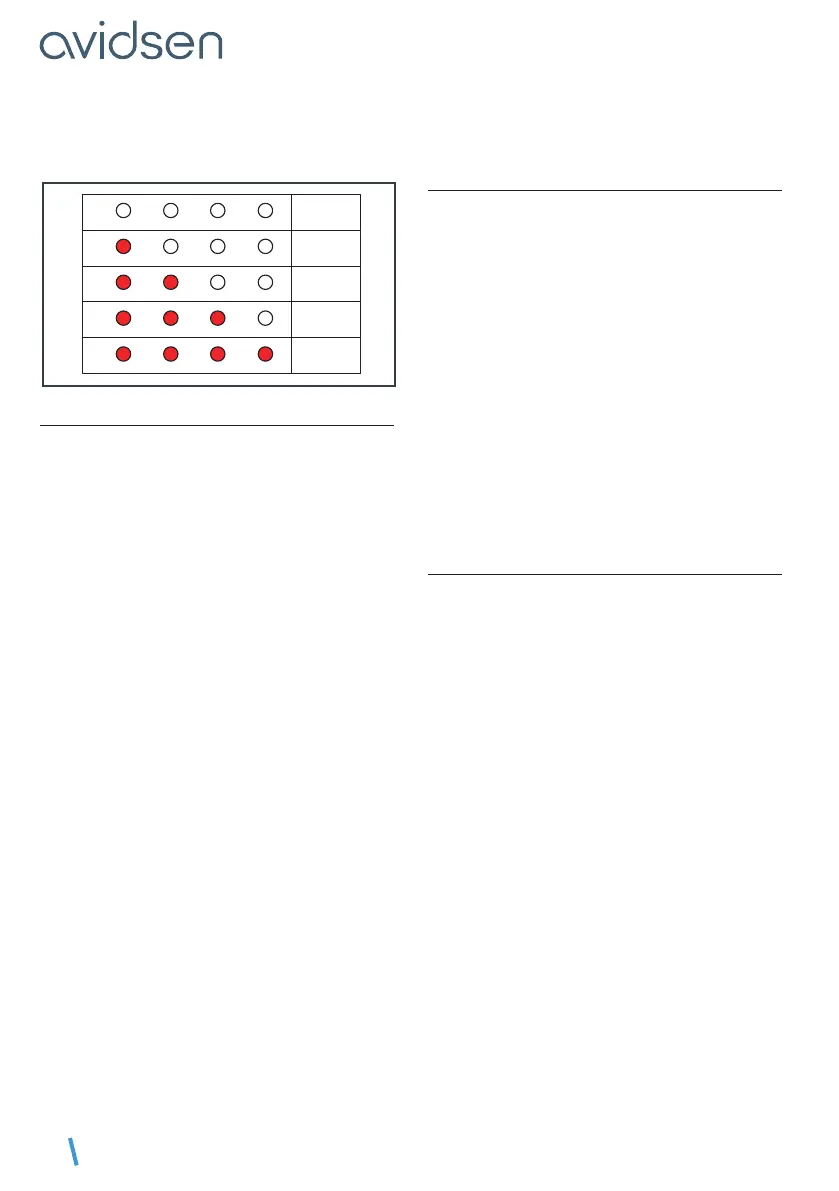
This time is adjustable from 15 seconds to 90
secondsby15secondinterval as dened in the
table below (set to 30 seconds by default).
L1
L2 L3 L4
15 s
L1
L2 L3 L4
30 s
L1
L2 L3 L4
45 s
L1 L2 L3 L4
60 s
L1 L2 L3 L4
90 s
3.1.3. MOTOR FORCE
This system controls the force of the motors by
detecting the maximum current they can absorb.
As a result, if an obstacle pushes with enough
force against a gate panel, the motor current
exceeds the detected value and the gate stops.
In most cases, it is not necessary to change this
setting.
The force is adjustable from 0 to 4 and is set to 3
by default.
However, if the gate is solid and the force is
insufcient,agustofwindmaycauseoneormore
panels to stop.
• In this case, it is necessary to increase the level
of force to 4.
• On the other hand, if the gate has a rather weak
structure and a low wind load, it is recommended
that the force be reduced.
Note
To meet the requirements of Standard 12453,
it may be necessary to change the force of the
motors.
To adjust the force, follow the procedure below
• Press PROG for 3 seconds. L0 will ash once
and L1 will turn on.
• Press “+” twice and L3 will switch on instead of
L1.
• Press OK, and the number of LEDs that turn on
will indicate the set force value.
• Use the “+” and “-” buttons to change the force
andconrmwiththeOK button. All the LEDs will
switchonandofftoconrmtheoperation.
NOTE: if the force setting is changed, self-learning
must be repeated.
3.1.4. MOTOR SPEED
You can adjust the speed by a value of 0 to 4. The
default speed is 3.
If the gate is too fast, it may be necessary to
reduce the speed.
To adjust the speed, follow the procedure
below
• Press PROG for 3 seconds. L0 will ash once
and L1 will turn on.
• Press “+” 3 times. L4 will turn on instead of L1.
• Press OK and the number of LEDs that turn on
will indicate the set value.
• Use the “–” and “+” buttons to change this value.
• Press OKtoconrmthisvalue.AlltheLEDswill
turnonandofftoconrmtheoperation.
NOTE: if the speed setting is changed, self-
learning must be repeated.
3.2. MENU 2
To access menu 2
• Press the “PROG” button for 3 seconds. L0 will
ashonceandL1willswitchon.
• Press the “PROG” button for 3 seconds again. L0
willashtwiceandL1willremainon.


 To Next Page
 Loading...





