IFD500 Series Pilot Guide
Aux Subsystem 5-37
Always – connection attempts by this device will
automatically be accepted
The IFD will retain the connection policy for the ten most recently
recognized devices. However, only five devices may be
connected with the IFD simultaneously.
When a new device is recognized by the IFD, a device item will
appear under this subcategory, its connection policy will be set to
“Blocked”, and a “Connect Request” alert will be issued.
Communication with the device will be inhibited until the pilot sets
the connection policy to something other than “Blocked”.
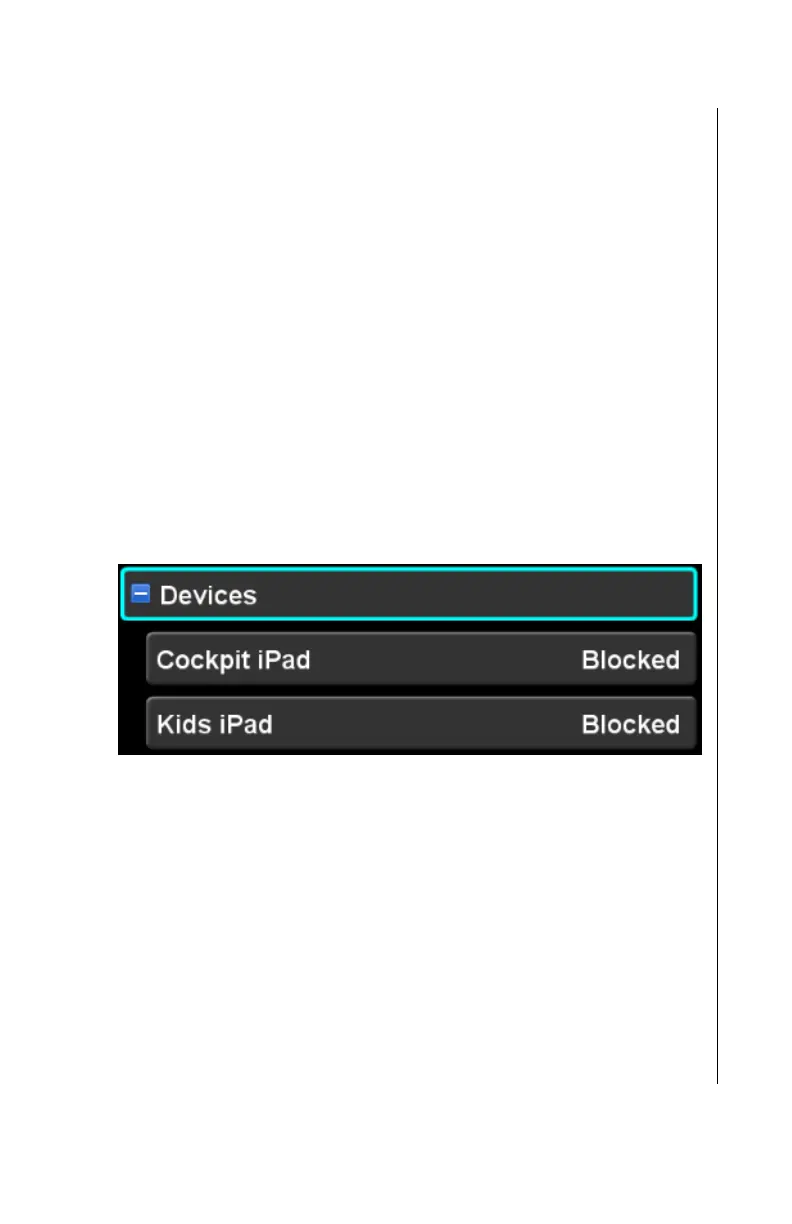
In the example below, two devices have been recognized by the
IFD; “Cockpit iPad” and “Kids iPad”. Although the devices have
made requests to connect to the IFD, both are blocked from
sending data to the IFD until the policy has been changed to
either “Always” or “Once”.
Blocked devices
When a device is blocked, the pilot must take action to set the
communication policy for that device. If the device is trusted and
will always be under control of the pilot, setting the connection
policy to “Always” is appropriate. If the pilot prefers to specifically
determine whether that device should be allowed on every
connection attempt, the connection policy should be set to
“Once”. If this device is not known to the pilot, the connection
policy should be set to “Never”.
If the device is connected and the connection policy is set to
“Always” or “Once”, then the device name will be displayed in
green.



 To Next Page