IFD500 Series Pilot Guide
System Overview 1-29
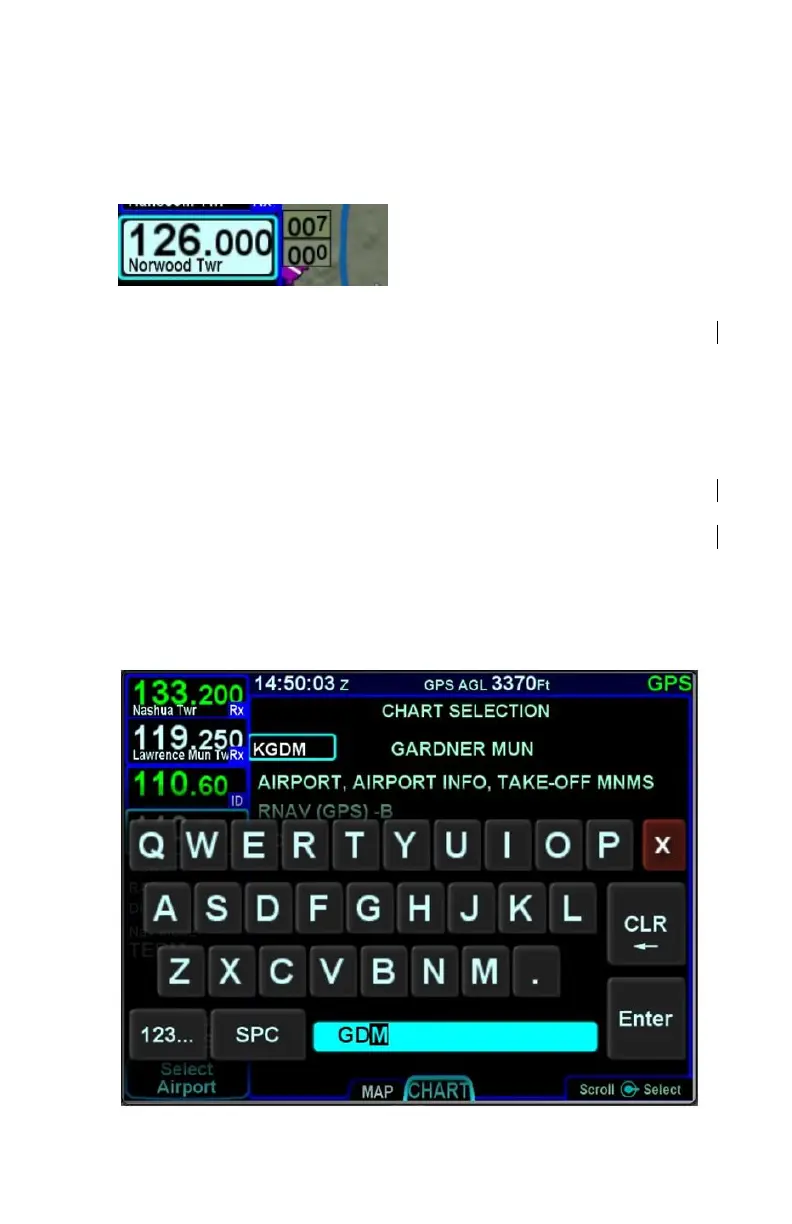
right of the decimal point. The slot being tuned is highlighted in
reverse video as shown below.
Manual Com/Nav Tuning Reverse Video
The Standby frequency can also be tuned by touching the block
on the display. When using this method, a virtual keyboard is
displayed. Enter the desired frequency into the numeric keypad
and press ENTR (either on the virtual keypad or on the bezel).
The virtual keyboard will be dismissed after ten seconds of
inactivity.
The navigation radio may be tuned to a VOR using the identifier
of the VOR (e.g. “GDM” for the Gardner VOR). Touch the nav
radio block to display a virtual keyboard, and then enter the
identifier. An automatic, geographic-based prediction algorithm
(“Geofill”) is running such that the most likely VOR station is filled
in based on your geographic position.
Manual Entry of VOR Identifier



 To Next Page