9. Software updating
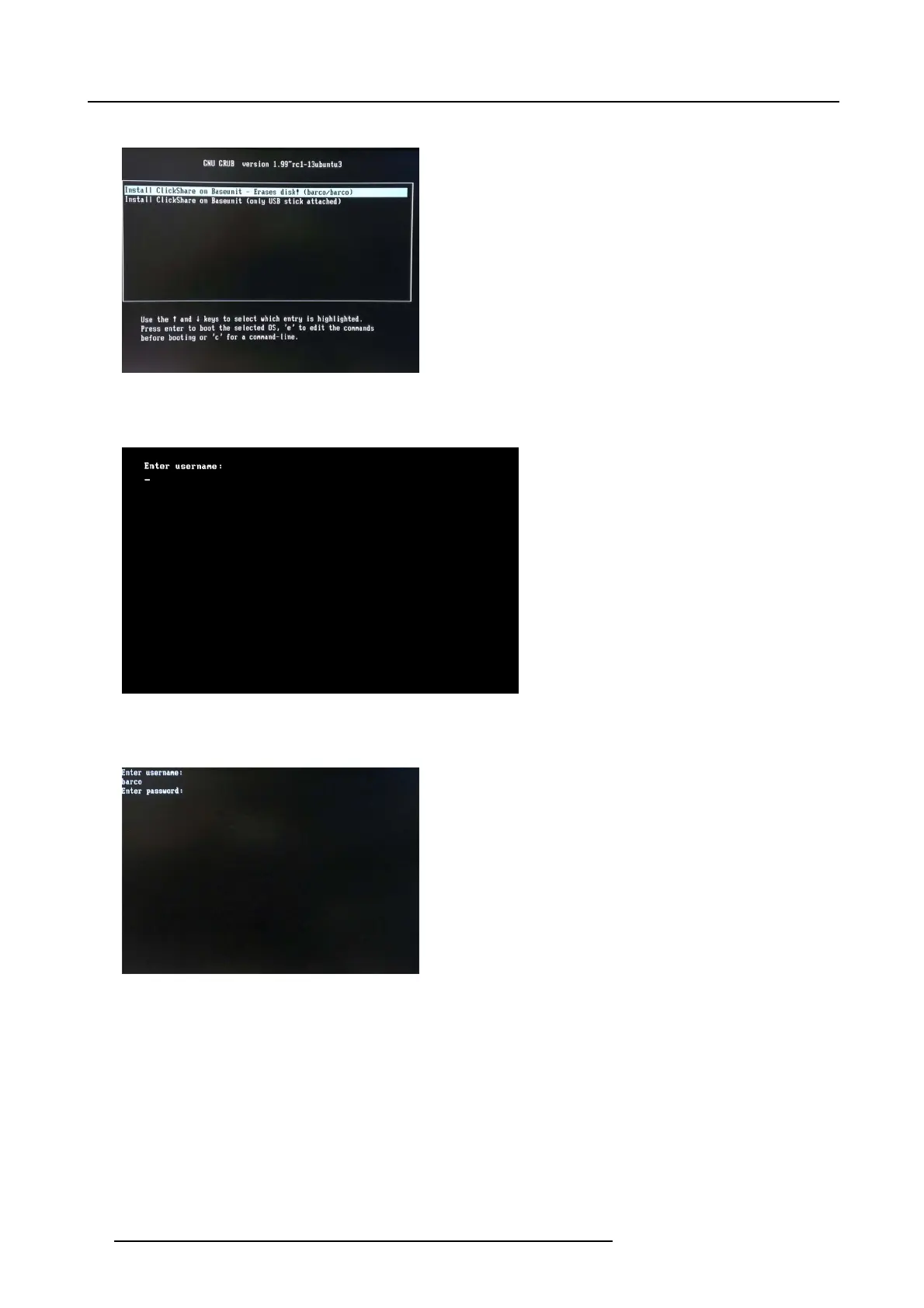
The following screen appears.
Image 9-10
8. Select the first option and press Enter.
A user name is requested.
Image 9-11
9. Enter the user name (’barco’).
A password is requested.
Image 9-12
10.Enter the password (’barco’).
90
R5900006 CLICKSHARE 04/12/2013















 To Next Page