5. Installing ClickShare
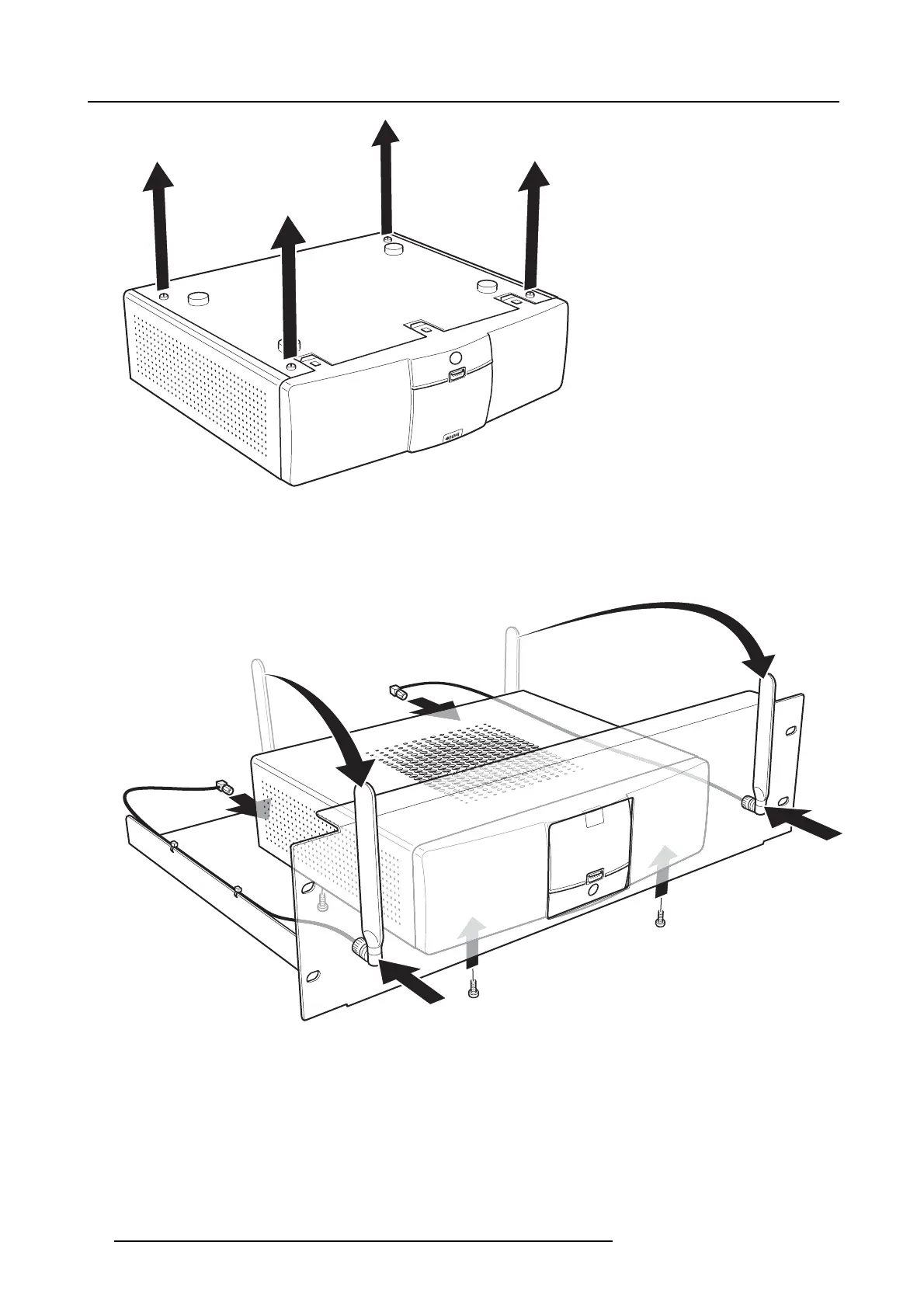
Image 5-4
Removal of pre-mounted screws
2. Place the Base Unit on the rack mount and drive in the four removed Pan Head T10 M3 screws.
Refer to “1” on image 5-5.
3. Fasten the antenna to the front panel of the rack mount.
Refer to “2” on image 5-5.
1
2
3
3
2
1
Image 5-5
4. Tighten the antenna cables to the back of the Base Unit.
Refer to “3” on image 5-5.
5. Use the four included screws to mount the rack mount assembly into the dedicated AV rack.
28
R5900006 CLICKSHARE 04/12/2013















 To Next Page