Image Acquisition Control AW00123402000
128 Basler ace USB 3.0
Exposure Active on Rolling Shutter Cameras (acA1920-25, acA2500-14 Only)
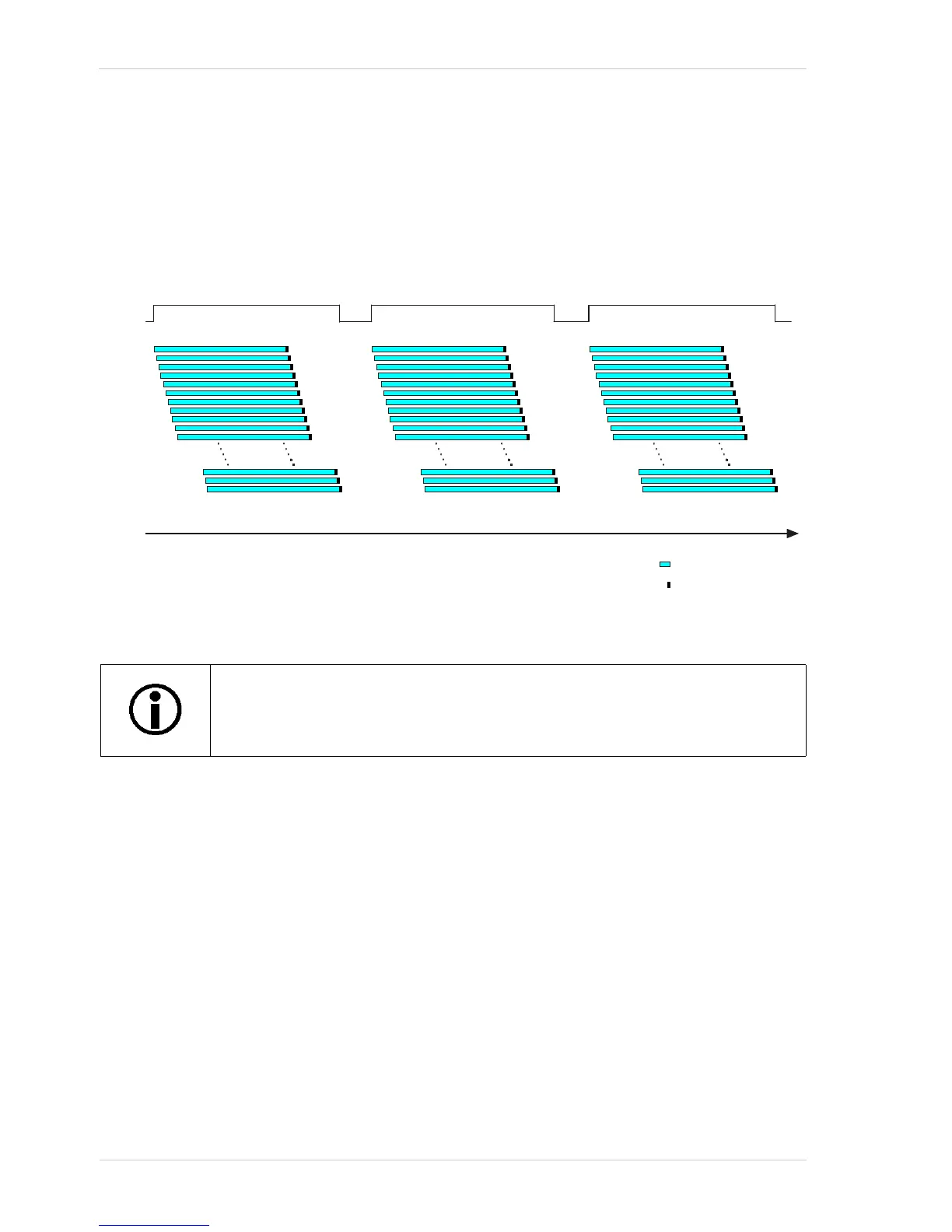
Some cameras with a rolling shutter imaging sensor can provide an "exposure active" (ExpAc)
output signal. On these cameras, the signal goes high when exposure for the first line in a frame
begins and goes low when exposure for the last line ends as shown in Figure 61. This behavior
applies to both, electronic rolling shutter mode and global reset release shutter mode.
Selecting the Exposure Active Signal as the Source Signal for an Output Line
The exposure active output signal can be selected to act as the source signal for an output line, e.g.
Line 2. Selecting a source signal for the output line is a two step process:
Use the Line Selector to select the output line, e.g. Line 2.
Set the value of the Line Source Parameter to the exposure active output signal.
You can set the Line Selector and the Line Source parameter value from within your application
software by using the Basler pylon API. The following code snippet illustrates using the API to set
the selector and the parameter value:
camera.LineSelector.SetValue(LineSelector_Line2);
camera.LineSource.SetValue(LineSource_ExposureActive);
The exposure active signal is not available for acA3800-14 and acA4600-10
cameras. However, the flash window signal is available and may in some cases
serve as an alternative (see Section 6.8.2 on page 129).



 To Next Page