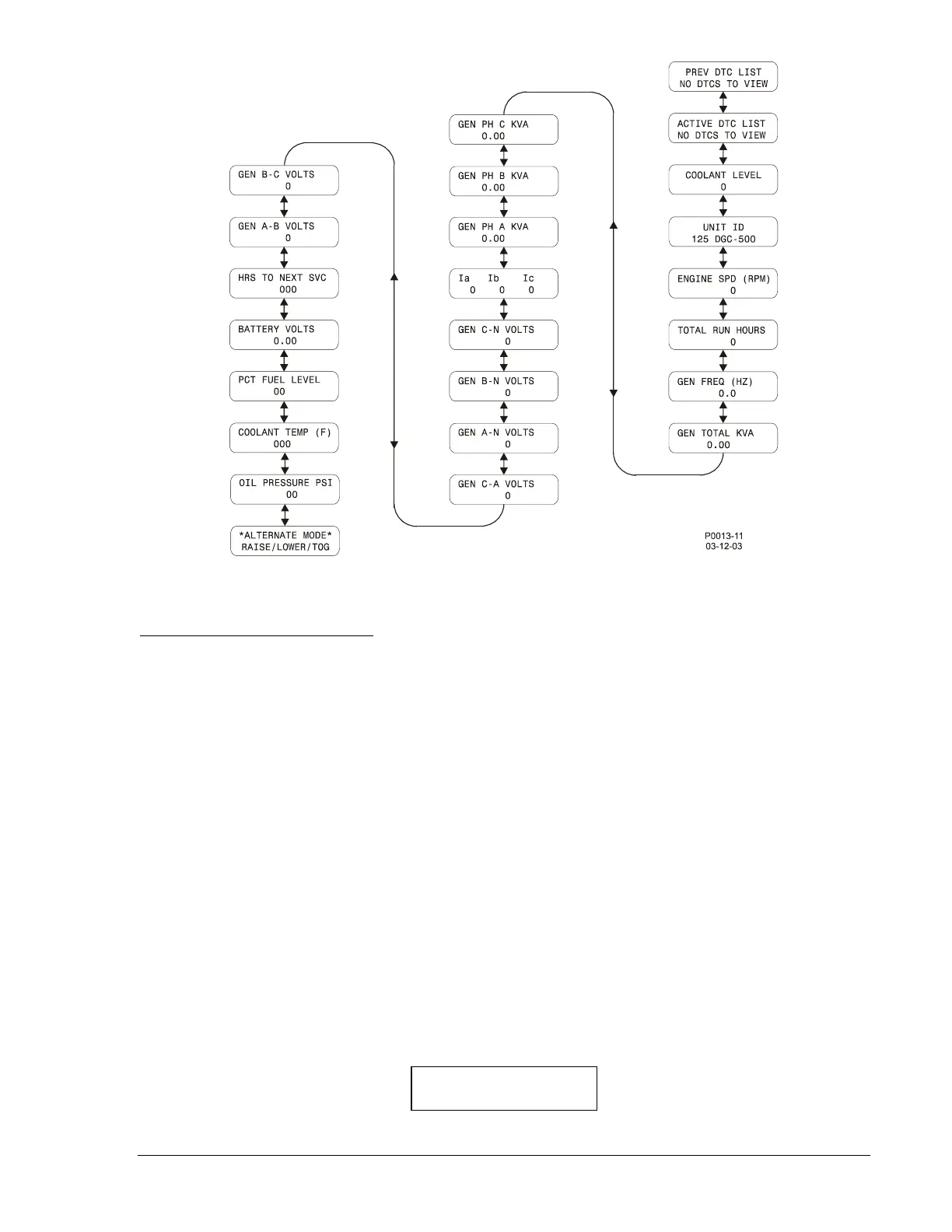
Figure 3-3. Alternate Mode Navigation
Diagnostic Trouble Codes (DTCs)
When the optional SAE J1939 communication is enabled, access to the Diagnostic Trouble Codes
(DTCs) is available through the Alternate Display mode. The DTCs are the last two screens in the
Alternate mode display list.
If there are no DTCs to be sent to the DGC-500, pressing the Select/Enter pushbutton will have no effect,
and the messages ACTIVE DTC LIST and NO DTCS TO VIEW will be displayed. If at least one DTC is
communicating with the DGC-500, pressing the Select/Enter pushbutton will display ACTIVE DTC LIST
and VIEW WITH SELECT.
Pressing the Select/Enter pushbutton when ACTIVE DTC LIST and VIEW WITH SELECT is displayed
places the DGC-500 in DTC mode. The next screen to appear will display the diagnostic lamp status
information obtained from the ECU. One of five possible lamp status messages will be displayed. The
lamp status messages, in decreasing order of priority, are listed below.
1. ENG STOP LAMP ON
2. WARNING LAMP ON
3. MALFUNC LAMP ON
4. PROTECT LAMP ON
5. NO LAMP IS ON
Only one lamp status will be displayed on the front panel—the highest priority one that is true. An
example of the lamp status screen is shown in Figure 3-4. BESTCOMS may also be used to view the
status of all lamps.
Figure 3-4. Lamp Status Screen
CURR LAMP STATUS
ENG STOP LAMP ON
9355400990 Rev H DGC-500 Functional Description 3-15



 To Next Page