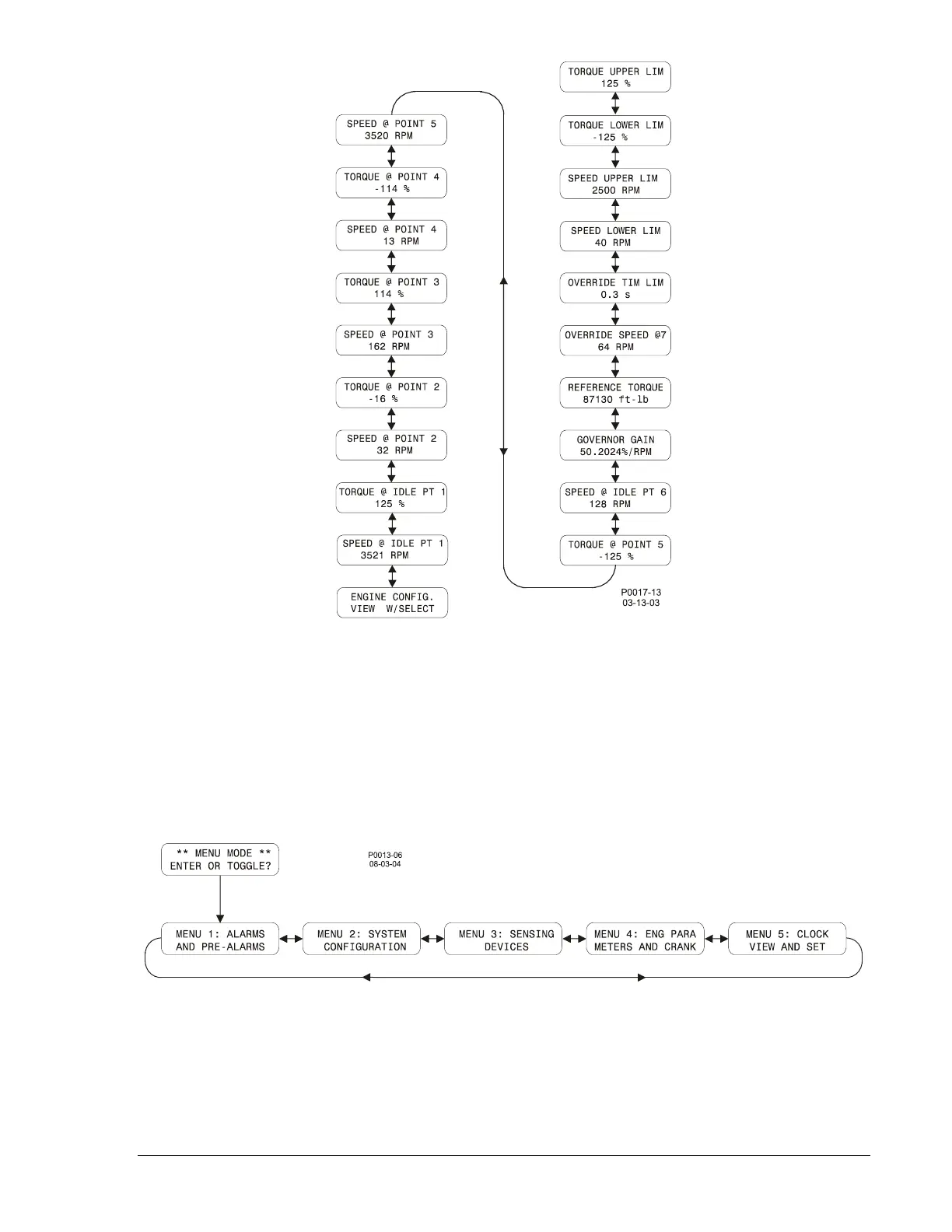
Figure 3-7. Engine Configuration Menu Navigation
Menu Mode
Press the Select/Enter pushbutton while viewing the top-level Menu mode screen (shown in Figure 3-2),
to access the four menu branches illustrated in Figure 3-8. Press the Lower/Scroll or Raise/Scroll
pushbuttons to view the top of each menu branch. Within Menu 1, 2, 3, 4, or 5, use the Select/Enter
pushbutton to move right, the Previous pushbutton to move left, the Raise/Scroll pushbutton to move
up, and the Lower/Scroll pushbutton to move down.
Figure 3-8. Menu Mode Navigation
9355400990 Rev H DGC-500 Functional Description 3-19



 To Next Page