EMBEDDED FIRMWARE
Embedded firmware is the operating program that controls the actions of the DGC-500. The DGC-500
stores firmware in nonvolatile flash memory that can be reprogrammed through the RS-232
communication port. It is not necessary to replace EPROM chips when updating the firmware with a
newer version.
Updating the Firmware
Future enhancements to DGC-500 functionality may make a firmware update desirable. Because default
settings are loaded when DGC-500 firmware is updated, your settings should be saved in a file prior to
upgrading firmware. DGC-500 embedded firmware can be updated by performing the following steps.
1. Connect a communication cable between the rear RS-232 connector of the DGC-500 and the
appropriate communication port of your PC. Start BESTCOMS-DGC500-32, open communication,
and gain password access with the OEM-access password.
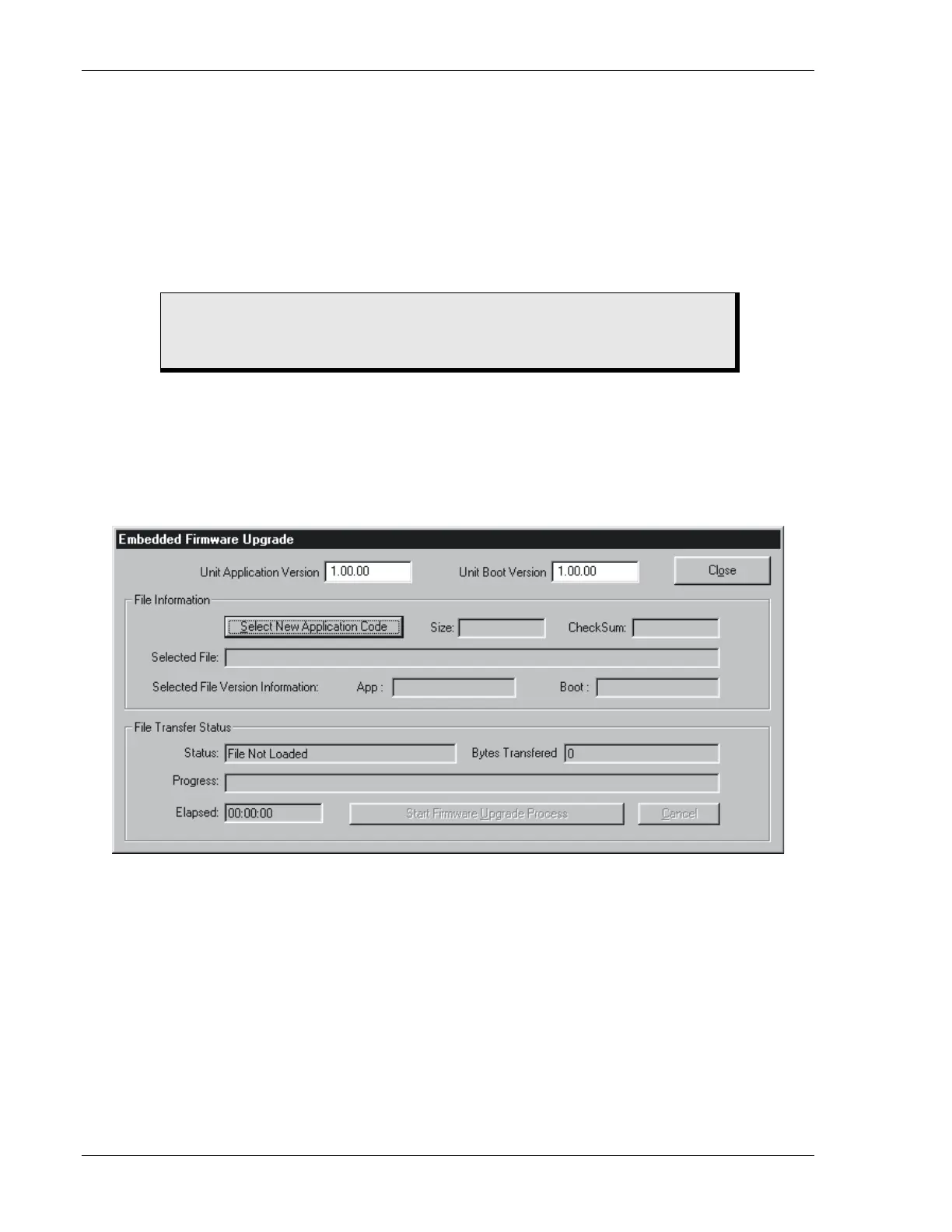
2. Click Configure on the menu bar and click Upgrade Embedded Firmware. When Upgrade Embedded
Firmware is clicked, the Embedded Firmware Upgrade dialog box (Figure 4-29) appears.
Figure 4-29. Embedded Firmware Upgrade Dialog Box
3. Click the Select New Application Code button and then navigate to and select the file (S19 file
extension) to be used for updating the DGC-500 firmware. The file details are displayed in the File
Information section of the Embedded Firmware Upgrade dialog box (Figure 4-30).
CAUTION
If power is lost or communication is interrupted during file transfer, the DGC-500
will not recover and will cease operating.
4-26 DGC-500 BESTCOMS Software 9355400990 Rev H



 To Next Page