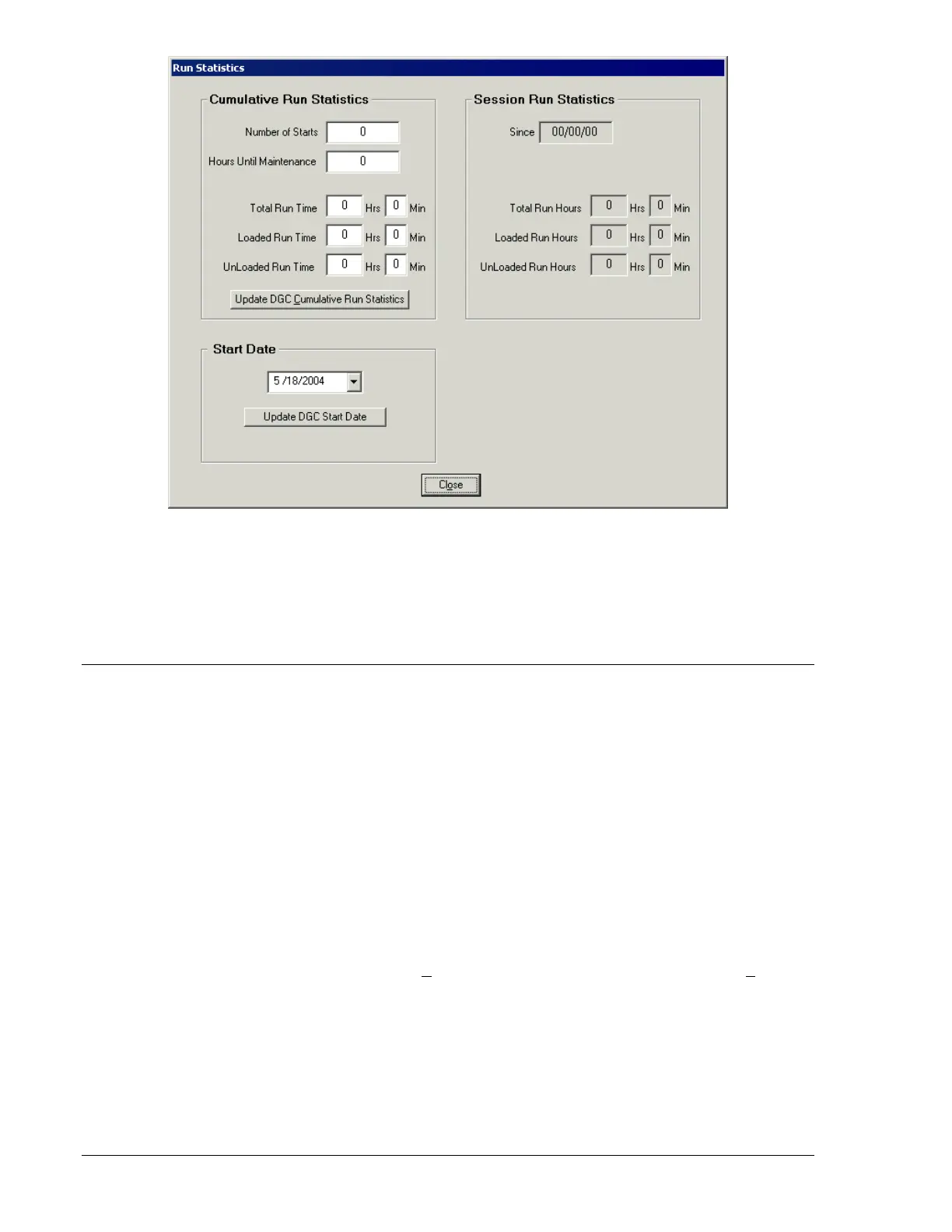
Figure 4-24. Run Statistics Screen
Cumulative Run Statistics. This area of the Run Statistics screen displays the total running time, unloaded
running time, and loaded running time since the genset/DGC-500 was commissioned. The number of
engine starts and time remaining until maintenance is also displayed. Each field in the Cumulative Run
Statistics area can be adjusted by the user and sent to the DGC-500 by clicking the Update DGC
Cumulative Run Statistics button.
EVENT LOG
The Event Log screen displays a record of system events that are stored in DGC-500 nonvolatile
memory. System events are categorized by the event log into event types. The event log capacity is 30
event types.
Each event type in the log contains an event identifier label, the number of occurrences for the event, and
the time stamp of the most recent event occurrence. The time stamp displayed is user-selectable and can
be real-time clock data or the elapsed engine hours.
When an event type is logged, it occupies one entry (or row) in the low. If the same event type is logged
again, it still only occupies one entry in the log. However, the log entry is updated with the number of
occurrences and the Last Date/Time column is updated with the time stamp of the last occurrence.
If the event log contains the maximum of 30 event types and a new event type is logged, the oldest event
type in the log is overwritten with the new event type.
For event types monitored by the event log, refer to Section 3, Functional Description, Software
Operation, Event Log.
The Event Log screen is accessed by clicking Events on the menu bar and clicking Event Log. The
Event Log screen is shown in Figure 4-25. Its controls and indicators are described in the following
paragraphs.
Refresh Event Log. Clicking this button updates the Event Log screen with any newly acquired system
events.
Clear Selected Event(s). clicking this button deletes all highlighted events in the record list.
Number of Events. This field displays the number of events held in the event log.
4-22 DGC-500 BESTCOMS Software 9355400990 Rev H



 To Next Page