ECU Related Time Values – Setting Time (Millisec.). This setting adjusts the time to gather data after
connecting to the ECU during the Pulsing state. This allows all metered values to be sent and ramp up.
Metered values are sent by the ECU at different rates as designated by the J1939 protocol. Values sent
by the ECU may be low initially; the ECU takes time to average its own data. The Setting Time setting
range is 5,500 to 30,000 milliseconds.
ECU Related Time Values – Pulse Cycle Time (Min.). This setting adjusts the time that the DGC-500
waits to pulse the ECU again. The Pulse Cycle Time setting range is 1 to 60 minutes.
ECU Related Time Values – Response Timeout (Sec.). This setting controls the time that communication
is attempted with the ECU while the DGC-500 is in the Pulsing or Connecting state. The Response
Timeout setting range is 1 to 60 seconds.
PASSWORD PROTECTION
Password protection guards against unauthorized changing of DGC-500 settings. DGC-500 passwords
are case-sensitive. Three levels of password protection are available. Each level is described in the
following paragraphs.
• Limited Access. This password level allows all DGC-500 settings to be read, but prevents any
changes to settings. The default, limited-access password is DGC.
• Full Access. This password level allows all DGC-500 settings to be read and allows all settings
except Engine Runtime to be changed. The default, full-access password is DGC500.
• OEM Access. This password allows all DGC-500 settings to be read and allows all settings to be
changed. It also allows the DGC-500 embedded firmware to be upgraded. The default, OEM-access
password is OEMLVL.
Changing Passwords
Passwords can be changed only after communication between
the PC and DGC-500 is established. Changes to passwords are
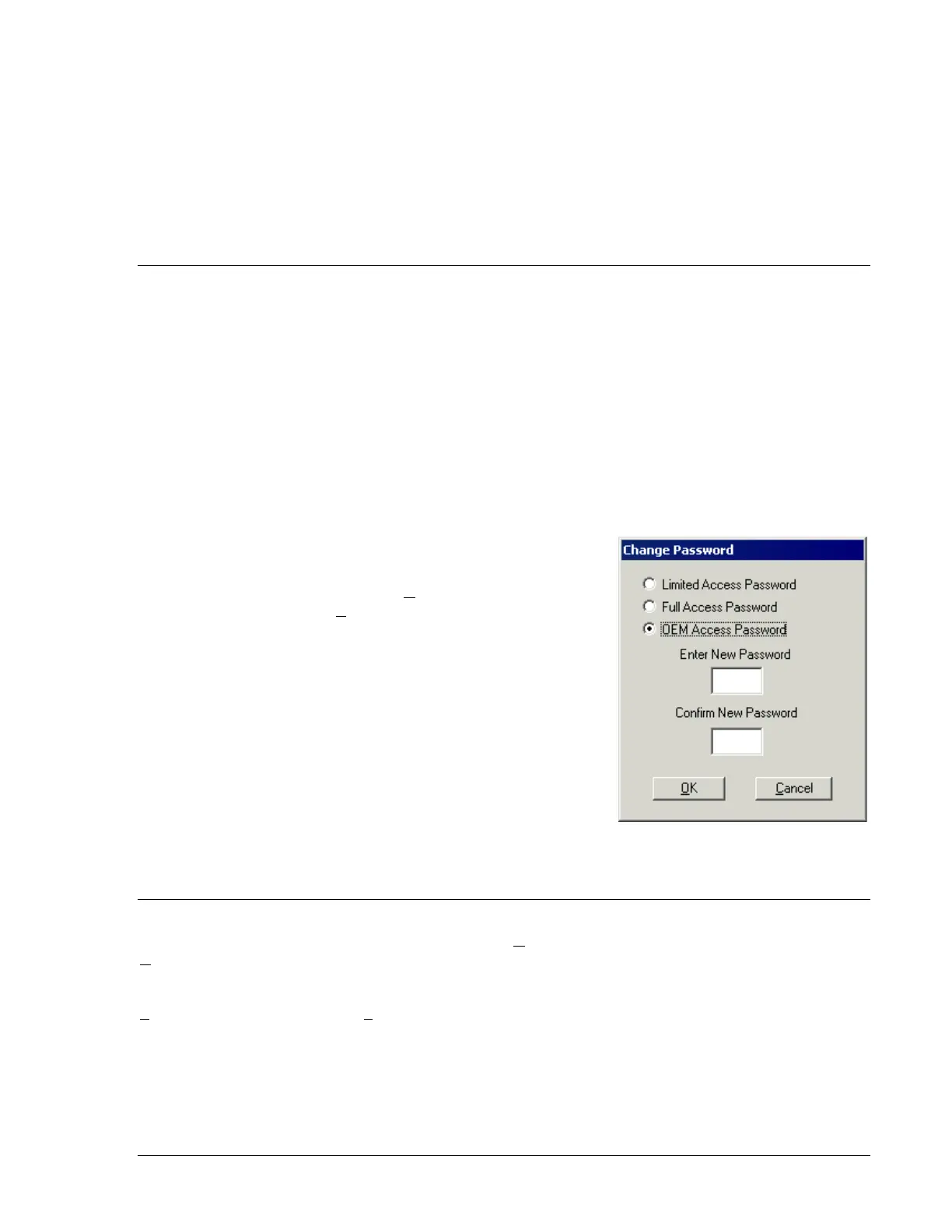
made through the Change Password dialog box. To access the
Change Password dialog box, click Communications on the
menu bar and click Change Password.
The content of the Change Password dialog box depends on the
password level used when accessing the dialog box. For
example, someone logged-in with a full-access password will be
able to change only the limited-access and full-access
passwords—not the OEM-access password. Figure 4-28 shows
the Change Password dialog box with all three access levels
shown.
A password is changed by selecting the access level, entering
the new password, and then re-entering the new password to
confirm the entry.
Once a password is changed, it should be stored in a secure
location. If a user-defined password is lost or forgotten, contact
Basler Electric for instructions on regaining password access.
TERMINATING COMMUNICATION
DGC-500 communication is terminated by clicking Communications on the menu bar and clicking
Close. If unsaved settings changes were made, you are prompted to save the changes in a new or
existing settings file. When you execute the close communication command (with or without saving
settings), communication with the DGC-500 is terminated. If you choose to exit BESTCOMS (by clicking
File on the menu bar and then Exit) without first closing communication, you are still given the opportunity
to save any settings changes.
Figure 4-28. Change Password
Dialog Box
9355400990 Rev H DGC-500 BESTCOMS Software 4-25



 To Next Page