Establishing Communication
Communication between BESTCOMS and the DGC-500 must be established before reading or changing
settings. BESTCOMS screen settings are updated only after communication is opened or the
communication settings have been changed.
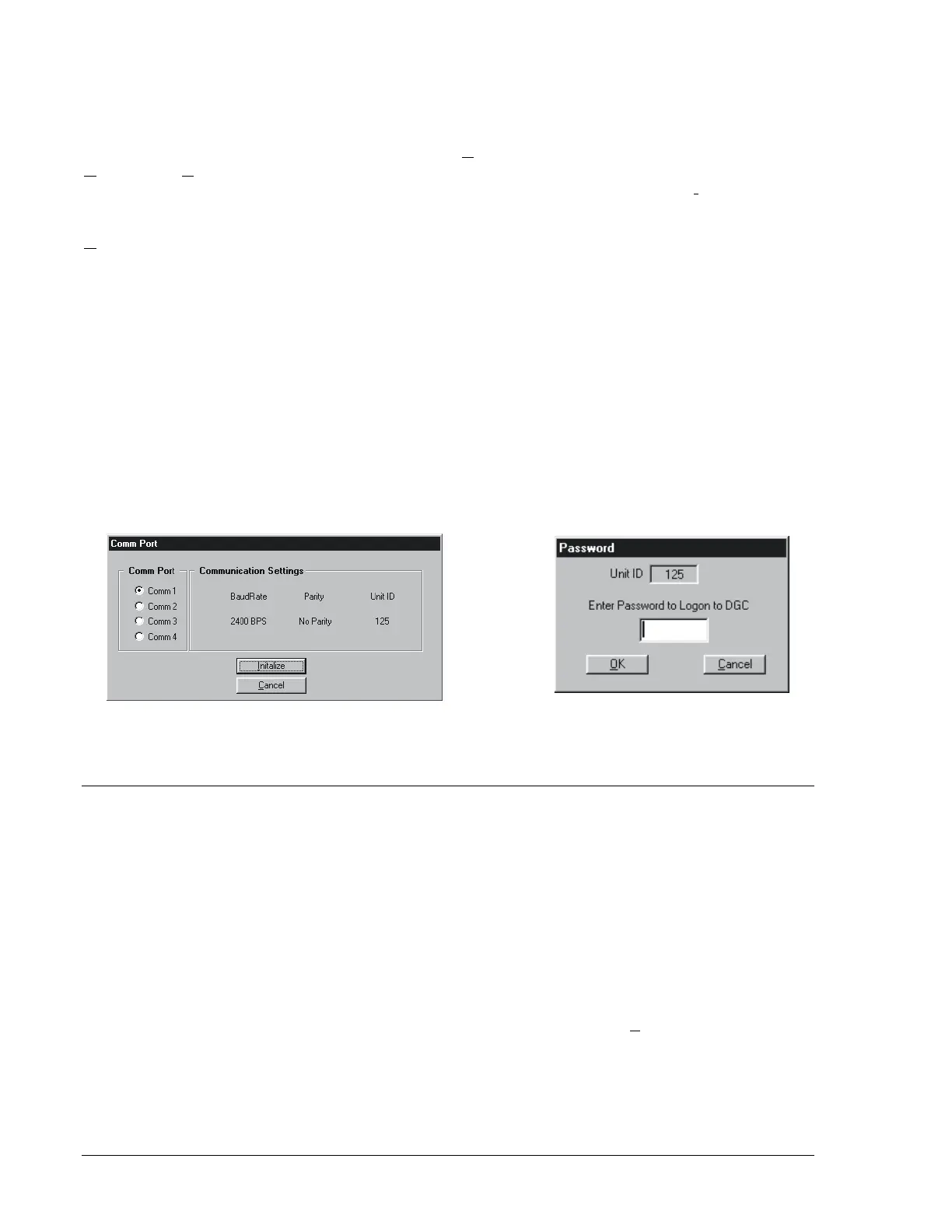
Open the DGC-500 communication port by clicking Communications on the menu bar and clicking
Open. When Open is selected, the Communication Initiation screen of Figure 4-3 appears. Select the
appropriate communication port for your PC (Comm 1, 2, 3, or 4) and click the Initialize button.
Information about altering the baud and parity settings is provided in the RS-232 Configuration sub-
section. When the Password dialog box of Figure 4-4 appears, enter the appropriate password and click
OK. The DGC-500 is delivered with the following default passwords.
• DGC. This limited-access password allows all DGC-500 settings to be read, but prevents any
changes to settings.
• DGC500. This full-access password allows all DGC-500 settings to be read and allows all settings
except Engine Runtime to be changed.
• OEMLVL. This OEM-access password allows all DGC-500 settings to be read and allows all settings
to be changed. It also allows the DGC-500 embedded firmware to be upgraded.
Passwords are case-sensitive; all default passwords are upper-case. More information about passwords
is provided in the Password Protection sub-section.
The Unit ID number displayed in the password dialog box indicates the identification number of the DGC-
500. Information about changing the unit ID for polled communication is provided in the RS-232
Configuration sub-section.
Once the password is entered, a dialog box appears and confirms that communication was established
and DGC-500 data was received by BESTCOMS.
CHANGING SETTINGS
DGC-500 settings are arranged into seven groups.
• Sensing Transformers
• Pre-Alarms
• Alarms
• Engine Cranking
• System
• Programmable Inputs and Outputs
• Generator Protection (optional)
Each setting group has a corresponding button (shown in Figure 4-5) that can be selected to access that
group of settings. The seven setting groups can also be accessed by clicking Screens on the menu bar
and then selecting the desired setting group from the list. Once a setting group is accessed, the individual
settings of the group can be viewed and changed.
A setting is changed by clicking within the setting field and typing the new setting. If the new setting is
outside the prescribed setting range, a dialog box showing the acceptable range appears when another
setting field is accessed or when attempting to send the new setting to the DGC-500. The following
paragraphs describe how settings are sent to the DGC-500.
Figure 4-3. Communication Initiation Screen
4-4. Password Dialog Box
4-2 DGC-500 BESTCOMS Software 9355400990 Rev H



 To Next Page