Baumer Web interface | 8
V1.0 | IDC200 Operating Manual 39
8 Web interface
8.1 Functions and tasks
You as a user may benefit from the web interface by eased device parameterization. Further to
parameterization of up to 32 jobs, there are configuration options for device settings, backup for
device replacement for data generation and upload as well as diagnostic data for monitoring the
device temperature. In monitoring mode, settings can be checked in operation.
NOTICE
Damage caused by unauthorized access
When using the web interface, observe security aspects of web technology to prevent access
by unauthorized persons.
a) Avoid any sensor access from outside the machine.
b) Do not use VPN sensor connection.
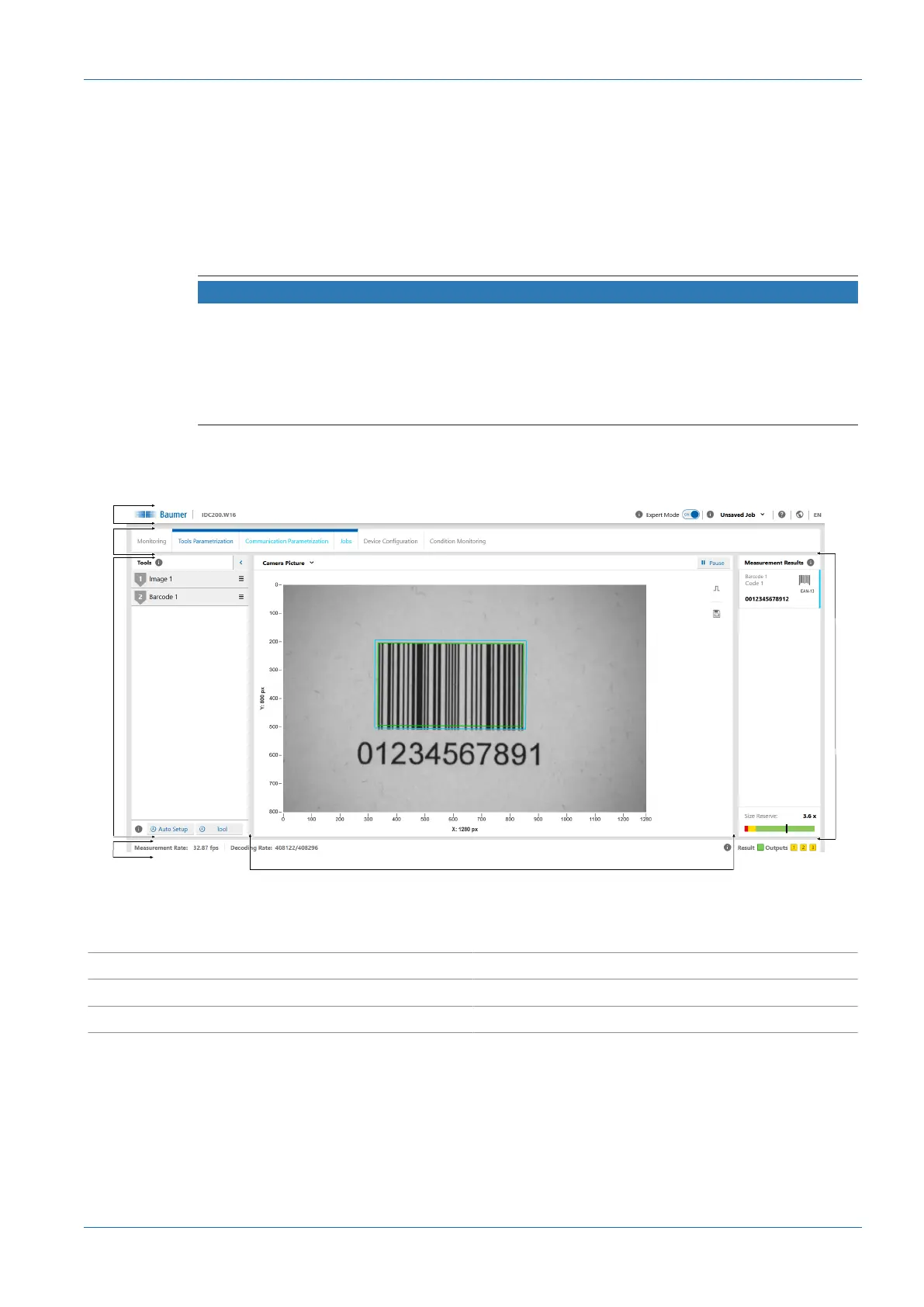
8.2 User interface description
Ill.10: Web interface - user interface
1 Header 2 Menu bar
3 Parametrisation area 4 Footer
5 Visualisation area 6 Measured values



 To Next Page