2 Unit Diagnosis / Adjustments
Infusomat® compact
plus
P 1.0 2 - 3
EN
For internal use, only
DEVICE ALARMS WITH REDUCED DISPLAY Appearance
Reduced visual display. Red screen background, one line text
information (e.g., "Device alarm, switch off device") followed by a
5
digit alarm code.
Detailed alarm code will appear after a re-start as follows:
Fu P: 11110:11e:ecdd:13a
KuP: 11556:11e:79e7:248
The last 3 digits of the first block contain the error code
(e.g., FuP: 110, KuP: 556).
To derive the real error code from the displayed code, subtract 100
from the first block of the FuP or 500 from the first block of the
KuP error codes, respectively.
For example, FuP -110 = error code 10 (CPU self check failure),
KuP -500 = error code 56 (error on program flow).
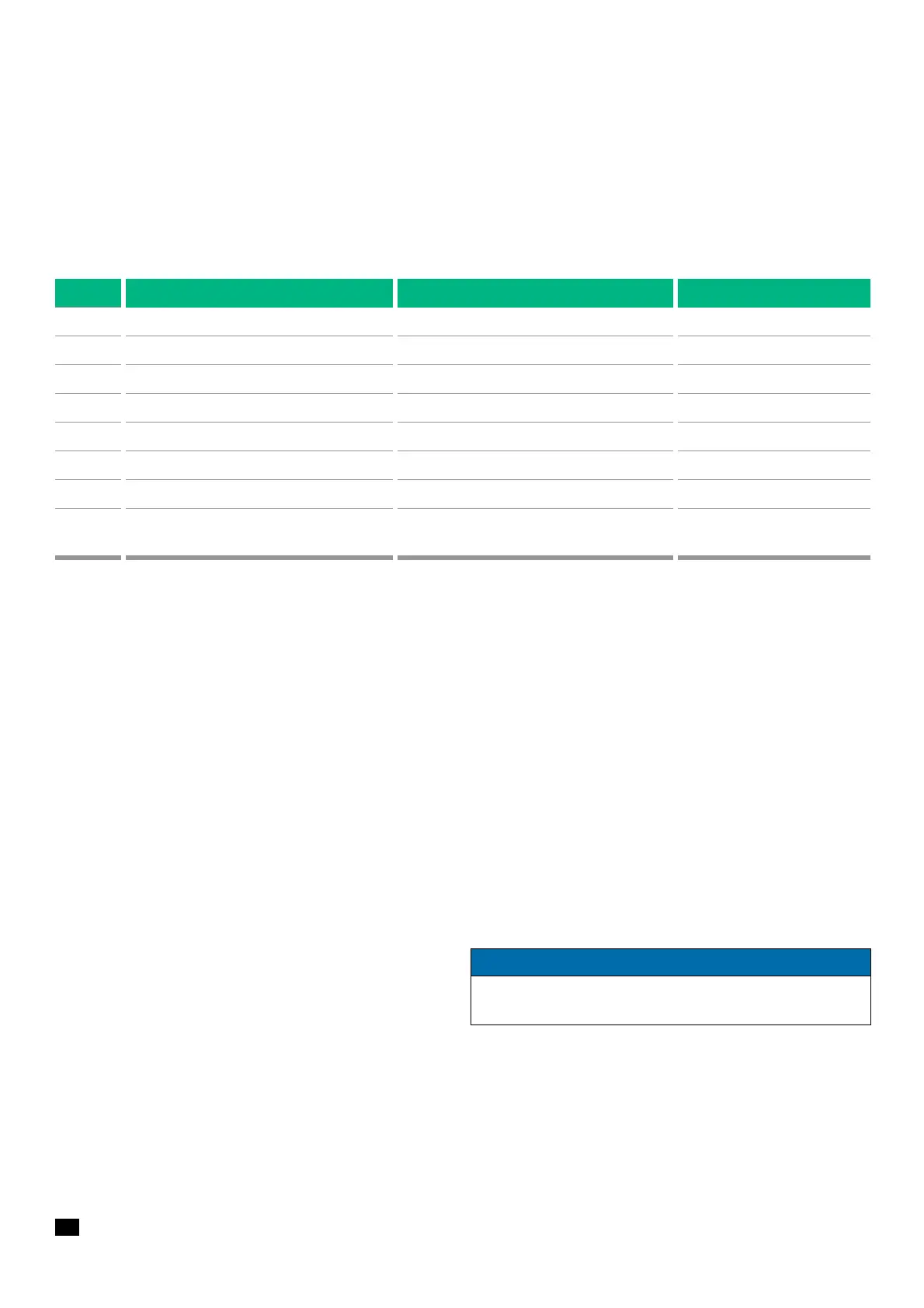
750 Key panel, key activated Key panel faulty Change upper part of housing
751 Key panel, activation not confirmed by FuP Hardware defect Change upper part of housing
806-811 Infusion monitoring Software failure
816-817 Infusion monitoring Software failure
825 General failure during flow monitoring Software failure
850 Alarm invalid Software failure
851 Alarm delayed Software failure
853 Different temperature values of FuP and
KuP
Hardware defect
Code Definition Possible cause Fault rectification
Table 2 - 2 Error codes of the KuP (Cont.)
NOTICE
In case a device alarm appears, please switch the device off and
on. Further action only needs to be taken if the alarm persists.


 To Next Page