89000046-014 KSN 780/8XX/900 AeroNav AML STC Installation Manual for Helicopters
Rev 0 Page 7-29
© Honeywell International Inc. Do not copy without express permission of Honeywell.
7.5.13 GDL Configuration Pages
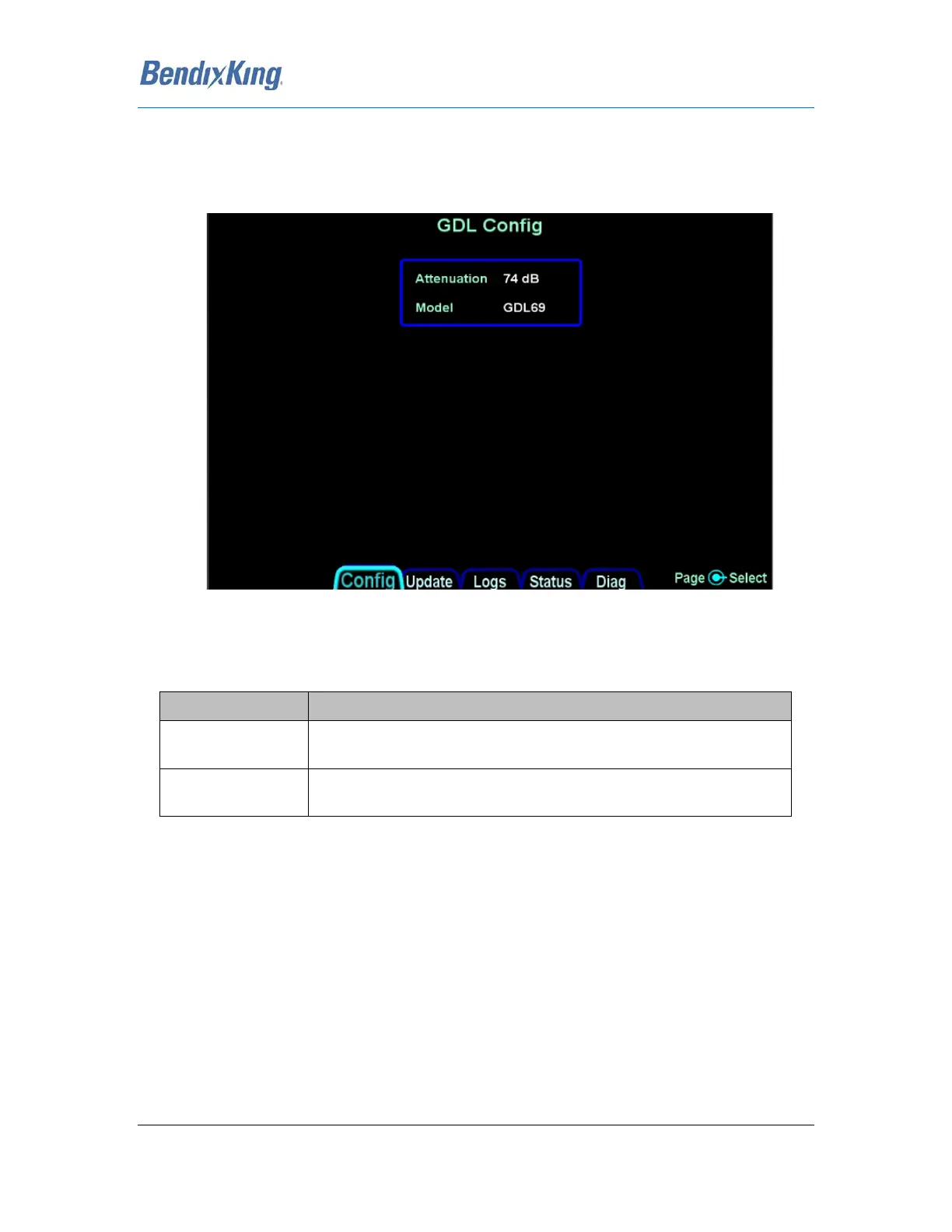
This page allows the configuration of the Garmin GDL 69/69A. This page is always displayed in
Maintenance Mode. The GDL 69/69A must be activated prior to configuring the AeroNav XXX,
reference the GDL installation manual for setup and configuration information.
Figure 20 GDL Configuration Page
GDL Selection Page
This page selects the attenuation and the type of GDL receiver connected to the AeroNav XXX.
Selection Description
Attenuation This parameter sets the attenuation GDL 69/69A. Reference the Garmin
GDL69/69A installation manual for more information.
Model This parameter sets the model to either GDL 69 (weather only) or GDL
69A (weather and audio) models.
Table 113 GDL Selection Page
Note Compatibility with P/N 011-00986-00 or 011-00987-00 only pre software 10.2.3.1. With
software 10.2.3.1 or higher P/N 011-03177-X0 will also function
Note: If the GDL69/69A is connected to any other display in the aircraft, this attenuation setting must
be set to match them



 To Next Page