89000046-014 KSN 780/8XX/900 AeroNav AML STC Installation Manual for Helicopters
Rev 0 Page 7-8
© Honeywell International Inc. Do not copy without express permission of Honeywell.
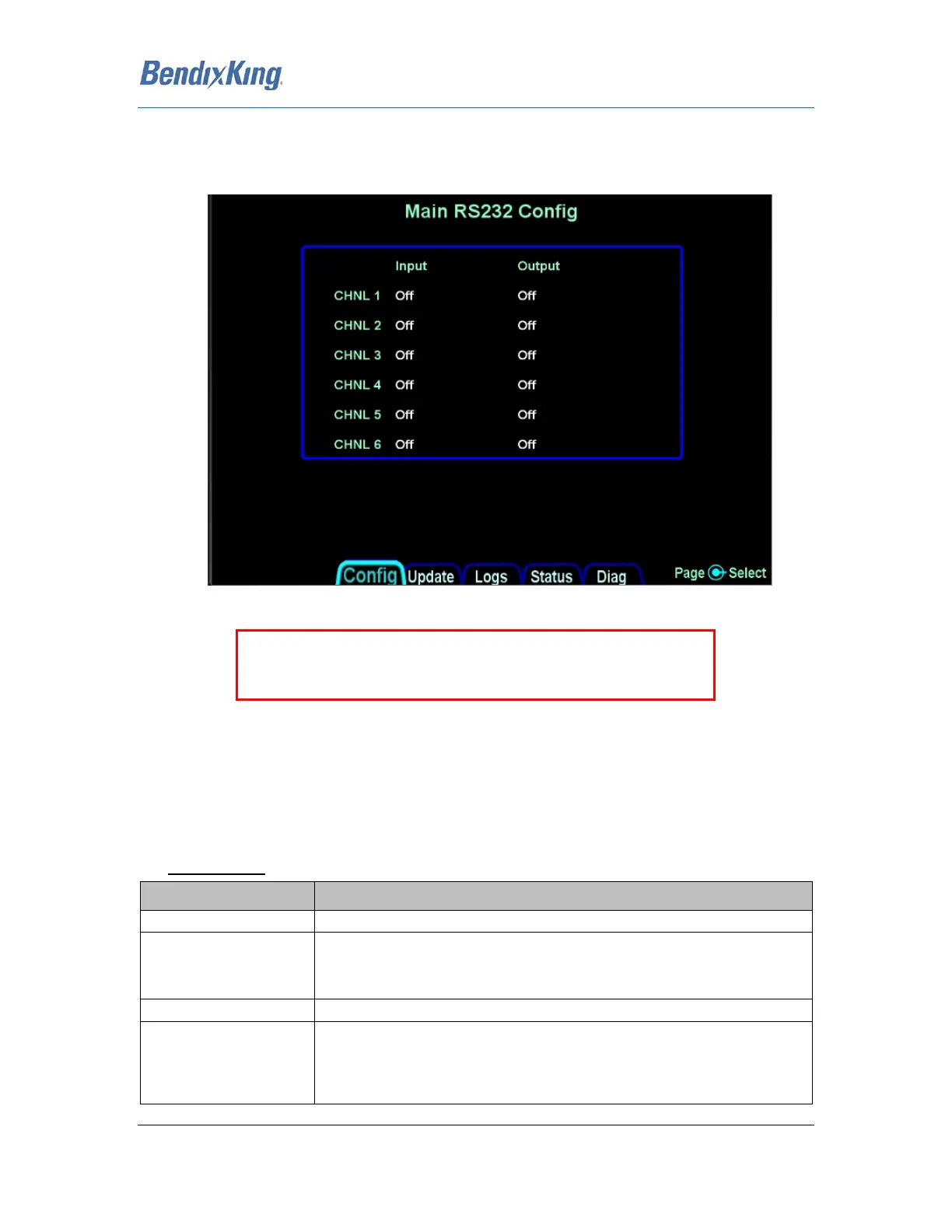
7.5.3 RS-232 Port Configuration
The RS-232 Configuration Page allows the configuration Inputs and Outputs to match that of the
equipment installed in the aircraft.
Figure 8 RS-232 AeroNav 880/900 Configuration Page
Note: If you configure Skytrax WX, Capstone Wx, MLB Wx, or WX500 on any input channel, the
same numbered output channel cannot be configured with any of the following; ADS-B (Avi), ADSB,
ADS-B+ (G), GDL 88, Aviation, Avtn no alt, HW EGWS, MapMX.
The following selections can be made on the RS-232 Input.
Channel Inputs
Selection Description
No device(s) connected to input of this channel
Serial fuel flow information from the following units:
ARNAV FC-10, FT-10
Electronics International FP-5L
Select for Avidyne AXP322 Remote Transponder
Serial transfer of flights plans and user waypoints and cross-side data (e.g.
RS-232 Datalink, traffic, lightning, etc) between AeroNav XXX units.
(Transponder and VHF control are not cross synced)
Note: This is only an option for CHNL 3.
Note: Shown is an AeroNav 880/900 Main RS232 Config Page. The
AeroNav 780/800 only has 4 inputs and outputs



 To Next Page