89000046-014 KSN 780/8XX/900 AeroNav AML STC Installation Manual for Helicopters
Rev 0 Page 7-33
© Honeywell International Inc. Do not copy without express permission of Honeywell.
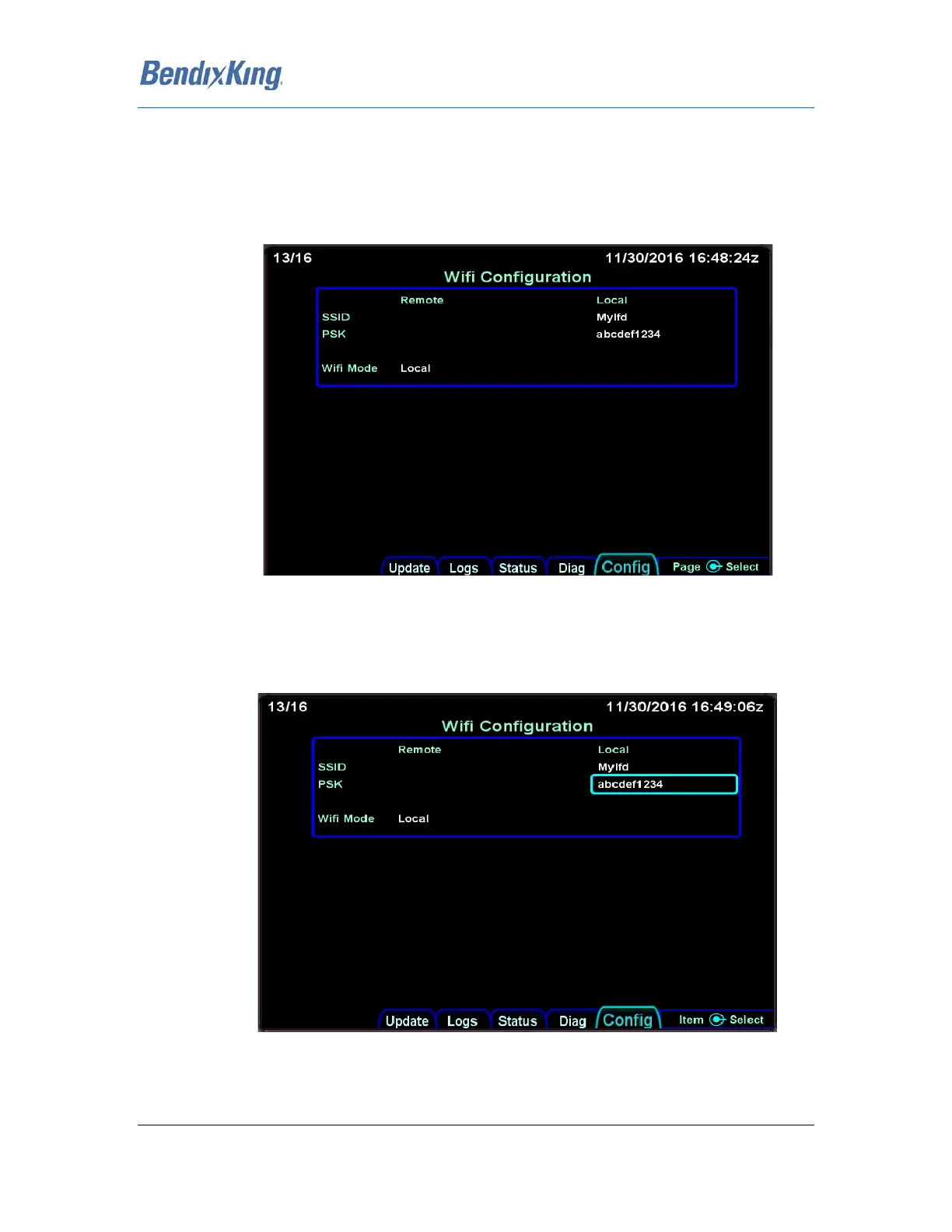
To configure the network password (PSK)
1. Boot the AeroNav to Maintenance mode.
2. Select the "Config" tab.
3. Turn the right knob until the "Wifi Configuration" Page is displayed as shown in the image
below.
Figure 24 WiFi Configuration Page
4. Press the lower right knob
5. Using the outer right knob, advance the selection rectangle until the PSK field is selected as
shown:
Figure 25 WiFi Configuration Page
6. Press the right knob



 To Next Page