12
11
1
1
1
1
2
8
4
6
7
9
3
5
10
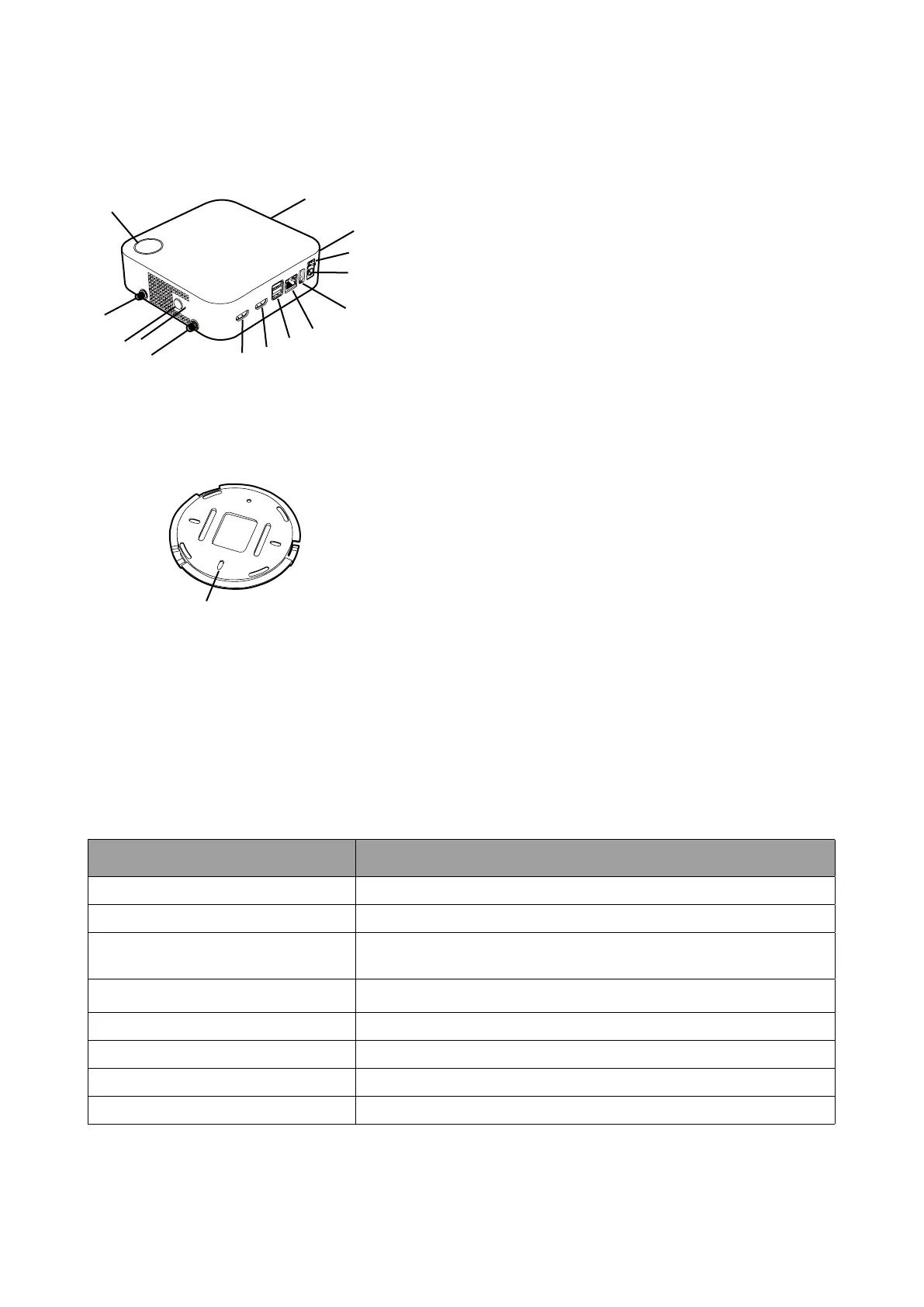
Alignment hole
12 Lid of the Host
6. USB 3.0 ports
Connect to a webcam, microphone, and/or
speakers for video conferencing.
7. WAN port
Allows the following connections:
• Connect the Host to a network for Internet
access.
• Connect the Host to a laptop to access the
Host's web management interface.
8. TOUCH SCREEN USB 2.0 port
Connect a touchscreen display to control the
screen of the presenter's device via touch
gestures.
9. DC 3A port
Connect to the supplied adapter extender
power cable and adapter to power the Host.
10. Power switch
Slide to power on or off the Host.
11. Standby button with LED indicator
Press to turn the Host on and off.
12. Lid
Refer to Attaching the Host to the ceiling on
page 15 for more information.
LED indicators of the Button and the Host
Please refer to the tables below for detailed indicator and status descriptions for the
Button and the Host.
LED indicator on the Button Status Description
Static blue The device is presenting.
Flashing blue The device is pairing.
Flashing green
• The device is starting up and connecting to the Host.
• The device is downloading the firmware.
Static green The device is in standby mode and working normally.
Flashing red The device is unable to connect to a Host.
Off The device is powered off.
Quick flashing green The device is upgrading the firmware.
Static white The device is powering up.


 To Next Page