60
• When Auto is selected in this field, the 2.4G Channel will also automatically be switched to Auto.
After switching, you can still manually change the 2.4G Channel setting to another channel.
• When a specific channel is selected in this field, the 2.4G Channel will automatically be switched
to its current channel. After switching, you can still manually change the 2.4G Channel setting to
another channel.
• 5G Channel Width - This field allows you to choose either a 20MHz, 40MHz, or 80MHz.
width for the 5G channel.
• 5G Mode - This field lists the Wi-Fi standard for the 5G signal.
• The supported wireless channels listed vary according to wireless regulations of the country/region
which is listed in the Wi-Fi Area field.
• The Wi-Fi standard for the Wi-Fi signal are set and cannot be configured.
Press Apply to save any change to the Wi-Fi Radio Setup fields.
Wireless Nodes Status
The Wireless Nodes Status sub-menu lists all the devices connected to the Host via Wi-Fi
and indicates their MAC Address, Device Name, IP Address, Wi-Fi channel used (2.4G/5G),
and connection time (Uptime).
Peripheral Setting
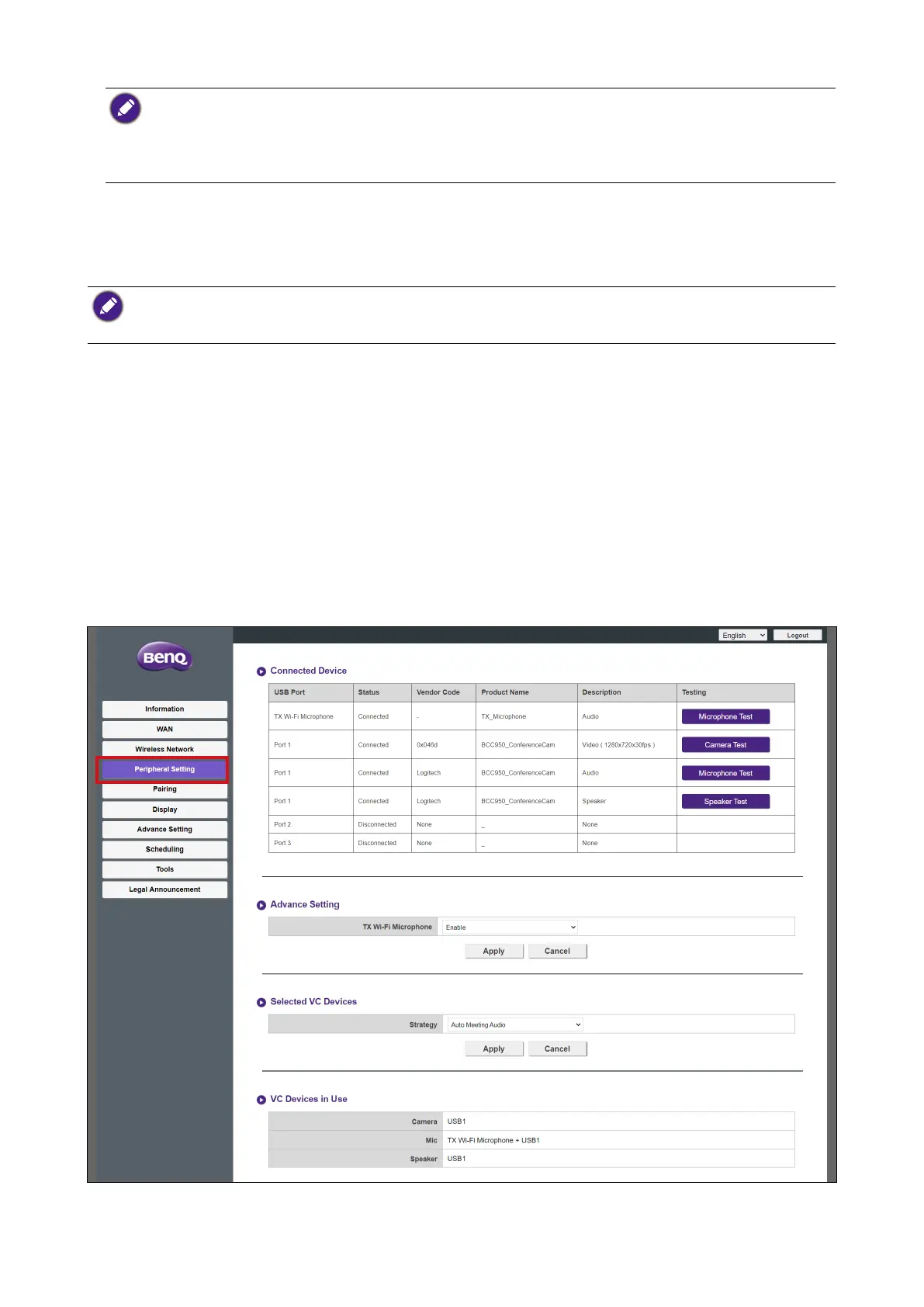
Click Peripheral Setting and you will see the Connected Device, Advance Setting,
Selected VC Devices and VC Devices in Use sub-menus for the Host.



 To Next Page