43
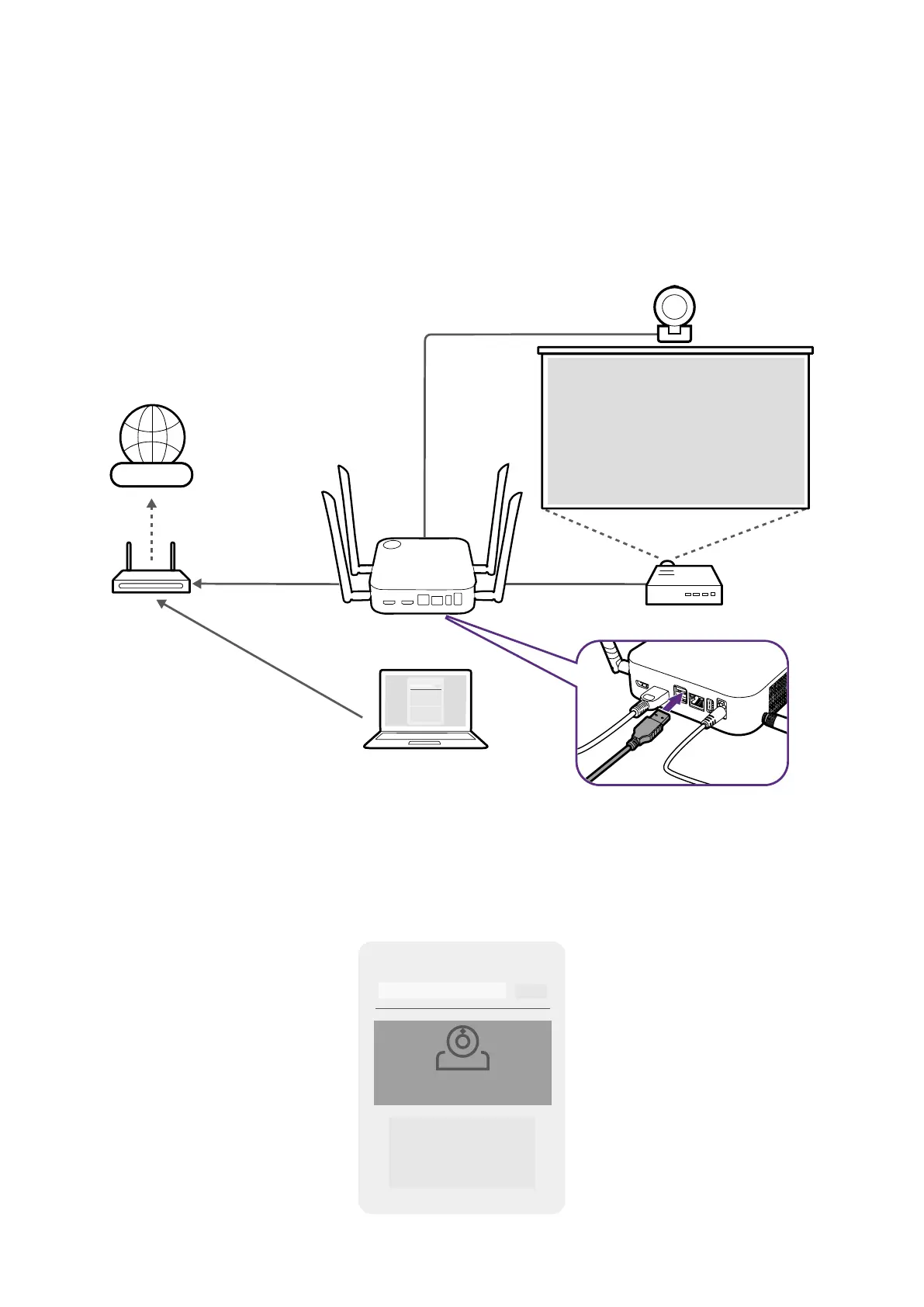
Using an external webcam
Within a hybrid meeting, you can also switch from the webcam on the laptop to an external
webcam so that remote users are able to get a clear view of the full conference room
during the meeting.
To switch to an external webcam in your hybrid meeting:
1. Connect a webcam to one of the USB 3.0 ports on the Host.
InstaShow VS Assist
Internet
2. Follow the steps in Setting up a videoconference on page 39 to begin a
videoconference.
3. (Optional) Select InstaShow Camera Preview on the InstaShow VS Assist home screen
to preview the video captured by the webcam so that you can check to see whether you
have connected to the correct webcam.
InstaShow VS Assist
InstaShow Camera Preview



 To Next Page