23
LAN connection
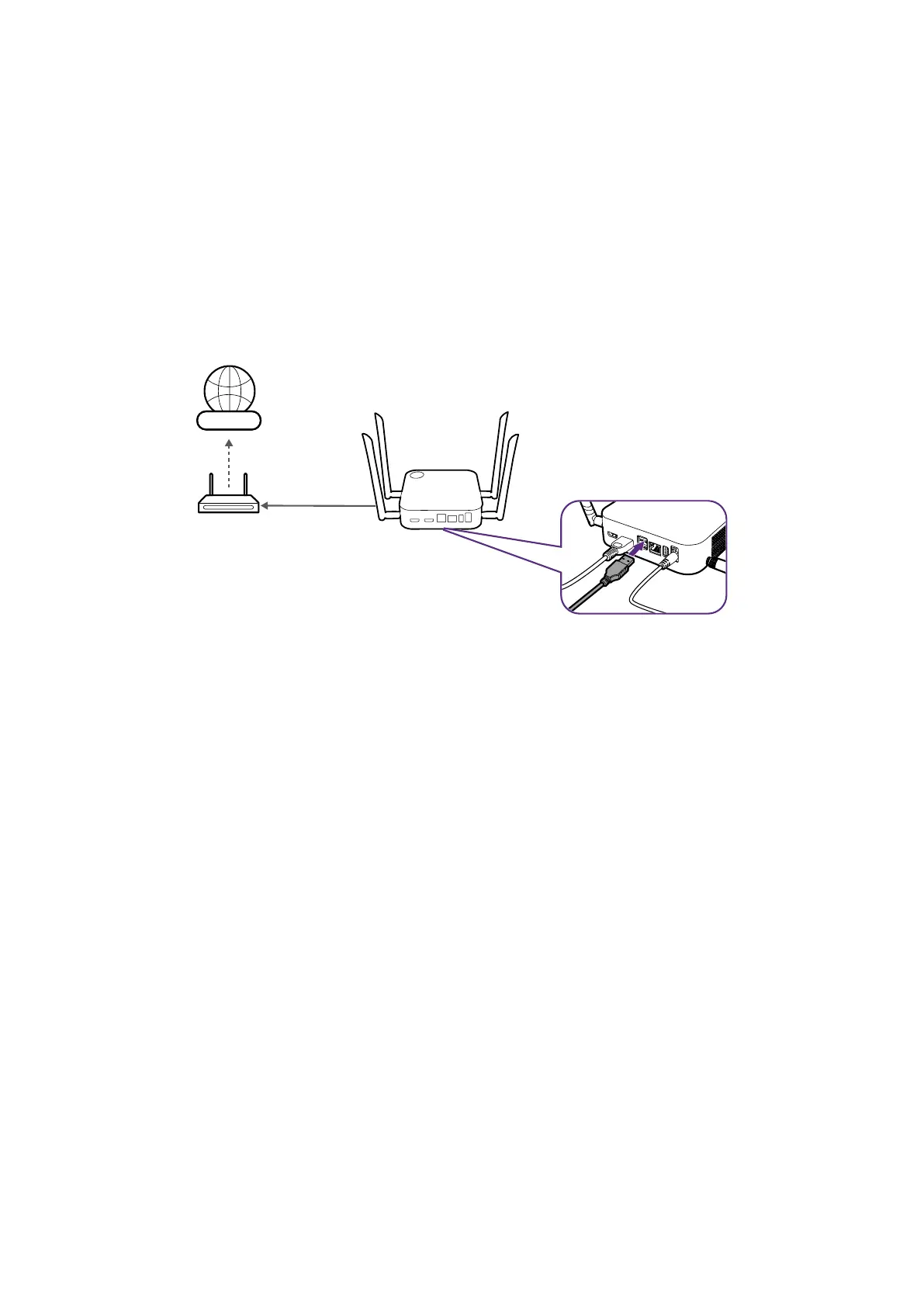
The Host can be connected to a local network or a laptop via its WAN port. The LAN
connection can be used to:
• Access the Internet for videoconferences, see Using InstaShow in hybrid meetings on
page 39 for more information.
• Configure your product, see Web management on page 48 for more information.
• Update the firmware, see Firmware Upgrade on page 70 for more information.
Insert a network cable with RJ-45 connectors into the WAN port and connect the other side
to a LAN.
Internet
Wi-Fi connection
The host can also be connected to a network via a Wi-Fi connection. To connect to a Wi-Fi
network:
1. Log into the web management menu using the steps described in Accessing the web
management interface on page 48.
2. Click the WAN menu in the web management menu.
3. In the WAN Connection Type field, select Repeater.
4. In the SSID field, enter the SSID of the Wi-Fi access point you want the Host to connect
to.
5. In the Security Mode field select either Open or WPA/WPA2 Mixed for the type of
security you want for the Wi-Fi connection.
6. In the Password Setting field enter the password for the Wi-Fi access point you want the
Host to connect to.
7. In the Frequency field select the frequency of the Wi-Fi access point you want the Host
to connect to.
8. Select Apply at the bottom of the menu.



 To Next Page